Gigabyte AERO OC GeForce RTX 4070 Ti SUPER vs Gigabyte GAMING OC V2 GeForce RTX 4070
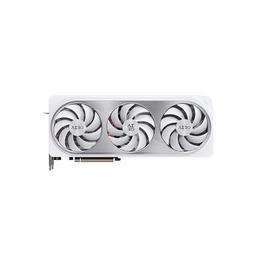
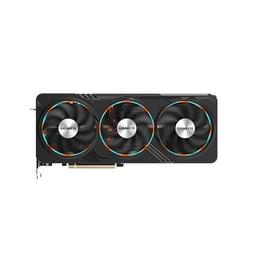
A side-by-side comparison of the Gigabyte AERO OC GeForce RTX 4070 Ti SUPER and the Gigabyte GAMING OC V2 GeForce RTX 4070: every specification the two listings give, and the prices we have for them. A spec sheet does not show which part is faster, so this page names no overall winner from it; for these cards, frame-rate estimates compiled from published reviews are below the table.
| Specification | ||
|---|---|---|
| TDP | 285W | 250W |
| VRAM | 16 GB | 12 GB |
| Length | 300 mm | 300 mm |
| Chipset | GeForce RTX 4070 Ti SUPER | GeForce RTX 4070 |
| VRAM Type | GDDR6X | GDDR6X |
| Base Clock | 2340 MHz | 1920 MHz |
| Slot Width | 3 | 2 |
| Boost Clock | 2655 MHz | 2565 MHz |
The badge above follows the estimated frame rates below. The spec rows are not added up into a verdict. A highlighted value is the better figure on that row alone: the higher one, or the lower one where less is better, such as TDP.
Estimated Gaming Performance: RTX 4070 Ti SUPER vs RTX 4070
The RTX 4070 Ti SUPER averages 150 FPS to the RTX 4070's 117 (+28%) across 5 games and is faster in 3 of them.
| Game | Resolution | RTX 4070 Ti SUPER FPS | RTX 4070 FPS | Winner |
|---|---|---|---|---|
| Valorant | 1440p | 450 | 310 | RTX 4070 Ti SUPER+45% |
| Hogwarts Legacy | 1440p | 95 | 85 | RTX 4070 Ti SUPER+12% |
| Cyberpunk 2077 | 1440p | 78 | 78 | Tie |
| Starfield | 1440p | 72 | 55 | RTX 4070 Ti SUPER+31% |
| Baldur's Gate 3 | 4K | 55 | 58 | RTX 4070+5% |
FPS figures are estimates from published review benchmarks; cards a review did not cover are scaled by relative performance. PlanMyPC does not run its own benchmarks. Each figure is for the listed resolution, and games where the two cards are within 3% of each other are marked as a tie. Actual performance varies with CPU, settings, and driver version.
Compare more parts
Add a third or fourth video card to this comparison, or build a side-by-side from scratch in the interactive compare tool.