We use cookies to understand how you use our site and improve your experience. Privacy Policy

All Build Guides
Home TheaterUpdated 2026-08-062 min read

NAS & Home Server Build

A low-power, always-on home server for Plex media streaming, file storage, Docker containers, and automated backups.

Alex ChenPublished 2025-07-098 components$1,400 budgetCompatibility checked

Build this PC in one click

Load all 8 parts into the System Builder to check compatibility and total the build against your $1,400 target.

Key Takeaways

  • The case is the storage ceiling on this build, and it is lower than it looks. The X3 Mesh has exactly two 3.5-inch bays, so once the Barracuda is fitted you have one left — check that number before you buy anything else, because a home server you cannot add drives to is just a PC with a lot of free time.
  • The drive in the parts list is a desktop drive doing NAS work. The 2TB BarraCuda is a 64MB-cache consumer unit, and Seagate's 2TB model is shingled (SMR), which is the recording format that turns a RAID or ZFS rebuild into an overnight job. An 8TB IronWolf is $299.99 in our catalogue for four times the capacity, a 256MB cache and a NAS duty rating.
  • The 7600X is the wrong end of the TDP range for a machine that never switches off. It is a 105W part chosen for clock speed a file server spends almost all its life not using, and the guide's own update section already points at the answer: the 65W Ryzen 5 8600G is $187.90, adds a Radeon 760M media engine for hardware transcoding, and idles lower every hour of every day.
  • Two lines carry most of the 2026 price and neither is doing demanding work. The 1TB DRAM-less boot NVMe is $325.45 and the 32GB DDR5 kit is $399.99, against a build that boots an OS off the first and serves files with the second. That is where the $800 target went, and it is the easiest place to get it back.
  • There is no ECC here and that is a board decision, not a memory one. This is a consumer AM5 platform; if bit-rot protection on a ZFS pool is the reason you are building a NAS at all, that points at a server board rather than a different kit of RAM in this one.

August 2026 price check This build was specced to an $800 target. At August 2026 catalogue prices the same parts list comes to about $1,348, before any of the mechanical drives. Memory and the boot NVMe are the movers. For a NAS the memory kit is the easiest honest cut: 16GB is plenty for file serving and a handful of containers, and that alone takes roughly $170 off.

A home server is one of the most practical builds you can do. It replaces cloud subscriptions with hardware you own and control — Plex for media streaming, Nextcloud for file sync, Immich for photo backup, and Docker for whatever else you need. The key requirements are reliability, low power consumption, and enough processing power for media transcoding.

The Ryzen 5 7600X transcodes in software, no dedicated GPU required — roughly 14 concurrent 1080p Plex streams on Plex's own sizing guidance, keeping power draw under 65W at idle. Be honest with yourself about 4K, though: a single 4K HDR transcode consumes the entire chip, and AM5's 2-CU integrated Radeon is not the Quick Sync-class media engine an Intel build would give you. Keep 4K libraries on direct play and this machine never breaks a sweat. That efficiency matters for a machine that runs 24/7 — every watt saved translates to real money on your power bill over months and years. The 6 cores also comfortably handle multiple Docker containers, VPN services, and backup jobs running simultaneously.

We've included a 1TB NVMe boot drive for the operating system and container data, plus a 2TB HDD for bulk media storage. In practice, most home server builders add more HDDs over time — the Phanteks case supports multiple 3.5" drive bays for expansion. Consider running TrueNAS, Unraid, or Proxmox as your operating system for the best server management experience.

Updated for mid-2026: The always-on, low-power server recipe is unchanged, and AM5 still handles Plex transcodes on the CPU alone without a dedicated GPU. If you specifically want hardware-accelerated transcoding rather than software, that is the case for a Ryzen 8000-series APU (8500G/8600G) — a full RDNA3 media engine and lower idle draw — with the caveat that Plex's AMD acceleration is still less dependable than Intel's Quick Sync. Otherwise, stick with the efficient 7600. TrueNAS, Unraid, and Proxmox remain the go-to operating systems. HDD cost-per-terabyte keeps falling, so budget for more bulk storage up front — the case supports additional 3.5" bays. The quiet, low-idle-power 24/7 build is as sensible as ever, but it now lands near $1,348 rather than under $800.
Our Verdict

For about $1,348 at August 2026 catalogue prices, this replaces a stack of cloud subscriptions with hardware you own: Plex, Nextcloud, Immich and a dozen Docker containers on roughly 45W at idle. There is no GPU to power for 24/7 duty, and the six cores have enough headroom to software-transcode a dozen-plus 1080p streams — 4K is where it runs out, so keep 4K libraries on direct play. Budget for more 3.5-inch drives from the start, since bulk storage is the part you always run out of first.

Benchmark Performance

Ryzen 5 7600X (28,280 PassMark CPU Mark), software transcoding only: each figure is that score divided by Plex's published per-stream requirement for the listed source file, rounded down. This build has no discrete GPU and Quick Sync is Intel-only, so no row assumes hardware offload; direct play is not charted because it is capped by the board's 2.5GbE link, not by the CPU.

Average simultaneous streams across benchmarked workloads. Ryzen 5 7600X (28,280 PassMark CPU Mark), software transcoding only: each figure is that score divided by Plex's published per-stream requirement for the listed source file, rounded down. This build has no discrete GPU and Quick Sync is Intel-only, so no row assumes hardware offload; direct play is not charted because it is capped by the board's 2.5GbE link, not by the CPU.
Stream typeSettingsAverage simultaneous streams
4K HDR to 1080p50 Mbps 10-bit HEVC source to 10 Mbps 1080p SDR software CPU transcode + HDR tone map, 17,000 PassMark per stream1
4K SDR to 1080p40 Mbps 8-bit HEVC source to 10 Mbps 1080p software CPU transcode, HEVC decode, 12,000 PassMark per stream2
1080p to 720p10 Mbps H.264 source to 720p software CPU transcode, H.264 decode, 2,000 PassMark per stream14
720p to 480p4 Mbps H.264 source to 480p software CPU transcode, H.264 decode, 1,500 PassMark per stream18

Average simultaneous streams shown. Figures are editorial estimates unless the note above cites a source, and vary by settings, drivers, and specific SKUs.

8

Components

$1,400

Budget Tier

Pass

Compatibility

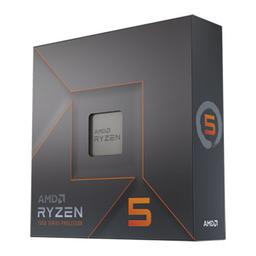
  • Six Zen 4 cores are enough to software-transcode a dozen-plus 1080p Plex streams with no graphics card in the machine, which is the whole reason this build has no GPU line and idles as low as it does. The honest caveat is the 105W rating: this is the clock-speed variant of a chip whose lower-power sibling exists, and on a box that never turns off you pay for that headroom every hour whether you use it or not.

    • 6C / 12T
    • AM5
    • 105W TDP
    • Integrated Radeon

    Alternative

    AMD Ryzen 5 8600G — The swap this guide's own update section argues for, and at $187.90 it is barely a premium. Same six cores at 65W instead of 105W, plus a Radeon 760M media engine that can transcode in hardware rather than burning the whole CPU on a single 4K HDR stream. Plex's AMD acceleration is still less dependable than Intel's Quick Sync, so treat it as a bonus rather than the reason to buy.

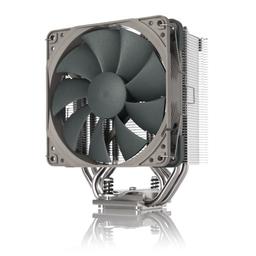
  • A 180W-rated tower on a 105W chip is deliberate overkill, and on a 24/7 machine overkill is what buys silence — the fan sits at low RPM instead of ramping every time a transcode starts. At $18.95 it is the cheapest line on the list and the one most responsible for whether you can stand having this thing in the same room as you.

    • Air tower
    • 180W rated
    • 160mm tall
    • 25.1 dBA
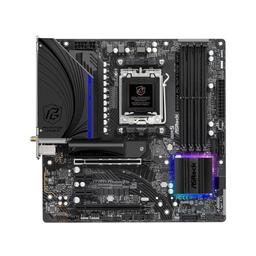
  • Micro-ATX is the right call for a server that will never hold an expansion card it did not ship with, and the four DDR5 slots matter more here than the form factor costs you — start at 16GB and you still have two slots free when a ZFS pool starts asking for cache. Two M.2 sockets also mean a mirrored boot pair later without touching the SATA drives.

    • Micro-ATX
    • AM5 / B650
    • 4x DDR5 slots
    • 2x M.2
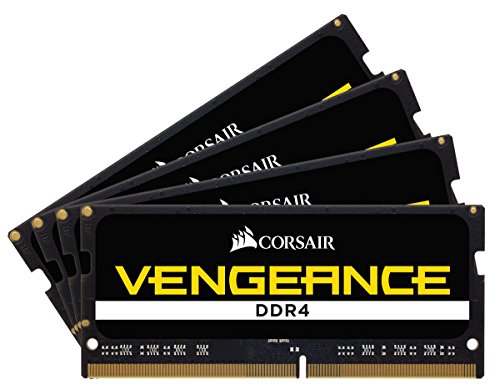
  • Plain non-ECC DDR5 at JEDEC speed, which is exactly right for a file server — nothing here benefits from a tuned kit, and low voltage on an always-on box is worth more than latency you will never observe. The real question is capacity, not speed: 32GB is generous for Plex and containers and only starts to earn its price if you run ZFS, which will happily use all of it for ARC.

    • DDR5-4800
    • CL40
    • 2x 16GB
    • 1.1V
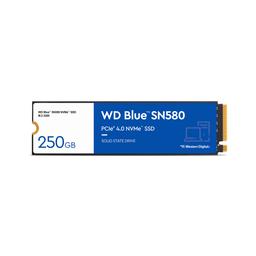
  • A boot and container drive, and that is genuinely all it does — the operating system, Docker volumes and metadata for whatever Plex is indexing. DRAM-less is a real limitation for sustained writes and a complete non-issue for this job, since bulk data lives on the mechanical drives. At current catalogue pricing it is the line to shrink rather than the line to upgrade.

    • 1TB
    • PCIe Gen4 NVMe
    • M.2 2280
    • DRAM-less
  • This is the bulk storage tier and it is the weakest choice on the list. The BarraCuda is a desktop drive — a 64MB cache, no NAS duty rating, and at 2TB it is one of Seagate's shingled models, which is the recording format that turns an array rebuild into an overnight ordeal. It works fine as a single drive holding media you can re-download; treat it as a starting point, not the plan.

    • 2TB
    • 3.5-inch SATA
    • 64MB cache
    • 7200-class desktop HDD

    Alternative

    Seagate IronWolf NAS 8TB — $299.99 for four times the capacity, a 256MB cache and conventional CMR recording built for always-on arrays. With only two 3.5-inch bays in this case, capacity per bay is the number that matters, and this is the drive that makes the second bay worth filling rather than something you replace later.

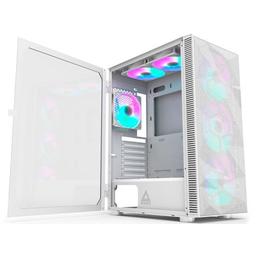
  • Read the drive-bay count before anything else here: two 3.5-inch mounts, so this parts list ships with exactly one spare. That is the real ceiling on the build, and it is the single spec most likely to end the machine's useful life early — if you know you want four or six drives eventually, buy a case with the bays now rather than rebuilding around one later. Everything else about it is right for the job: mid-tower airflow, room for the 160mm cooler, and mounts for two 2.5-inch SSDs that do not compete for the mechanical bays.

    • ATX mid-tower
    • 2x 3.5-inch bays
    • 2x 2.5-inch bays
    • 170mm cooler clearance
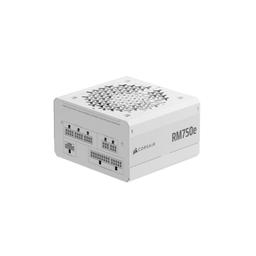
  • Substantially more capacity than a 45W-idle, 120W-loaded server will ever draw, which is fine — you are buying the fully modular cabling, not the wattage. On a build whose whole future is adding drives, being able to pull exactly the SATA power runs you need and leave the rest in the box is worth more than the efficiency rating on a machine this far down its power curve.

    • 750W
    • Fully modular
    • ATX
    • 80+ certified

Parts List

As an Amazon Associate, PlanMyPC earns from qualifying purchases made through links on this page. Read our affiliate disclosure

Where to Spend, Where to Save

Spend more on

Bulk drives — and buy the NAS-rated ones, because you only get two bays
With two 3.5-inch mounts in this case, every bay is a decision you make once and live with. An 8TB IronWolf at $299.99 is a CMR drive with a 256MB cache and a duty rating written for always-on arrays; the 2TB BarraCuda at $135.00 is a desktop SMR drive that crawls during exactly the rebuild you bought redundancy for. The bigger, right-class drive costs more per unit and less per terabyte, and it means you are not opening the case again in a year to solve a problem you could have solved now.
A UPS, which is not on this parts list at all
This is the one build where losing power is a data-integrity event rather than an inconvenience, because the machine is the thing holding the photos and the backups everything else depends on. A write interrupted mid-flush on a ZFS or Btrfs pool is precisely the failure a battery prevents, and unlike every other line here it protects the whole machine rather than improving one part of it. Around $80 to $120 buys enough runtime for a clean shutdown, which is all you actually need.

Save on

The boot drive, which is barely working
At $325.45 the 1TB SN580 is the second-largest line on this list, and its job is to hold an operating system and some container configuration. That is a workload measured in tens of gigabytes that never touches sequential throughput, on a DRAM-less drive that was not built for sustained writes anyway. TrueNAS, Unraid and Proxmox all boot identically off a 500GB NVMe, and the difference is most of a bulk drive.
Memory capacity, unless ZFS is the plan
32GB at $399.99 is the single largest line here and file serving is not a memory-bound workload — 16GB runs Plex, Nextcloud, Immich and a dozen containers without complaint, and the guide's own price check puts that cut at roughly $170. The real exception is ZFS, which will genuinely use everything you give it for ARC caching. The board has four DIMM slots, so starting at 16GB keeps that door open rather than closing it.
Power supply headroom
This machine draws about 45W at idle and around 120W loaded, so a 750W unit is carrying five times the headroom it will ever ask for. The RM750e is only $89.99 and being fully modular genuinely helps when you are running SATA power to drive bays, so there is no reason to avoid it — but a cheaper 550W modular unit would run this build for years and nothing in it would notice.

Ready to build this list?

Every part above drops straight into the System Builder — compatibility checks, a running price total, and a one-click buy list.

The Bottom Line

Pros

  • Roughly 45W idle for an always-on machine keeps running costs low
  • Six cores software-transcode 14 concurrent 1080p Plex streams, no GPU
  • Six cores comfortably run 15-plus containers alongside backup jobs

Cons

  • Consumer board offers no ECC memory support
  • One 4K HDR software transcode is the ceiling — no Quick Sync on AM5
  • Case tops out at a handful of 3.5-inch bays for bulk storage

Frequently Asked Questions

Do I need a graphics card for a Plex server?

No, but know the limit. The 7600X software-transcodes about 14 concurrent 1080p streams with no discrete card, which keeps idle draw near 45W. 4K is different: one 4K HDR transcode uses the whole CPU, and AM5 has no Quick Sync, so keep 4K libraries on direct play.

What operating system should I run?

TrueNAS SCALE for storage-first setups, Unraid if you want mixed-size drives and easy Docker, or Proxmox if virtual machines are the priority. All three run well on this hardware.

How much does it cost to run 24/7?

At roughly 45W idle and typical US electricity rates, expect somewhere around $4 to $6 a month. Adding hard drives is what moves that number, at a couple of watts each when spun up.

Can I add more hard drives later?

One more, and that is the constraint. The X3 Mesh has two 3.5-inch bays total, so this list leaves a single bay free. Power is not the limit — the 750W supply has far more headroom than the platform needs. Beyond two drives you need a bigger case.

Do I need ECC memory for a home NAS?

It is a genuine reliability benefit for ZFS, but not a requirement for home use. This consumer AM5 board does not support it; if ECC matters to you, that is the reason to look at a server board instead.

Parts8 components
Target$1,400