StreamingUpdated 1 min read

Streaming and Gaming PC

Game at high frame rates while streaming to Twitch or YouTube without dropped frames, thanks to NVENC encoding and plenty of CPU threads.

As an Amazon Associate, PlanMyPC earns from qualifying purchases. How we make money

PlanMyPC EditorialPublished 8 components$3,100 budget

Written with AI assistance and edited by PlanMyPC. How we write

As an Amazon Associate, PlanMyPC earns from qualifying purchases. We may also earn from other stores linked here. How we make money

Build this PC in one click

Load all 8 parts into the System Builder to check compatibility and total the build against your $3,100 target.

Key Takeaways

  • Going live is close to free on this machine, and that is the entire argument for it. Cyberpunk 2077 at 1440p Ultra goes from 101 fps solo to 98 with a 1080p60 broadcast running — about 3% — because NVENC does the encode on its own silicon rather than borrowing the cores your game is using.
  • The exception is the games streamers actually play most. Counter-Strike 2 gives up roughly 9%, 331 fps down to 302, and that loss is not the encoder: it is OBS, a browser source and a chat client wanting CPU time in a title that was already CPU-bound. That gap is what the 7700X's eight cores exist to absorb.
  • The 7700X over the 7800X3D is a deliberate trade, not a budget cut. Both are 8-core parts, so the X3D's roughly $150 premium buys gaming frames rather than streaming headroom. If you record locally and never go live, buy the X3D instead — this list is specced for the other case.
  • At about $3,045 in August 2026 catalogue prices this runs several hundred dollars past a pure 1440p gaming build, and the RTX 4070 Ti SUPER at $1,425 is most of the difference. You only recoup that by actually broadcasting; if streaming is a maybe, buy the gaming build.
  • Everything expensive is sized for the upgrade streamers actually make. 850W over a ~420W load, a second M.2 socket and 2TB of Gen4 NVMe mean a capture card, a VOD archive or a 50-series card with better AV1 encode all drop in without a rebuild.

August 2026 price check This build was specced to an $1,800 target. At August 2026 catalogue prices the same parts list comes to about $3,045. The RTX 4070 Ti SUPER is roughly $1,425 against the $799 this guide assumed, and memory and storage add about $540 more between them. A 12GB card and a 1TB drive bring it back near target without changing how the encoder behaves.

Streaming while gaming puts unique demands on a system. You need enough CPU headroom to handle encoding, chat overlays, and alerts without tanking your in-game FPS. The Ryzen 7 7700X's 8 cores and 16 threads handle this effortlessly when paired with NVENC hardware encoding on the RTX 4070 Ti SUPER.

The RTX 4070 Ti SUPER is the sweet spot for streaming: its NVENC encoder produces near-lossless quality at virtually zero performance cost, and the GPU itself delivers excellent 1440p gaming performance. You get smooth gameplay for your viewers and for yourself.

2TB of fast NVMe storage gives you room for VOD recordings, game installations, and streaming overlays without constantly managing disk space.

Updated for mid-2026: Still an excellent dual-duty streaming rig. The 7700X has plenty of headroom for encode-while-you-game, and the RTX 4070 Ti SUPER's NVENC remains broadcast-grade. NVIDIA's 50-series brings an upgraded NVENC with better AV1, and with Twitch's expanding AV1 support the RTX 5070 Ti is the natural successor at a similar price tier if you're buying new. The 7800X3D is also worth the small upcharge if raw gaming FPS matters more to you than extra CPU cores.
Our Verdict

This is the build to buy if you actually go live rather than just record. The point of the pairing is that the two workloads barely touch each other: NVENC does the encode on dedicated silicon, so a GPU-bound game like Cyberpunk 2077 gives up about 3% (101 fps down to 98 at 1440p Ultra) with a 1080p60 broadcast running. The honest exception is CPU-bound esports — Counter-Strike 2 drops from 331 to 302 fps, roughly 9%, because OBS, a browser source and chat want cores rather than encoder blocks, and that is where the 7700X's 8 cores are doing the real work. The money is deliberately split: enough GPU for genuine 1440p gaming, enough CPU threads that the stream never becomes a tax on your own frame rate, and 850W plus a 2TB drive so adding a capture card or a VOD archive later is not a rebuild.

Estimated Performance

Estimated for the parts in this list — Ryzen 7 7700X and RTX 4070 Ti SUPER at 1440p, DLSS off unless the row says so. Rows labelled "streaming" assume OBS live at 1080p60 / 6000 kbps on NVENC with a browser overlay and chat source active; the paired "solo" row is the same game and preset with nothing broadcasting, so the gap between them is the estimated cost of going live.

Estimated average FPS across the listed games. Estimated for the parts in this list — Ryzen 7 7700X and RTX 4070 Ti SUPER at 1440p, DLSS off unless the row says so. Rows labelled "streaming" assume OBS live at 1080p60 / 6000 kbps on NVENC with a browser overlay and chat source active; the paired "solo" row is the same game and preset with nothing broadcasting, so the gap between them is the estimated cost of going live.
GameSettingsAverage FPS1% low FPS
Cyberpunk 20771440p Ultra — solo10178
Cyberpunk 20771440p Ultra — streaming 1080p60 NVENC9874
Cyberpunk 20771440p RT Ultra + DLSS Quality — streaming, ray tracing on7658
Counter-Strike 21440p High — solo331178
Counter-Strike 21440p High — streaming 1080p60 NVENC302149
Fortnite1440p Competitive — solo234168
Fortnite1440p Competitive — streaming 1080p60 NVENC226159
Baldur's Gate 31440p Ultra — streaming 1080p60 NVENC9471
Apex Legends1440p High — streaming 1080p60 NVENC213162

Average FPS shown; hover a bar for 1% lows. Figures are editorial estimates unless the note above cites a source, and vary by settings, drivers, and specific SKUs.

8

Components

$3,100

Budget Tier

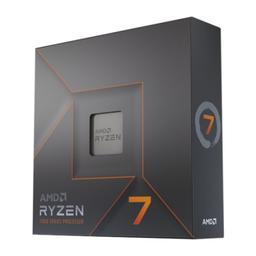
  • Eight Zen 4 cores are the reason a broadcast does not become a tax on your own frame rate — OBS, a browser overlay, chat and alerts all want CPU time, and this chip has threads to spare after the game has taken what it needs.

    • 8-core / 16-thread
    • Up to 5.4 GHz
    • AM5 socket

    Alternative

    AMD Ryzen 7 7800X3D — Spend roughly $150 more for the 3D V-Cache part if raw gaming FPS matters more than encode headroom — it is clearly faster in CPU-bound games, but it is the same 8 cores, so it buys frames rather than streaming capacity.

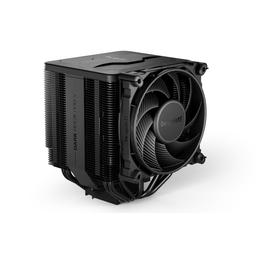
  • A stream is live audio, so cooler noise is a production problem and not just a comfort one — this dual-tower holds the 7700X at full boost during a hours-long session while staying quiet enough that a desk mic does not pick up the fans.

    • Dual-tower air
    • Near-silent under load
    • Handles 105W+ TDP
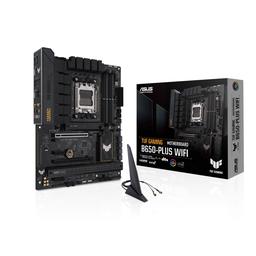
  • B650 covers everything a streaming rig uses — 2.5G Ethernet for a stable upload, front USB-C for a mic interface or capture device, and a second M.2 slot so a dedicated VOD drive is a screw rather than a rebuild.

    • AM5 / B650
    • 2.5G LAN + Wi-Fi 6
    • ATX, 2× M.2
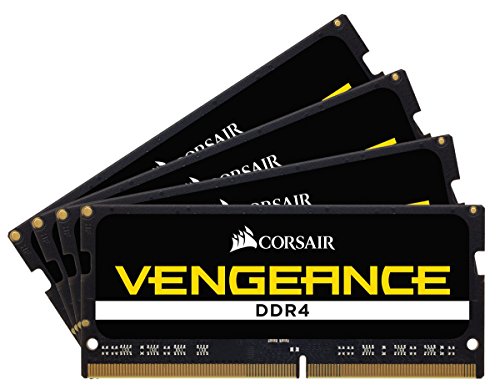
  • DDR5-6000 is the tested sweet spot for AM5, and 32GB is the floor once a game, OBS, a Chromium browser source and a chat client are all resident at the same time — a 16GB kit is where dual-workload builds start swapping.

    • 32GB (2x16GB)
    • DDR5-6000 EXPO
    • Two slots free

    Alternative

    Corsair Vengeance RGB 64GB (2x32GB DDR5-6000) — Go to 64GB if your scene collection runs many browser sources, a soundboard and a bot alongside the game, or if you edit VODs on the same machine between streams.

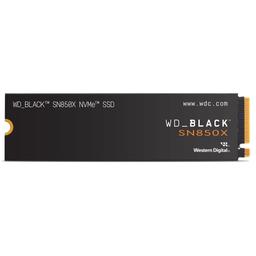
  • Local recording writes a second copy of your stream to disk while the game reads from it, so sustained Gen4 speed matters here in a way it does not on a gaming-only build — 2TB holds a library plus a few weeks of VODs.

    • 2TB
    • PCIe 4.0 NVMe
    • ~7,300 MB/s read

    Alternative

    Western Digital WD_Black SN850X 4 TB — Double the capacity if you keep full-quality local recordings for editing rather than deleting them after upload — VOD archives fill 2TB faster than a game library does.

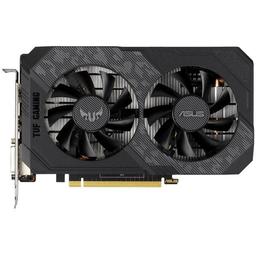
  • The dual-duty pick: 16GB and enough raster for genuine 1440p Ultra gaming, plus an NVENC block that encodes the broadcast on separate silicon — which is why going live costs about 3% here instead of the double-digit hit x264 would take.

    • 16GB GDDR6X
    • NVENC + AV1 encode
    • 285W TGP

    Alternative

    MSI GAMING TRIO OC GeForce RTX 5070 Ti — The natural 2026 successor at a similar tier: a newer NVENC with better AV1 quality per bitrate, which matters as Twitch expands AV1 ingest. Worth it if you are buying new rather than upgrading from a 40-series card.

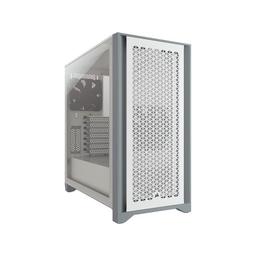
  • A mesh front keeps a 285W GPU and a 105W CPU cool at low fan speeds, which is the only way a build sat next to a microphone stays out of the broadcast — and the interior has room for the capture card most streamers add later.

    • Mid-tower ATX
    • Mesh front intake
    • Room for a capture card
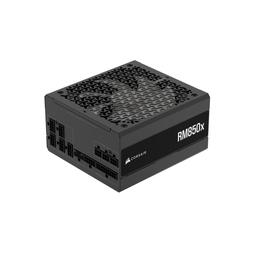
  • 850W over a roughly 420W system is deliberate headroom: a dual-workload machine runs near its ceiling for hours rather than in bursts, and the margin means a 50-series GPU or an internal capture card is a card swap, not a supply swap.

    • 850W 80+ Gold
    • Fully modular
    • ATX 3.0 / 12V-2x6

Parts List

Product prices and availability are accurate as of the date/time indicated and are subject to change. Any price and availability information displayed on Amazon at the time of purchase will apply to the purchase of this product.

Where to Spend, Where to Save

Spend more on

CPU cores — because the encoder does not cover the CPU-bound case
It is tempting to read the 3% Cyberpunk figure and conclude that NVENC makes core count irrelevant. The Counter-Strike 2 rows say otherwise: 331 fps solo down to 302 with the same encoder doing the same job, because OBS itself, a Chromium browser source, chat and alerts all want CPU time in a game that was already CPU-bound. The $269 8-core 7700X is the floor here, not the luxury — a 6-core part would turn that 9% into something viewers can see.
The GPU tier, specifically for its encoder generation
The $1,425 RTX 4070 Ti SUPER is the single largest line and it is buying two things at once: enough raster for genuine 1440p Ultra gaming, and a 40-series NVENC block that encodes AV1. If you are buying new in 2026 rather than upgrading, the RTX 5070 Ti sits at a similar tier with a newer encoder that produces visibly cleaner motion at the same bitrate — which matters as Twitch expands AV1 ingest. This is the one line where the newer generation is worth waiting for.
Power supply headroom, because a stream runs at load for hours
850W over a roughly 420W system looks like waste until you notice that a dual-workload machine sits near its ceiling for a four-hour session rather than spiking in bursts the way a gaming-only build does. The $140 unit also covers the two upgrades this build is designed to take — an internal capture card and a 50-series GPU with higher transient draw — so neither becomes a second purchase.

Save on

Storage capacity — keep the Gen4 speed, drop the terabytes
Local recording writes a second copy of the stream while the game reads from the same drive, so sustained Gen4 throughput genuinely matters here in a way it does not on a gaming-only build. Capacity is a different question. The 2TB SN850X is $400; the 1TB version keeps identical speed for roughly half, and the board's second M.2 socket means adding the archive drive later is a screw rather than a reinstall. Only buy 2TB up front if you keep full-quality VODs for editing.
The 3D V-Cache upcharge
The 7800X3D is about $150 more than the 7700X and is the faster gaming chip, but it is the same eight cores — so on a machine whose defining constraint is having threads spare for OBS, it buys frames you were not short of rather than the headroom you actually need. On a streaming build that $150 does more good in the GPU line or a second drive. Buy the X3D only if you have decided you mostly play and occasionally record.
Memory capacity — 32GB is the right number, not a starting point
A modern game plus OBS, a Chromium browser source and a chat client lands comfortably inside 32GB, so the $400 DDR5-6000 kit here is correctly sized and the 64GB upgrade is money spent on a ceiling you are not touching. Two slots stay free for the day a soundboard, several browser sources and VOD editing on the same machine change that. Keep the DDR5-6000 EXPO speed when you buy — it is the tested AM5 sweet spot and costs nothing extra.

Ready to build this list?

Every part above drops straight into the System Builder — compatibility checks, a running price total, and a one-click buy list.

Pros and cons

Pros

  • Going live costs about 3% of your frame rate in GPU-bound games — 101 fps to 98 in Cyberpunk 2077 at 1440p Ultra
  • NVENC encodes on dedicated silicon, so stream quality does not trade against in-game settings the way x264 does
  • 8 cores and 16 threads absorb OBS, browser overlays, chat bots and alerts without the game losing the CPU
  • 2TB of Gen4 NVMe holds a game library and local VOD recordings at once, and 850W leaves room for a capture card and a future GPU

Cons

  • CPU-bound esports pay a real toll: Counter-Strike 2 gives up around 9% of its average with a broadcast running
  • The 4070 Ti SUPER's NVENC is the 40-series encoder — AV1 works, but 50-series cards encode AV1 better as Twitch expands support
  • The 7700X trades gaming FPS for threads; a 7800X3D is faster in games if you only ever record locally
  • At roughly $3,045 it is several hundred dollars over a pure 1440p gaming build, which is money you only recoup if you genuinely stream

Frequently Asked Questions

How much FPS do you actually lose streaming on this build?

About 3% in GPU-bound games — Cyberpunk 2077 at 1440p Ultra goes from 101 fps solo to 98 fps with a 1080p60 broadcast live. CPU-bound esports cost more: Counter-Strike 2 drops from 331 to 302 fps, roughly 9%, because OBS and overlays compete for cores rather than the encoder.

NVENC or x264 for streaming in 2026?

NVENC, on any build with an NVIDIA GPU. It encodes on dedicated silicon, so it barely touches gaming performance, and 40-series NVENC quality is close enough to x264 medium that the CPU cost is no longer worth paying. Keep x264 only for CPU-only or dual-PC setups.

Is 8 cores enough for gaming and streaming at the same time?

Yes, with hardware encoding. The 7700X's 16 threads cover OBS, a browser overlay, chat and alerts alongside a game. Core count becomes the limiter only if you switch to x264 encoding or run heavy bots and soundboards — that is the case for stepping to 12 cores.

Should you buy the 7700X or the 7800X3D for a streaming PC?

The 7700X if you stream, the 7800X3D if you mostly play. Both have 8 cores, so the X3D adds gaming frames rather than streaming headroom. On a dual-workload build that money is better spent on the GPU or a second drive.

What settings should you stream at on this build?

1080p60 at 6000 kbps on NVENC H.264 is the safe Twitch target and what these estimates assume. If your channel has AV1 or higher-bitrate ingest available, AV1 at a similar bitrate looks noticeably cleaner in fast motion on the same hardware.

Do you need a capture card for this build?

Only for console gameplay. A single-PC setup streaming games from this machine needs no capture hardware at all — OBS captures the game directly. Add an external capture card if you also stream a PS5, Xbox or Switch through the same PC.

Is 32GB of RAM enough for gaming while streaming?

Yes for a typical scene collection. A modern game plus OBS, a Chromium browser source and a chat client lands comfortably inside 32GB. Move to 64GB if you run several browser sources, a soundboard and a bot, or edit VODs on the same machine between streams.

Parts8 components
Target$3,100
Build PC