August 2026 price check This build was specced to a $1,000 target and its headline promised $978. At August 2026 catalogue prices the same parts list comes to about $1,703, and neither figure holds. The graphics card is no longer the reason: an out-of-stock third-party listing had the RTX 4060 near $795 earlier this month, and with that cleared it prices normally again at about $444. What breaks the budget is memory and storage, roughly $745 of the total between them. The GPU-free variant this guide describes still works on a student budget — about $1,260 as listed, and near $1,127 once you also drop to a 16GB kit.
The best PC for college in 2026 pairs the AMD Ryzen 5 7600X with a compact RTX 4060 — about $1,703 at August 2026 catalogue prices, with a Micro-ATX B650 board, 32GB of DDR5, a 1TB Gen4 NVMe, and a quiet 750W power supply. It handles a semester's worth of multitasking — a browser with forty tabs, a video call, an IDE and a spreadsheet all at once — without a stutter, plays modern games at 1080p High between classes, and drops into a small case that shares a dorm desk with a monitor, a lamp and a pile of textbooks. Because the 7600X has integrated graphics, you can even build the productivity-only version without a graphics card and add one later.
We publish this every summer for one reason: the back-to-school window is when a good machine pays for itself fastest, and the SEO and shopping research for it peaks in August and September. If you are reading this in July or August, you are early in the best possible way — order parts before the rush, build it over a weekend, and show up to the first week of classes with a computer that will outlast your degree. If your budget is tighter, our ultra-budget build under $600 still does real work; if you want a dedicated 1080p gaming machine first and coursework second, the budget 1080p gaming build is the sister guide to this one.
Who this build is for
This is a machine for a student who does everything: writing papers, running statistics or CAD software, compiling code, editing the occasional video for a class project, joining video lectures, and unwinding with games on the weekend. It is deliberately not a maxed-out gaming rig — spending $2,000 on a college PC is a mistake when that money could be textbooks, rent or a laptop for the lecture hall. Instead it targets the sweet spot where every part earns its place: fast enough that nothing you do for a four-year degree feels slow, cheap enough that you are not nervous about it living in a shared space, and small and quiet enough to belong on a dorm desk.
The strategy: buy the platform, not just the parts
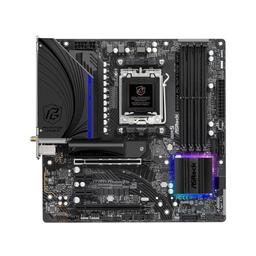
The single smartest decision in a college build is choosing AMD's AM5 socket. The AMD Ryzen 5 7600X is a 6-core, 12-thread chip that shreds through coursework and multitasking, but the real value is the platform underneath it: AM5 is a long-lived socket that will accept far faster processors for years. That means the ASRock B650M PG Riptide WiFi you buy as a freshman can hold a flagship-class CPU by the time you are writing a thesis — no rebuild, no new memory, just a drop-in swap. A college build is a four-year investment, and AM5 is the platform designed to survive four years of upgrades.
The CPU: Ryzen 5 7600X does real work
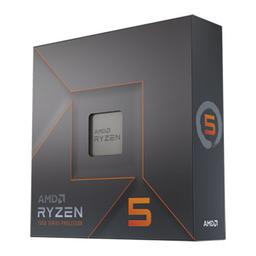
The AMD Ryzen 5 7600X is the productivity heart of this build. Six Zen 4 cores and twelve threads boosting to 5.3GHz handle exactly the kind of load a student throws at a machine — dozens of browser tabs, a video call, a code editor and a large spreadsheet, all live at once — without the fan-spinning slowdown that plagues cheap laptops. It compiles code quickly, runs statistical packages and light CAD comfortably, and never becomes the bottleneck in day-to-day work.
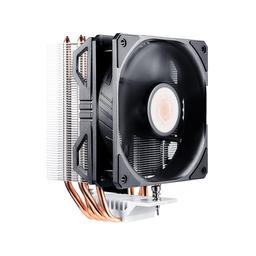
Crucially, the 7600X ships with integrated Radeon graphics. For a student whose coursework is writing, research, coding and video calls, that means you can build this machine without a graphics card at all and still drive a monitor perfectly — see the GPU-free variant below. We cool it with the Cooler Master Hyper 212 EVO V2, a $35 air cooler that keeps the 7600X quiet under sustained load. There is no need for liquid cooling at this power level; a good air tower is quieter, cheaper and never leaks.
The GPU: RTX 4060 for light gaming and creative work
The Gigabyte Windforce OC GeForce RTX 4060 8GB is the part that turns a productivity box into a do-everything machine. It is a compact, efficient card — a modest 115W draw means no roaring fans and no oversized power supply — that plays essentially every modern title at 1080p High between classes: expect 90–120 FPS in popular competitive games and a smooth 60+ FPS in demanding AAA titles with DLSS enabled. It also accelerates the creative work students increasingly do: video editing exports, Blender renders, and machine-learning coursework all lean on the GPU. If your studies are purely text and code, skip it and pocket the $289 — but for most students the RTX 4060 is what makes this the last computer they need for the whole degree.
Memory, storage and the case
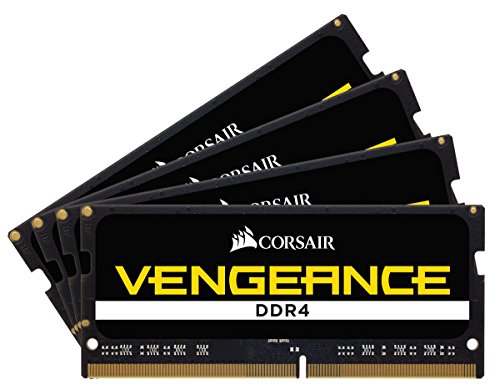
Memory is the Corsair Vengeance DDR5-5600 32GB (2x16GB) kit. Sixteen gigabytes is the bare minimum in 2026; 32GB is the amount that means you never think about closing tabs to keep things responsive, and it costs little more. It is the upgrade students thank themselves for every single day. Enable the EXPO profile in the BIOS on first boot so the kit runs at its rated speed.
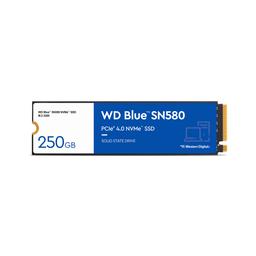
Storage is the WD Blue SN580 1TB, a fast Gen4 NVMe drive that boots the machine in seconds and holds four years of documents, a game library and a semester of project files. One terabyte is the right starting point, and the board has a spare M.2 slot for a second drive when you outgrow it.
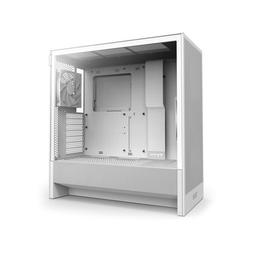
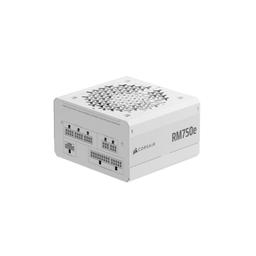
The NZXT H5 Flow is a compact, clean-looking case with excellent airflow — it looks at home on a dorm or apartment desk, keeps the components cool and quiet, and is genuinely easy to build in for a first-timer. Power comes from the Corsair RM750e (2025), an 80+ Gold, quiet, reliable unit with far more headroom than this ~350W system needs — that headroom is deliberate, because it lets you drop in a much more powerful GPU down the road without touching the PSU.
Performance you should expect
This build is fast where it counts for a student and perfectly capable where it counts for fun:
- Boot to desktop: under 15 seconds
- 40+ browser tabs + video call + IDE + spreadsheet: no slowdown
- Fortnite (1080p High): 120+ FPS
- Counter-Strike 2 (1080p High): 200+ FPS
- Cyberpunk 2077 (1080p High, DLSS): 70–85 FPS
- Blender / video export: GPU-accelerated, dramatically faster than any laptop at this price
The GPU-free productivity variant
If your degree is writing, research, coding, math or business — anything that does not need a discrete GPU — build this exact system and simply leave out the RTX 4060. The 7600X's integrated Radeon graphics drive a 1080p or 1440p monitor perfectly for productivity, dropping the total to about $1,260 at August 2026 catalogue prices — and to roughly $962 if you also step the memory down to a 16GB kit, which no coursework will notice. You keep the full CPU, 32GB of memory, fast storage and the upgrade-ready AM5 platform, and you can add a graphics card any time your needs change — the RM750e already has the headroom waiting. This is the single most cost-effective college machine we recommend, and it upgrades into the full build in ten minutes.
The four-year upgrade path
Everything expensive here is built to last a degree and beyond:
- CPU: When a faster AM5 chip hits clearance pricing in a year or two, drop it onto the same board for a major uplift — no other changes.
- GPU: Start GPU-free or with the RTX 4060; the RM750e has the headroom for a much stronger card whenever your coursework or gaming demands it.
- Storage: Add a second NVMe in the board's spare M.2 slot when four years of files fill the first drive.
Should you build this or buy a prebuilt / used PC?
A prebuilt at this price almost always cuts the corners you cannot see: a single stick of 16GB memory instead of a dual-channel 32GB kit, a slower SATA SSD, a no-name power supply with no upgrade headroom, and a proprietary motherboard that turns a future GPU swap into a research project. You pay the same money and get a machine that is slower today and a dead end tomorrow. Building this list yourself puts that assembly margin back into memory, storage and a real upgrade platform.
Used PCs are the other tempting option, and sometimes a used machine is a genuine bargain — but for a student it carries real risk: no warranty, unknown wear on the storage and power supply, an old socket with no upgrade path, and no recourse if it dies during finals week. This build, by contrast, comes with full individual manufacturer warranties on every part — far easier to claim than a bundled system warranty — and every component is a standard part, so every future upgrade is a known quantity. The one honest argument for buying instead of building is time: if a weekend of assembly is worth more to you than $150 and a four-year upgrade path, buy carefully. Everyone else should build.
Build and assembly notes
This is a beginner-friendly first build. Mount the CPU, both memory sticks and the M.2 drive on the motherboard before installing it in the NZXT H5 Flow — working on a flat surface is far easier than reaching into a case. The Hyper 212 EVO V2 ships with an AM5 bracket and pre-applied paste. On first boot, enter the BIOS and enable the EXPO memory profile so the Corsair kit runs at its rated 5600 MT/s. If you are building the GPU-free variant, plug your monitor into the motherboard's video output, not a graphics card. Budget two to three hours for your first build, and watch a full assembly video start to finish before you begin.
PlanMyPC is reader-supported. When you buy through links on this page we may earn an affiliate commission at no extra cost to you. As an Amazon Associate we earn from qualifying purchases. This never affects which products we recommend — see our full disclosure.