August 2026 price check This build was specced to a $900 target and its headline promised $850. At August 2026 catalogue prices the same parts list comes to about $1,712 and the $850 figure no longer holds. Memory is the worst of it — about $460 for the 32GB DDR5-6000 kit against the $69 this guide assumed — with the RX 7600 and the 1TB NVMe adding roughly $380 more. A 16GB kit is the single largest saving available — about $230, taking it to roughly $1,402 — and at 1080p you will not miss the other 16GB.
The best budget 1080p gaming PC for 2026 is a current-generation AM5 build around the AMD Ryzen 5 7600X and the Radeon RX 7600. It plays most games at high settings and 60+ FPS at 1080p, with sensible tuning or FSR for the heaviest titles — and unlike a bargain-bin used machine, it runs on a modern socket, so you upgrade later instead of starting over. Built new it landed around $850–$900 when this guide was written; at August 2026 catalogue prices the same list is about $1,712, and a 16GB memory kit brings it back to roughly $1,402.
Why This Build
A lot of "budget" guides cut corners that cost you more later: a dead-end socket, an off-brand power supply, or 8GB of system RAM that chokes modern games. This build refuses those traps. Every dollar goes toward parts that are genuinely good value and that you will not have to throw away in a year. The result is a machine that games well today and keeps improving piece by piece.
The CPU and Platform: Ryzen 5 7600X on AM5
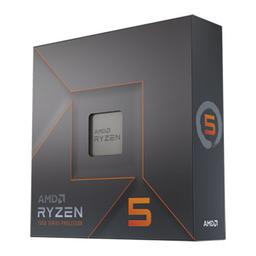
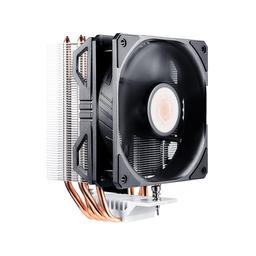
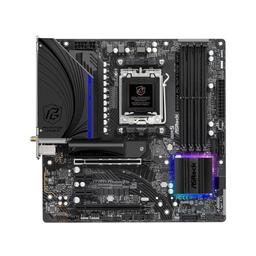
The AMD Ryzen 5 7600X is the heart of the build. Its six Zen 4 cores are fast enough that the graphics card, not the processor, is the limit in virtually every game. Choosing AM5 over an older, cheaper platform is the single most important budgeting decision here: a future GPU or CPU upgrade becomes a drop-in, not a rebuild. We keep it cool with the affordable and reliable Cooler Master Hyper 212 EVO V2, and the ASRock B650M PG Riptide WiFi keeps the platform affordable while still including built-in Wi-Fi and a fast M.2 slot.
The GPU: Radeon RX 7600
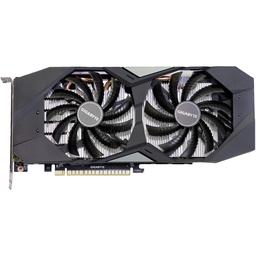
The Gigabyte Gaming OC Radeon RX 7600 is purpose-built for 1080p. Our FPS estimates for demanding games at high-to-ultra settings span 34–64 FPS natively, while a lower preset or FSR pushes the practical result higher; esports games like Valorant, Counter-Strike 2 and Fortnite can make good use of a budget 144Hz monitor. If you mainly play one demanding game, sanity-check the card against our targeted picks like the best GPU for Elden Ring and the best GPU for Cyberpunk 2077.
Expected Performance at 1080p
This is a capable 1080p high-settings machine, but the honest target changes with the game. Published-review estimates put the RX 7600 at 54 FPS in Cyberpunk 2077 at 1080p Ultra, 64 FPS in Spider-Man Remastered at Very High, and 34 FPS in the especially demanding Alan Wake 2 at High, all without ray tracing. Dropping one preset step or enabling FSR is the right move when a heavy AAA game falls short of 60 FPS; esports titles can still make good use of a 1080p 144Hz monitor. For more headroom, the Best Gaming PC Build Under $2,000 (2026) moves to a 16GB card and 1440p.
Memory and Storage
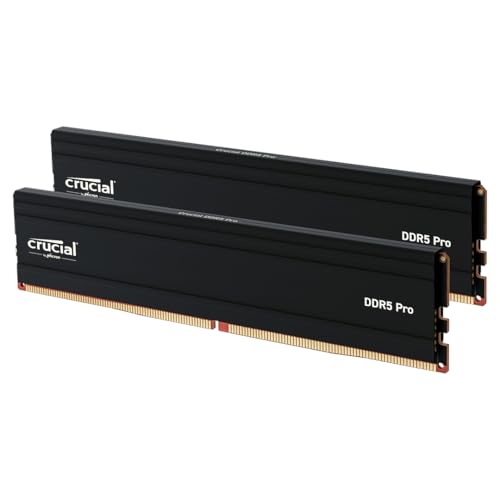
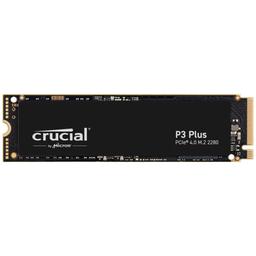
We pair the board with 32GB of Crucial Pro DDR5-6000 — going straight to 32GB on a budget build is one of the best long-term value moves you can make in 2026, because it removes the most common cause of stutter in modern open-world games. The Crucial P3 Plus 1TB NVMe gives you fast load times and enough room for a starter library.
Case and Power Supply
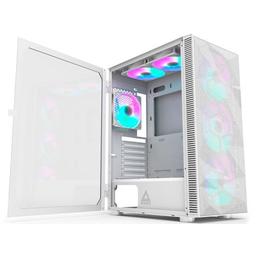
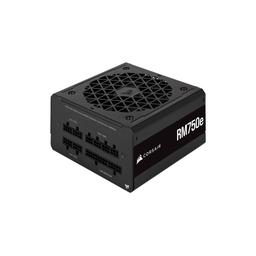
The Montech X3 Mesh brings mesh-front airflow and pre-installed fans at a budget price, so components stay cool and quiet without buying extra fans. The Corsair RM750e (2023) is a fully modular, quiet 750W unit with far more headroom than this build needs — deliberately, so your next GPU upgrade will not require a new power supply.
New Build vs a Used PC at the Same Price
The biggest temptation at this budget is buying a used machine off a marketplace. It can look like more raw power per dollar — but it is usually a worse deal. Used systems almost always sit on an older socket like AM4 or LGA1200, which means no meaningful upgrade path: when the GPU ages out, you buy a whole new platform. You also inherit unknown wear on the power supply and storage, no warranty, and often DDR4 memory the rest of the industry is leaving behind. This new AM5 build costs a little more up front and returns that money as years of drop-in upgrades and full component warranties.
The Upgrade Path
Because this build uses AM5, DDR5 and an oversized PSU, it grows with you. Add a faster GPU like an RTX 4060 and it becomes a higher-refresh 1080p or entry-1440p machine; add an X3D CPU later and it competes with builds that cost twice as much today. Ready to price it out? Start your build on PlanMyPC to check compatibility across every component.
Assembly and First-Boot Checklist
This is a friendly first build because the air cooler, micro-ATX board and roomy mid-tower avoid the clearance puzzles common in compact PCs. Install the CPU, memory and M.2 drive on the motherboard before lowering the board into the case. Mount the cooler while the board is still on a flat surface, connect its fan to the CPU_FAN header, and route the motherboard power cable before installing the graphics card. The RX 7600 belongs in the board's top full-length PCIe slot; connect the monitor to the graphics card, not the motherboard video output.
On first boot, enter the UEFI and confirm that the system sees all 32GB of memory and the 1TB NVMe drive. Update to the latest stable motherboard firmware, then enable the memory profile supported by the kit. Install AMD's current chipset package and Radeon graphics driver after Windows. Run a short game or benchmark while watching CPU and GPU temperatures before spending an evening downloading the rest of your library. That simple check catches a loose cooler mount or forgotten fan cable while the case is still easy to reopen.
Getting the Best Frame Rate Without Ugly Settings
Start each game at the preset shown in the benchmark estimates, then tune the expensive options instead of dropping everything to Low. Ray tracing should stay off on this class of GPU unless a game also offers a good FSR mode. Shadows, volumetrics and screen-space reflections usually recover more performance than textures; keep textures high when the game's VRAM meter remains below the RX 7600's 8GB limit. If a demanding title averages below 60 FPS, try FSR Quality first, then reduce shadows one step. Competitive players should lower effects and motion blur but keep texture quality readable. Those changes preserve image clarity while letting the Ryzen 5 7600X feed a 144Hz display.
PlanMyPC is reader-supported. When you buy through links on this page we may earn an affiliate commission at no extra cost to you. As an Amazon Associate we earn from qualifying purchases. This never affects which products we recommend — see our full disclosure.