The best gaming PC you can build for under $1,500 in 2026 pairs a 16GB Radeon RX 9070 with a Ryzen 5 5600, 32GB of DDR4 and a 1TB PCIe 4.0 NVMe drive on an AM4 B550 board. At September 2026 catalogue prices the eight parts below come to $1,436.91, and the graphics card averages 117 fps at 1440p Ultra across the ten games in our FPS estimates.
That is a different machine from the one this guide used to recommend. Earlier versions carried a Ryzen 7 7800X3D and a Radeon RX 9070 XT on AM5, and at August 2026 catalogue prices that list came to $2,075.66 — no longer a $1,500 build by any honest reading. Rather than keep retitling it, we rebuilt the list around the part that sets your frame rate at 1440p, the graphics card, and moved the platform to where memory is affordable.
This Build at a Glance
| Figure | This build |
|---|---|
| Budget target | Under $1,500 |
| Build cost (September 2026 catalogue prices) | $1,436.91 |
| Parts in the list | 8 |
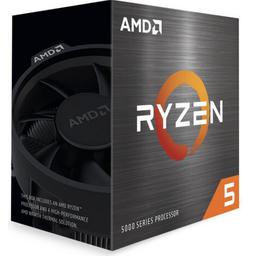
| CPU | AMD Ryzen 5 5600 (6 cores, 12 threads, 32MB L3) |
| GPU | Radeon RX 9070 16GB (alternate: RX 7800 XT 16GB) |
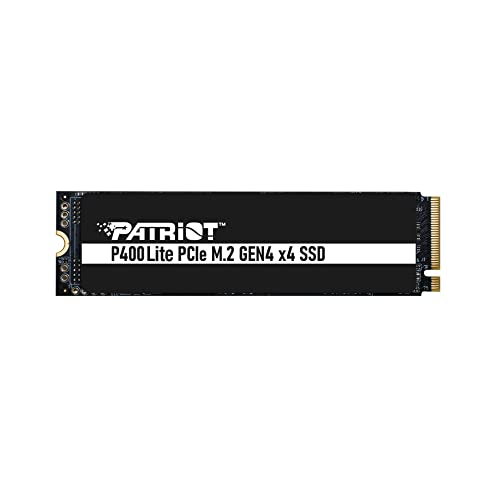
| Memory / storage | 32GB DDR4-3200 CL16 / 1TB PCIe 4.0 NVMe |
| Target resolution | 1440p Ultra |
| Average fps, 1440p (10-game estimate) | 117 fps |
| Average fps, 4K (10-game estimate) | 81 fps |
| Games at 60+ fps, 1440p | 8 of 10 |
| Games at 60+ fps, 4K | 6 of 10 |
| Platform | AM4 / B550 — takes a Ryzen 7 5700X3D or 5800X3D later |
Frame rates are FPS estimates compiled from published reviews for the RX 9070 at native resolution with ray tracing and upscaling off, estimated for a Ryzen 7 7800X3D reference system — the same numbers our per-game GPU rankings serve. The Ryzen 5 5600 in this list is a slower gaming CPU than that reference system, so read them as what the graphics card delivers: close to what you will see in GPU-heavy games at 1440p Ultra, optimistic in CPU-bound ones like Counter-Strike 2. The full per-game table is further down.
Why This $1,500 Build Is on AM4
Memory decided it. At September 2026 catalogue prices a 32GB DDR5-6000 kit costs about twice as much as the 32GB DDR4-3200 kit in this list, and AM5 boards take only DDR5. Putting the same graphics card and 32GB on AM5 with a Ryzen 5 9600X adds roughly $250 to $300 to the total — enough on its own to break $1,500.
What you give up is the platform. AM4 ends with the Ryzen 5000 series, so the CPU upgrade path is one step — a 3D V-Cache chip — rather than AM5's longer runway, and the board runs PCIe 4.0 rather than 5.0. What you keep is what decides how games run at 1440p: a 16GB current-generation graphics card and 32GB of memory. An AM5 list at this price would have to give up one of the two, and at 1440p either costs you more than an older platform does.
The Build — Complete Parts List
Product prices and availability are accurate as of the date/time indicated and are subject to change. Any price and availability information displayed on Amazon at the time of purchase will apply to the purchase of this product.
Amounts quoted in the text are late September 2026 catalogue figures; the parts table shows each part's price on file, with its store and the time it was checked.
Where the money goes. The graphics card is $649.99 of the $1,436.91, 45% of the build, because at 1440p it sets the frame rate in almost every game. Memory is the next-largest line at $229.97. Everything else is chosen to be good enough and no more: a six-core CPU that keeps the RX 9070 busy at 1440p, a B550 board with Wi-Fi, a high-airflow case and a 750W Gold power supply.
Why the Ryzen 5 5600? Six Zen 3 cores and 32MB of L3 cache for $151.99, with a Wraith Stealth cooler in the box. The Ryzen 5 5600X is the same chip at slightly higher clocks for about $22 more — a few percent in games, not worth it on a budget this tight. The CPU that would actually move your frame rates on AM4 is a 3D V-Cache chip, which is the upgrade path below.
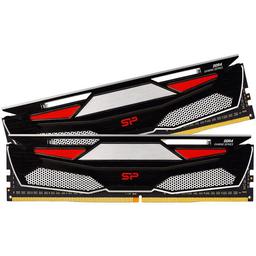
Why 32GB of DDR4-3200? 16GB no longer leaves comfortable room for a game plus a browser and Discord, and on DDR4 the step to 32GB costs $229.97 — about half what a 32GB DDR5-6000 kit costs. DDR4-3200 CL16 is a sensible match for Ryzen 5000; a 3600 CL16 kit is a small step faster for about $40 more. Enable XMP in the BIOS or the kit runs below its rated speed.
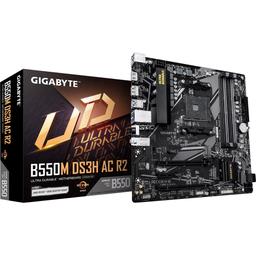
Why this board? The Gigabyte B550M DS3H AC R2 has what a single-GPU gaming build uses — a PCIe 4.0 graphics slot, two M.2 slots, four DIMM slots and Wi-Fi 5 — for $91.09. It is a current revision, sold as supporting Ryzen 5000 processors.
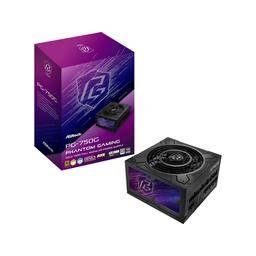
Why 750W? The RX 9070 and a 65W Ryzen 5 draw under 400W together in games. The ASRock Phantom Gaming PG-750G is here for the headroom: fully modular, 80 Plus Gold and ATX 3.1 with a 10-year warranty, and big enough that a faster graphics card later does not also mean a new power supply.
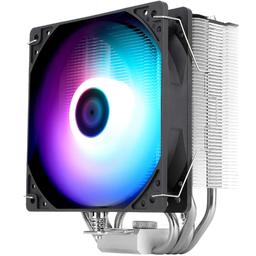
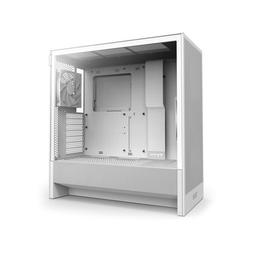
Case and cooler. The NZXT H5 Flow (2024) is a high-airflow mid-tower with two 120mm fans included, and airflow is what keeps a triple-fan graphics card cool. The $18.90 Thermalright tower replaces the bundled Wraith Stealth — the 5600 runs fine on the stock cooler, but the tower keeps it quieter under sustained load.
How This Build Performs at 1440p and 4K
| Game | Preset | 1080p | 1440p | 4K | RX 7800 XT, 1440p |
|---|---|---|---|---|---|
| Counter-Strike 2 | High | 375 | 345 | 240 | 350 |
| Fortnite | Epic | 173 | 135 | 83 | 100 |
| Call of Duty: Warzone | Ultra | 150 | 124 | 90 | 110 |
| Baldur's Gate 3 | Ultra | 135 | 124 | 83 | 105 |
| Cyberpunk 2077 | Ultra | 135 | 109 | 64 | 82 |
| Hogwarts Legacy | Ultra | 113 | 98 | 68 | 88 |
| Starfield | Ultra | 83 | 71 | 49 | 60 |
| Microsoft Flight Simulator 2024 | Ultra | 68 | 64 | 49 | 62 |
| Alan Wake 2 | Ultra | 71 | 56 | 34 | 48 |
| Elden Ring | Ultra | 45 | 45 | 45 | 60 |
| Average | 135 | 117 | 81 |
FPS estimates compiled from published reviews for the RX 9070 at native resolution with ray tracing and upscaling off, estimated for a Ryzen 7 7800X3D reference system; the last column is the RX 7800 XT, the cheaper alternative covered below.
At 1440p, the resolution this build is designed around, the RX 9070 averages 117 fps and clears 60 in eight of the ten titles: Cyberpunk 2077 at Ultra runs 109 fps, Baldur's Gate 3 124 and Hogwarts Legacy 98. The two that fall short are Alan Wake 2 at 56 fps, the one game here that wants upscaling switched on, and Elden Ring at 45 fps, identical at all three resolutions because the game's engine, not the GPU, sets its pace.
The CPU caveat matters most in the titles the processor sets the pace of. Counter-Strike 2 is one of the most CPU-sensitive games in the table, and a Ryzen 5 5600 posts lower figures there than the 7800X3D reference system — still well above a 144Hz refresh rate — as it does in simulation-heavy titles such as Starfield and Flight Simulator 2024. In GPU-heavy titles at 1440p Ultra, such as Alan Wake 2 and Cyberpunk 2077, expect results close to the table.
At 4K the RX 9070 holds 60 fps in six of the ten titles and averages 81 — playable with upscaling in the demanding half, but not what this build is for. Pair it with a 1440p high-refresh monitor.
RX 9070 vs RTX 5070 vs RX 7800 XT at This Budget
| Graphics card | VRAM | 1440p average (10 games) | Price (September 2026) |
|---|---|---|---|
| ASRock Challenger OC Radeon RX 7800 XT | 16GB | 107 fps | $519.99 |
| ASRock Challenger Radeon RX 9070 (this build) | 16GB | 117 fps | $649.99 |
| NVIDIA GeForce RTX 5070 Founders Edition | 12GB | 116 fps | $893.99 |
In September 2026 the choice mostly makes itself. The RTX 5070 costs $244 more than the RX 9070 and would push this list well past $1,500, for the same frame rate in our 1440p data and 4GB less VRAM. Pay that only for what NVIDIA does that AMD does not: DLSS 4 Multi Frame Generation, stronger path-traced ray tracing and NVENC for streaming. For the full head-to-head one tier up, see our RTX 5070 vs RX 9070 XT deep dive.
The RX 7800 XT is the fallback if you need more room under $1,500. It saves $130 and still carries 16GB, but it is RDNA 3, a generation older, and in our data it trails the RX 9070 in eight of the ten titles — by 35 fps in Fortnite and 27 in Cyberpunk 2077. The RX 9070 XT is the step up, but in September 2026 it costs enough more than the RX 9070 to break the budget.
Upgrade Path
CPU. The one CPU upgrade worth making on this board is a 3D V-Cache chip. The Ryzen 7 5700X3D and 5800X3D carry 96MB of L3 cache and drop into the same socket, after a BIOS update if the board needs one. Neither is cheap in September 2026, so treat it as a later upgrade rather than a day-one purchase.
GPU. The 750W supply has headroom for a bigger card and the H5 Flow takes long ones. On this board a new card runs at PCIe 4.0, which costs current graphics cards very little.
Storage. The second M.2 slot is free — add a drive when the first one fills rather than replacing it.
Memory. Leave it alone. 32GB is the right amount for gaming, and faster DDR4 buys a few percent at most.
Build Notes: What Trips People Up on AM4
Enable XMP. DDR4-3200 kits boot at a slower default speed until you turn on the XMP profile in the BIOS — the most common reason a new build benchmarks below expectations.
Check the BIOS if the board is old stock. B550 boards made before Ryzen 5000 launched needed a BIOS update to boot one. This board's R2 revision is sold as Ryzen 5000-ready; if yours came from older stock and will not post, a BIOS update is the fix.
Put the SSD in the top M.2 slot. On B550 the slot nearest the CPU runs at PCIe 4.0 from the processor; the second hangs off the chipset and is slower.
Give the graphics card its own power cables. If the card has two 8-pin power sockets, run a separate cable from the power supply to each rather than one daisy-chained lead.
Seat the GPU last. A long triple-fan card covers the slots below it and makes the lower board headers awkward to reach. Cable the case and plug in the front-panel connectors before the card goes in.
Custom Build vs Prebuilt at $1,500
A prebuilt at this price pays the same memory and graphics-card prices this list does, plus assembly, warranty margin and markup — so something usually gives, most often the graphics card, the memory or the power supply. Compare any prebuilt line by line against the table above: the graphics card model and the amount of memory matter most, and the power supply is the line most often left unnamed.
A prebuilt still makes sense when assembly is a real barrier or a sale closes the gap. Either way, the list above is what the money should be buying.
Peripherals to Complete Your Setup
This build is designed around a 1440p high-refresh monitor: a 2560×1440 panel at 144Hz or faster is what makes a 117 fps average visible. A 4K 60Hz panel is the wrong partner — the RX 9070 clears 60 fps at 4K in only six of the ten games in our FPS estimates.
Ready to start your build? Configure this PC on PlanMyPC to verify compatibility and build your custom rig.