The best gaming PC you can build for under $3,000 in August 2026 pairs the AMD Ryzen 7 7800X3D with an RTX 5070 Ti — $2,934.17 all-in, with a B650 motherboard, 32GB of DDR5, a 2TB Gen4 NVMe and an 850W power supply. It averages 134 FPS at 1440p Ultra across the ten games in our FPS estimates — 9 of them above 60 — and sits on an AM5 socket that accepts faster X3D chips for years to come.
This guide was written around an RTX 5080 at its $999 reference price. That price is not available right now — the cheapest RTX 5080 in our catalogue is $1,399.99. What has changed since this guide was last priced is that the 5070 Ti moved with it: at $1,389.00 the two cards are $11 apart, so the 5080 configuration is $2,945.16 against $2,934.17 and both fit the same tier. Both are priced below; on today's numbers the 5080 build is the one to take.
This guide completes our budget ladder. If your budget is lower, we have complete builds at $600, $1,000, $1,500 and $2,000; if you can stretch past $3,000, our 4K gaming build is the next rung up. At this tier the strategy changes from "stretch every dollar" to "put the money where the frames are": the GPU takes the largest single share, and every other part is chosen to support that card without a single wasted dollar.
This build at a glance
| Figure | This build |
|---|---|
| Budget target | $3,000 |
| Approximate build cost (August 2026) | $2,934.17 |
| Parts in the list | 8 |
| CPU | AMD Ryzen 7 7800X3D (8 cores, 96MB 3D V-Cache) |
| GPU | GeForce RTX 5070 Ti 16GB (upgrade path: RTX 5080) |
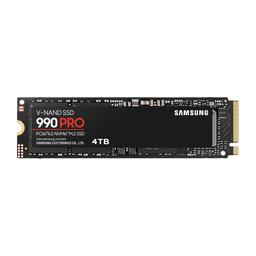
| Memory / storage | 32GB DDR5-6400 / 2TB PCIe 4.0 NVMe |
| Target resolution | 1440p Ultra on a 240Hz-class panel |
| Platform | AM5 / B650 — accepts a later X3D drop-in |
| CPU + GPU rated power | 420W |
| Average fps, 1440p (10-game estimate) | 134 fps |
| Average fps, 4K (10-game estimate) | 92 fps |
| Games at 60+ fps, 1440p | 9 of 10 |
| Games at 60+ fps, 4K | 6 of 10 |
Frame rates are FPS estimates compiled from published reviews for this build's GPU at native resolution with ray tracing and upscaling off — the same numbers our per-game GPU rankings serve, so the two pages agree. The full per-game breakdown is further down.
The build — complete parts list
Product prices and availability are accurate as of the date/time indicated and are subject to change. Any price and availability information displayed on Amazon at the time of purchase will apply to the purchase of this product.
Amounts quoted in the text are August 2026 catalogue figures; the parts table shows each part's price on file, with its store and the time it was checked.
The RTX 5080 version, and why it is not the recommendation this month
| Change | Delta | Total |
|---|---|---|
| MSI Ventus 3X OC RTX 5080 instead of the 5070 Ti | +$10.99 | $2,945.16 |
That swap now lands inside the tier rather than outside it: the 5080 has come down to $1,399.99 and the 5070 Ti has moved up to $1,389.00, so the card gap is $10.99 and the 5080 configuration is $2,945.16 — still under $3,000. The card is a straight drop-in for the 850W supply, the board and the case in this list, so take it while the two prices sit this close.
What the remaining $65 of headroom should do. Take the 5080 swap above, which costs $10.99 of it. Beyond that, nothing: there is no component upgrade at that size which changes a frame rate. If you have more than $65 to spend, spend it on the monitor rather than the tower: a 1440p 240Hz panel is what makes a 5070 Ti visible, and it beats every part swap available inside this chassis.
The strategy: the GPU takes the largest share
At the $2,100 tier, the smart play is an RX 9070 XT. At $3,000, the extra buys you a step up in GPU tier — and that is the single biggest performance difference money can buy in a gaming PC. This build puts $1,389.00 of its $2,934.17 total into the RTX 5070 Ti and deliberately economizes on the motherboard and case, where the savings cost you nothing you can measure in a game. That is the opposite trade a typical prebuilt makes, and it is why this machine outruns $3,000 prebuilts by a comfortable margin.
The CPU: Ryzen 7 7800X3D is still the value king
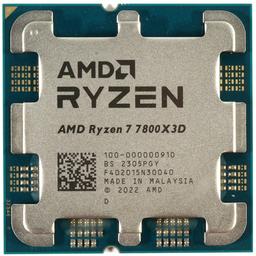
The AMD Ryzen 7 7800X3D remains the smartest gaming CPU purchase in 2026. Its 96MB of stacked 3D V-Cache delivers flagship-tier frame rates and exceptionally smooth 1% lows, and at $299.99 it undercuts the newer Ryzen 7 9800X3D by a margin that has become absurd rather than merely large — the 9800X3D is around $1,150 in our catalogue at the moment. The 9800X3D is roughly 8–12% faster in CPU-bound scenarios, real but nearly invisible at 1440p and 4K where the GPU sets the pace, and nothing close to worth 3.6× the price. Because both chips share the AM5 socket, you can drop a discounted X3D successor onto this same board in a few years and skip a platform rebuild entirely.
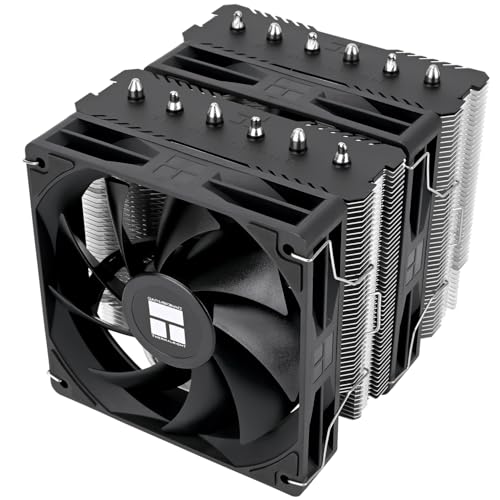
Cooling is handled by the Thermalright Peerless Assassin 120 SE V2, a dual-tower air cooler that keeps the 7800X3D's modest 120W thermals far from any limit while staying near-silent. Liquid cooling at this power draw is aesthetics, not engineering.
The GPU: where this budget is really decided
The RTX 5070 Ti is the card this build ships with today, and the MSI Ventus 3X OC GeForce RTX 5080 is the one it is designed to accept later. The 5080, with 16GB of GDDR7 and NVIDIA's Blackwell architecture, meaningfully outpaces the last-generation RTX 4080 SUPER while drawing similar power. At 1440p it is comfortably past 100 FPS at Ultra settings in demanding titles like Cyberpunk 2077 and Hogwarts Legacy, and it has the headroom to treat a 4K monitor as a real option rather than a stretch goal. The 5070 Ti gives up roughly a tier of that at 4K while holding the same 1440p high-refresh brief.
DLSS 4 with multi-frame generation is the multiplier on both cards: in supported titles it pushes output frame rates far past what the raw silicon produces, which matters most on the 240Hz+ 1440p monitors this class of card deserves. Ray tracing — the setting that humbled previous generations — is fully playable at 1440p Ultra on either.
The catch is street price, and it is the whole reason this guide now lists two configurations. A $999 reference-price 5080 would have made a sub-$2,000 build trivial, and neither card is anywhere near reference now. What matters instead is the gap between them, and in our catalogue this month it is $11 — small enough that the 5080 is the better buy at essentially the same total. Check both cards before you order; that inversion is not guaranteed to last.
Case and power supply
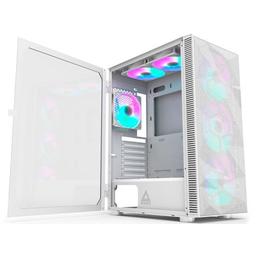
The Montech X3 Mesh is the airflow value pick of the current case market: two 120mm fans included with mounts for six, a full mesh front panel that keeps a 300W card fed with cool air under sustained load, and a clean interior that makes first-time assembly straightforward. It looks more expensive than it is, and the money it saves goes straight into the parts that render frames.
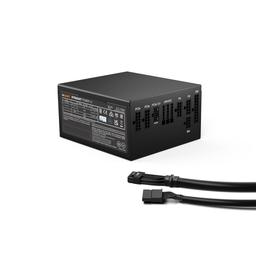
The be quiet! Straight Power 12 850W provides 850W of quiet, fully-modular power — comfortable headroom over this build's roughly 500W peak draw, and enough to accept the RTX 5080 upgrade this list is planned around. A quality power supply is the one component that should outlast everything else in the case. It replaces the Corsair RM850x this guide used to list, which no longer carries a price in our catalogue.
Performance you should expect
At 1440p Ultra this build averages 134 FPS across the ten games in our FPS estimates, and 9 of the ten clear 60 FPS. These are FPS estimates compiled from published reviews, at native resolution with ray tracing and upscaling off — a floor, not a ceiling. The RTX 5080 column is the upgrade this list is planned around, at the same settings.
| Game | Preset | 1080p | 1440p | 4K | RTX 5080, 1440p |
|---|---|---|---|---|---|
| Counter-Strike 2 | High | 430 | 396 | 275 | 423 |
| Fortnite | Epic | 198 | 155 | 95 | 166 |
| Call of Duty: Warzone | Ultra | 172 | 142 | 103 | 152 |
| Baldur's Gate 3 | Ultra | 155 | 142 | 95 | 152 |
| Cyberpunk 2077 | Ultra | 155 | 125 | 73 | 133 |
| Hogwarts Legacy | Ultra | 129 | 112 | 77 | 120 |
| Starfield | Ultra | 95 | 82 | 56 | 87 |
| Microsoft Flight Simulator 2024 | Ultra | 77 | 73 | 56 | 78 |
| Alan Wake 2 | Ultra | 82 | 65 | 39 | 69 |
| Elden Ring | Ultra | 52 | 52 | 52 | 55 |
| Average | 155 | 134 | 92 |
Read the spread rather than the average. Counter-Strike 2 is CPU-bound long before the GPU matters — 396 FPS at 1440p is the 7800X3D talking, not the card. The raster-heavy AAA set lands between 82 and 125 FPS at 1440p Ultra, which is what a 240Hz panel is actually being fed in the games that stress it. Alan Wake 2 at 65 FPS is the title that decides whether you turn DLSS on, and Elden Ring reports the same 52 FPS at every resolution because its engine, not the GPU, sets the pace.
At 4K the same machine averages 92 FPS and holds 60 in 6 of the ten. That makes 4K a real option rather than a stretch goal, but the demanding half of the list wants DLSS Quality to stay above 60 — which is why we still spec this as a 1440p-first build. Turn on DLSS 4 with multi-frame generation in supported titles and the output frame rates climb well past every number above.
The smart upgrade path
Everything expensive in this build is a long-life investment. The AM5 socket, the 850W supply, the DDR5-6000 kit and the 2TB NVMe all outlast a GPU generation:
- CPU: When X3D successors hit clearance pricing, a drop-in swap on this same board delivers a near-flagship uplift — no new memory, cooler or motherboard needed.
- GPU: The 850W supply has the headroom for the RTX 5080 this list is planned around, and for a flagship-class card after that.
- Storage: The Riptide's spare M.2 slot takes a second NVMe the day your game library outgrows 2TB.
Should you build this or buy a $3,000 prebuilt?
The prebuilt argument is different at $3,000 than it is a tier or two down. At this price an integrator does put a genuinely capable card in the box — an RTX 5070-class part is normal, and the crude "they sold you a $300 GPU" complaint no longer applies. What you are paying for instead is $300–$500 of assembly margin, branding and bundled support, and that money has to come out of somewhere. It usually comes out of the parts nobody photographs: a 16GB memory kit instead of 32GB, a 1TB boot drive instead of 2TB, and a house-brand power supply sized for exactly the card it shipped with and nothing beyond it. Building this list yourself puts that margin into a step up in GPU tier and into the components that decide whether the machine is still worth keeping in three years.
You also get full individual manufacturer warranties on every component — far easier to claim than a bundled system warranty — and a machine made entirely of standard parts, so every future upgrade is a known quantity. That matters more at this price, because a $3,000 tower is one you expect to upgrade rather than replace, and prebuilts routinely use proprietary boards, PSUs and cases that turn a simple GPU swap into a compatibility research project. The one honest argument for a prebuilt is time: if an afternoon of assembly is worth more than $300 and a GPU tier to you, buy the prebuilt. Everyone else should build.
Build and assembly notes
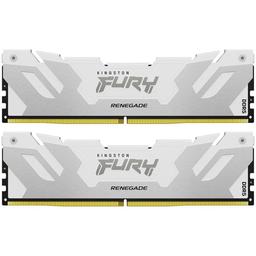
This is a beginner-friendly assembly. Mount the CPU, both memory sticks and the M.2 drive on the motherboard before installing it in the Montech X3 Mesh — working on a flat surface is far easier than reaching into a case. The Thermalright Peerless Assassin 120 SE V2 ships with a labelled AM5 bracket and pre-applied paste, so no separate tube is needed. Both the RTX 5070 Ti and the RTX 5080 are long cards at around 300mm — the X3 Mesh accepts either with room to spare, but route the power cables before you seat the card, and use a support bracket to prevent long-term sag. On first boot, enable the memory profile so the Kingston FURY Renegade kit runs at its rated speed rather than the 4800 MT/s JEDEC default. Budget two to three hours for a first build.
PlanMyPC is reader-supported. When you buy through links on this page we may earn an affiliate commission at no extra cost to you. As an Amazon Associate we earn from qualifying purchases. This never affects which products we recommend — see our full disclosure.