August 2026 price check This build was specced to a $1,100 target. At August 2026 catalogue prices the same parts list comes to about $1,985. Memory and the 1TB NVMe are the whole of it: $775 between them, against roughly $170 when this was written. For a first build, a 16GB kit and a 500GB drive are the right cuts, taking it to about $1,500 — both are the easiest parts to add to later, and neither changes what the machine does at 1080p.
Short answer: the best entry-level gaming PC for beginners in 2026 pairs the 6-core AMD Ryzen 5 7600X with an RTX 4060 Ti 8GB, 32GB of DDR5-6000 and a 1TB Gen4 NVMe — about $1,985 at August 2026 catalogue prices, in the roomy, first-timer-friendly Corsair 4000D Airflow case. It plays every modern game at 1080p ultra and most at 1440p high, goes together in an afternoon with parts picked to be forgiving for someone who has never built a PC, and sits on AMD's AM5 platform so you can drop in a faster CPU or graphics card years from now without starting over. If this is your first build, this is the machine to start with.
Building your first gaming PC feels intimidating from the outside — there are a dozen parts, they all have to be compatible, and a mistake seems expensive. It is far more forgiving than it looks. Modern parts are keyed so they only fit one way, the connectors are labeled, and a build like this one is essentially eight components that click together. This guide picks parts specifically to remove the traps beginners fall into: a CPU that installs without bent pins, a motherboard with clear labeling and built-in WiFi, a case with tons of room to work and route cables, and a power supply with plenty of headroom so nothing is running on the edge. Spend an afternoon, follow the steps, and you will end up with a machine that outperforms a prebuilt at the same price and that you actually understand.
Why this is the best first build
Three things make a build genuinely beginner-friendly, and this list is engineered around all three. Easy assembly: the Corsair 4000D Airflow is one of the most-recommended first-build cases ever made — a huge interior, a removable side panel, and dedicated channels for cable management so your first attempt still looks clean. Forgiving compatibility: every part here is confirmed to work together, so you never have to decode a compatibility chart. AM5 uses a flat-contact CPU socket (the pins are on the board, protected, not on the delicate underside of the chip), the DDR5 kit is on the motherboard's tested list, and the Corsair RM750e has more than enough wattage for this system plus a future upgrade. A clear upgrade path: because it is built on AM5, you are buying into a platform AMD supports for years — you can later swap in a much faster CPU or a bigger graphics card on the same motherboard, so your first build grows with you instead of becoming disposable.
Who this build is for
This is for the person buying or building their first real gaming PC: a console player moving to PC for higher frame rates and mods, a student who wants one machine for games and schoolwork, a parent building a rig with a kid as a project, or anyone who has watched a few build videos and wants a parts list they can trust. It assumes you play at 1080p or 1440p, want smooth high-to-ultra settings in modern titles, and would rather spend around a thousand dollars on something you can upgrade than twice that on a machine you will not fully use. If your budget is tighter, we cross-link cheaper builds below; if you want more raw performance out of the gate, we point you up the ladder too. But for most first-time builders, this is the sweet spot.
The strategy: forgiving parts, no beginner traps
Plenty of budget guides shave every last dollar and, in doing so, pick parts that quietly punish a beginner — a case with no room to work, a bargain power supply with tight cabling, a motherboard with no WiFi so you are stuck the moment the PC boots. This build spends a little more in the right places to make the experience smooth. The money goes toward a genuinely capable 1080p/1440p gaming GPU, a full 32GB of memory so you never have to think about it, a roomy case, and a modular power supply — the parts that make the build easier today and better for longer. Nothing here is chosen to hit a headline price at the cost of your first-time experience.
The CPU: Ryzen 5 7600X — easy to install, huge upgrade runway
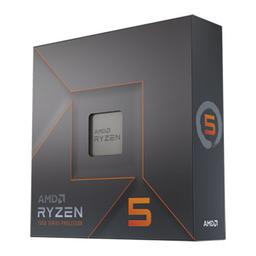
The AMD Ryzen 5 7600X is the ideal first-build gaming CPU: six fast Zen 4 cores and twelve threads that handle every modern game without becoming a bottleneck for a card in this class. Just as important for a beginner, it sits on the AM5 socket, where the pins live in the motherboard socket and are covered by a protective bracket — so the single scariest moment of a first build, dropping the CPU in, is nearly foolproof. The AM5 platform is also the reason this build has such a long life: AMD has committed to supporting the socket for years, meaning a future CPU upgrade is a five-minute swap on this same board rather than a new build.
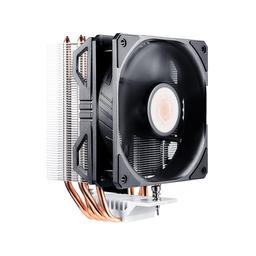
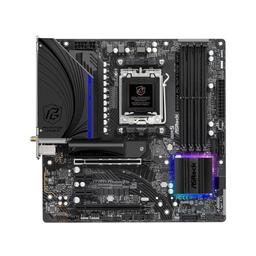
We pair it with the Cooler Master Hyper 212 EVO V2, a proven, inexpensive air cooler that keeps the 7600X in check and is famously easy to install — no pump, no tubing, no liquid to worry about leaking. For a first-timer that simplicity is worth a lot. The ASRock B650M PG Riptide WiFi motherboard rounds out the core: it is a compact, well-labeled micro-ATX board with the modern essentials a beginner actually needs — a fast M.2 slot for the SSD, USB-C on the back, and built-in WiFi and Bluetooth so you are online the moment Windows finishes installing, with no separate adapter to buy.
Memory and storage: 32GB of DDR5 and an instant-loading SSD
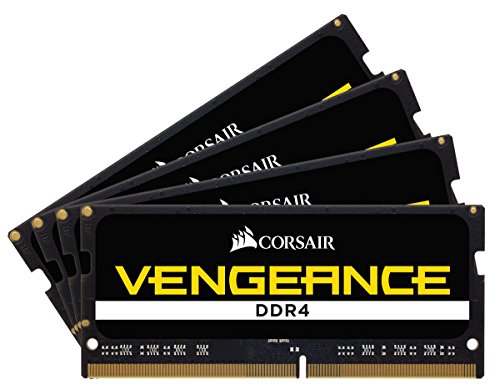
Memory is a Corsair Vengeance DDR5-6000 32GB (2x16GB) kit — DDR5-6000 is the tested sweet spot for AM5, and 32GB is the amount that means you never think about RAM again. It is enough to game while a browser, Discord and a stream are all open, and it leaves two slots free if you ever want to go to 64GB. One beginner tip that trips up almost everyone: after your first boot, go into the BIOS and switch on the EXPO profile, or the kit runs slower than its rated speed. It is a single toggle and this guide's assembly notes remind you to flip it.
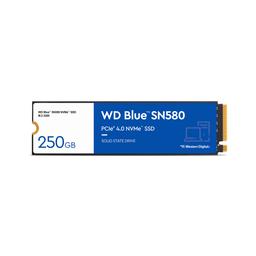
Storage is the WD Blue SN580 1TB, a fast PCIe Gen4 NVMe drive that installs directly onto the motherboard with a single screw — no cables at all. 1TB fits Windows and a healthy library of games, and games load noticeably faster from it than from any hard drive or SATA SSD. When you fill it up, the board has a second M.2 slot so adding more storage later is trivial.
The GPU: RTX 4060 Ti 8GB — the entry gaming sweet spot
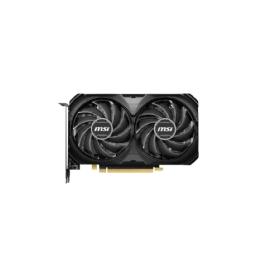
The MSI Ventus 2X GeForce RTX 4060 Ti 8GB is the heart of the gaming experience and the reason this build punches above the budget tier. It delivers a smooth, high-refresh 1080p experience at ultra settings in essentially every current game, handles 1440p at high settings comfortably, and supports NVIDIA's DLSS upscaling and frame generation to push frame rates even higher in supported titles. Its modest power draw is part of what makes this build so forgiving — it needs only a single power connector and runs cool and quiet on the RM750e. It is the natural "first real gaming GPU": a clear step above the entry cards in our sub-$800 builds, without the price and power demands of a high-end card a beginner does not need yet.
Case and power: built to be built in
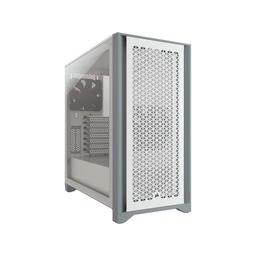
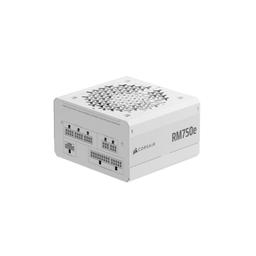
The Corsair 4000D Airflow is, quietly, the most beginner-friendly choice in this whole list. It has a large, open interior with plenty of room for your hands, a mesh front for excellent airflow, a removable tempered-glass side panel, and a proper cable-management channel behind the motherboard tray — the features that turn a stressful first build into a satisfying one and a tidy result. Power comes from the Corsair RM750e (2025), an 80+ Gold, fully modular 750W unit. Fully modular means you only plug in the cables you actually use, which keeps the inside clean and the build simple, and 750W leaves generous headroom over this roughly 350W system — enough to drop in a much stronger graphics card down the road without buying a new supply.
Performance you should expect
This build is tuned to feel great exactly where a new PC gamer notices it:
- 1080p ultra in modern AAA games: smooth high-refresh gameplay, well above 60fps
- 1440p high: comfortable, enjoyable frame rates in most titles
- Competitive esports (Valorant, CS2, Fortnite, Rocket League): very high frame rates for high-refresh monitors
- DLSS upscaling and frame generation: extra frames in supported games with minimal visual cost
- Game load times on the Gen4 NVMe: fast, no waiting on a mechanical drive
- Multitasking while gaming: browser, Discord and a stream open alongside the game with room to spare
Is there a lower-cost variant?
Not through the graphics card, which is where this guide used to point. At August 2026 catalogue prices a standard RTX 4060 8GB is not cheaper than the RTX 4060 Ti 8GB this build already uses, so the usual tier-down saves nothing. If the total is the problem, the honest answer is a different build rather than a worse version of this one — see the two cheaper guides below. It is a genuinely strong 1080p card, just a step below the 4060 Ti at 1440p, and because everything else is identical you can even start here and upgrade the GPU later. For even tighter budgets, our budget gaming build under $1,000 and ultra-budget PC under $600 trade some performance and headroom for a lower entry price.
How this compares to our budget builds
It is worth being clear about where this build sits, so you buy the right one. The ultra-budget PC under $600 is about getting into PC gaming for as little as possible and accepts real compromises to do it. The budget gaming build under $1,000 is a value-focused 1080p machine. This entry-level build is the first-timer's on-ramp that does not box you in: it costs a bit more, but the extra goes into an easier, more forgiving build experience, a stronger GPU that also handles 1440p, a full 32GB of memory, and a power supply and case with room to grow. If your goal is your first build and you want it to last, this is the one; if the budget is the hard constraint, the two builds above are excellent value.
Should you build this or buy a prebuilt?
For a beginner, this is the real question, so here is the honest comparison. A prebuilt gaming PC at this price almost always cuts the parts you cannot see: a single 16GB memory stick instead of a proper dual-channel 32GB kit, a smaller or slower SSD, a no-name power supply with non-standard cabling, and a cramped case with poor airflow. You pay the same money for a machine that performs worse and is harder to upgrade — and you learn nothing about the computer you now own. Building this exact list yourself puts that assembly margin back into better parts, and the "hard" part is genuinely a few hours of clicking components together, guided by the notes below.
The one fair argument for a prebuilt is convenience and a single warranty contact if something fails — and if you truly do not want to touch the hardware, that can be worth it. But for a first-time builder specifically, this list is designed to make building the easy, rewarding path: forgiving parts, a roomy case, and an upgrade runway a sealed prebuilt will never give you. For a broader look at the tradeoff, see our prebuilt vs custom PC guide.
Build and assembly notes (first-timer steps)
Work on a clean, non-carpeted surface and take your time — nothing here is on a clock. A good order: install the Ryzen 5 7600X, both memory sticks (in the slots your motherboard manual specifies — usually slots 2 and 4) and the M.2 SSD onto the motherboard before you put the board in the case; it is far easier to work with the board on the desk. Then mount the Hyper 212 cooler, install the board in the case, add the graphics card and connect the power supply cables. Two things every first build forgets: plug in both the large 24-pin and the CPU power connector at the top of the board, and after your first boot enter the BIOS and enable the EXPO profile so your RAM runs at its rated 6000 speed. Budget two to three hours, do not force anything, and you will be gaming the same day.
PlanMyPC is reader-supported. When you buy through links on this page we may earn an affiliate commission at no extra cost to you. As an Amazon Associate we earn from qualifying purchases. This never affects which products we recommend — see our full disclosure.