The best 1440p gaming PC you can build under $2,000 in 2026 is a Ryzen 5 7600X paired with a 16GB Radeon RX 9070 on an AM5 B650 board, with 32GB of DDR5 and a 2TB PCIe 4.0 NVMe. That combination averages 109 fps at 1440p Ultra in Cyberpunk 2077 and 135 fps at 1440p Epic in Fortnite.
There is an honest complication in August 2026, and it is the first thing you should know: that parts list now costs about $1,949, not $1,000. DDR5 and NVMe pricing climbed sharply through 2026, and memory plus storage alone account for roughly $918 of the total. The build below is still the right 1440p machine to aim at — but if you want the cheapest honest list in this guide, skip to the AM4 list further down, which lands at $1,256.85 by going back to AM4 and a tier down on the GPU. Nothing in our catalogue assembles a new gaming PC of this shape for $1,000 this month.
This guide covers both, the reasoning behind each component choice, where you can flex the budget without hurting gaming performance, and how this build compares to the Intel alternative at the same price.
This build at a glance
| Figure | This build |
|---|---|
| Budget target | Under $2,000 — originally specced to $1,000 |
| Approximate build cost (August 2026) | $1,949.10 |
| Parts in the list | 8 |
| AM4 alternate list (further down) | $1,256.85 |
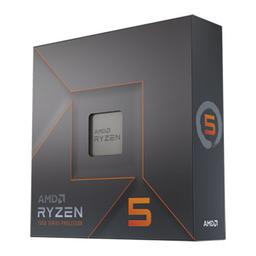
| CPU | AMD Ryzen 5 7600X (6 cores, 12 threads) |
| GPU | Radeon RX 9070 16GB |
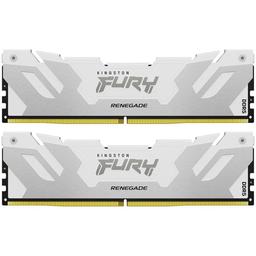
| Memory / storage | 32GB DDR5-6400 / 2TB PCIe 4.0 NVMe |
| Target resolution | 1440p Ultra on a 144–180Hz panel |
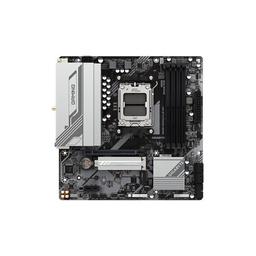
| Platform | AM5 / B650 — accepts a 9800X3D later |
| CPU + GPU rated power | 325W |
| Average fps, 1440p (10-game estimate) | 117 fps |
| Average fps, 4K (10-game estimate) | 81 fps |
| Games at 60+ fps, 1440p | 8 of 10 |
| Games at 60+ fps, 4K | 6 of 10 |
Frame rates are FPS estimates compiled from published reviews for this build's GPU at native resolution with ray tracing and upscaling off — the same numbers our per-game GPU rankings serve, so the two pages agree. The full per-game breakdown is further down.
Why $1,000 Is the Sweet Spot for PC Gaming in 2026
At $800, you're making real compromises — either a weaker GPU that struggles past 1080p, or a budget CPU that creates bottlenecks in CPU-demanding titles. At $1,200, the improvements are incremental: you're getting 15–20% more GPU performance for 20% more spend.
$1,000 lands in a zone where the GPU can comfortably handle 1440p, the CPU is balanced enough to avoid bottlenecks, and you're not overpaying for diminishing returns. The RX 9070 at around $550 is the anchor of this build — it's meaningfully faster than last generation's $400 cards and it is one of the few lines in this list that has not moved much this year.
The 1440p Build — Complete Parts List
Product prices and availability are accurate as of the date/time indicated and are subject to change. Any price and availability information displayed on Amazon at the time of purchase will apply to the purchase of this product.
Amounts quoted in the text are August 2026 catalogue figures; the parts table shows each part's price on file, with its store and the time it was checked.
Where the $949 over the original target actually went. It is memory and storage, and almost nothing else. Two years ago this list carried $80 of RAM and $70 of SSD; today the same capacities are $549.40 and $368.50. The GPU, the board, the case and the power supply are all within a few dollars of where a $1,000 build has always put them. If you have been away from PC building for a couple of years, that is the single price signal worth updating.
Why the Ryzen 5 7600X and not the plain 7600? Same six Zen 4 cores, slightly higher clocks — and right now the X is the cheaper of the two in our catalogue, at $173.00 against roughly $242 for the non-X. When that inverts, buy whichever is cheaper; they game within a couple of percent of each other. The Ryzen 7 7700X adds 2 cores for around $80 more, which is useful for streaming and heavy multitasking but close to invisible in games.
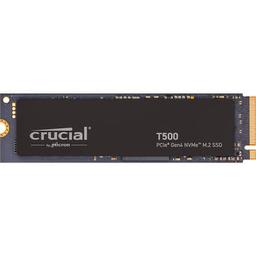
Why 32GB DDR5, at that price? 16GB was fine in 2023. Today, several open-world games and some competitive titles regularly push past 16GB total system RAM under game + browser + Discord. 32GB is no longer cheap insurance — it is $549.40 — but dropping to 16GB saves far less than you would expect, because the cheapest 16GB DDR5 kits in our catalogue sit around $187. Buy the 32GB kit. DDR5-5600/6000 hits the AM5 platform's sweet spot for memory controllers, and the DDR5-6400 Kingston kit above happens to be the cheapest 32GB kit we list — faster and less money than the DDR5-6000 kits, which is a quirk of current stock rather than a rule. Compare kits in our memory catalog before you buy.
Which RX 9070 should I buy? Any 16GB RX 9070 from a reputable board partner performs within a few percent of any other — the XFX Swift in the parts list below and the PowerColor Hellhound RX 9070 are interchangeable for this build, so buy whichever is cheaper or in stock the week you order. Cooler design and noise are the real differences, not frame rates.
Why the RX 9070 over the RTX 5060 Ti? At overlapping price points, the RX 9070 consistently delivers more rasterization performance per dollar and carries 16GB of VRAM. The RTX 5060 Ti is a better pick if you heavily play DLSS 4-supported titles — check your game library before deciding. See our RTX 5070 vs RX 9070 XT comparison for a deeper look at the Nvidia vs AMD tradeoffs at this tier.
Expected Gaming Performance at 1080p and 1440p
| Game | Preset | 1080p | 1440p | 4K | RX 9070 XT, 1440p |
|---|---|---|---|---|---|
| Counter-Strike 2 | High | 375 | 345 | 240 | 386 |
| Fortnite | Epic | 173 | 135 | 83 | 151 |
| Call of Duty: Warzone | Ultra | 150 | 124 | 90 | 139 |
| Baldur's Gate 3 | Ultra | 135 | 124 | 83 | 139 |
| Cyberpunk 2077 | Ultra | 135 | 109 | 64 | 122 |
| Hogwarts Legacy | Ultra | 113 | 98 | 68 | 109 |
| Starfield | Ultra | 83 | 71 | 49 | 80 |
| Microsoft Flight Simulator 2024 | Ultra | 68 | 64 | 49 | 71 |
| Alan Wake 2 | Ultra | 71 | 56 | 34 | 63 |
| Elden Ring | Ultra | 45 | 45 | 45 | 50 |
| Average | 135 | 117 | 81 |
FPS estimates compiled from published reviews for the RX 9070 at native resolution with ray tracing and upscaling off; the last column is the RX 9070 XT, the roughly $30 upgrade the parts list mentions. A dash means there is no published-review figure for that combination, and none is filled in.
At 1080p this build is effectively uncapped in everything competitive and averages 135 fps across the ten titles — you are CPU-limited before the GPU is in most of them. At 1440p, its design target, it averages 117 fps and clears 60 in 8 of ten: Cyberpunk 2077 at Ultra runs 109 fps (see the full card-by-card table on our best GPU for Cyberpunk 2077 page), Baldur's Gate 3 124 fps, and Counter-Strike 2 345 fps. The two that fall short are Alan Wake 2 at 56 fps and Elden Ring at 45 fps — the first wants FSR 4, the second is identical at all three resolutions because the game's engine, not the GPU, sets its pace. The best GPU for Fortnite benchmarks show where the RX 9070 lands against the rest of the stack.
One thing worth noting: FSR 4 Performance mode can effectively double your fps in supported titles. With a native 45 fps Cyberpunk scene, FSR 4 Performance puts you at 80–90 fps with image quality that's genuinely hard to distinguish at 1440p from a couch distance.
Is $1,000 Enough for 1440p Gaming?
Yes, and it is the resolution this build is designed around. The requirement for 1440p at high settings is a 16GB GPU in the RX 9070 / RTX 5060 Ti class plus a CPU fast enough not to cap it — exactly what this parts list is. The honest caveat is ray tracing: with RT on in a heavy title like Cyberpunk 2077, native 1440p drops into the 40s, and FSR 4 Quality is what carries it back over 60. If you want native 1440p with ray tracing on, that is a $1,300+ build, not a $1,000 one.
Where this build does not stretch is 4K. The RX 9070 averages 81 fps at 4K across the same ten titles and clears 60 in 6 of them — playable, but the demanding half sits below the smooth experience a 4K monitor implies. Buy a 1440p 144Hz or 180Hz panel with this build rather than a 4K 60Hz one — the frame rate is where the money went, and a high-refresh 1440p display is what makes it visible.
AMD vs Intel at This Budget — Which Platform Wins?
At $1,000, AMD's AM5 platform wins on upgrade path. The B650 board you're buying today supports the Ryzen 9800X3D — one of the best gaming CPUs available — without a board swap. If you want to upgrade in two years, you buy a new CPU, not a new CPU + motherboard.
Intel's platform at this tier (Z790 or B760 with an i5-14600K) delivers similar gaming performance but ends with Intel's 14th generation. The next Intel desktop platform (Arrow Lake) requires a new motherboard.
For pure day-one gaming fps, the performance difference between a Ryzen 5 7600 and an i5-14600K is within 5% in most titles — too small to matter at this build's GPU tier. The AM5 upgrade path is the deciding factor.
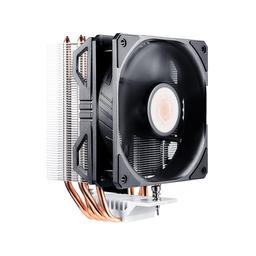
There is a second, quieter reason AMD wins this specific budget. An Intel build at $1,000 spends more of the total on the platform — the board and the cooler both cost more, because the i5-14600K draws considerably more power under load than a 65W Ryzen 5 7600 and needs the cooling to match. That is $40–60 that comes out of the GPU line, and at this budget the GPU is the only component that changes your frame rate meaningfully. Choose Intel here only if you already own a compatible LGA1700 board.
The cheapest list in this guide today
If $1,000 is a hard ceiling this month, nothing here will get there — the memory line alone is more than half of that budget. What gets closest is a return to AM4, where DDR4 costs a fraction of DDR5, paired with a GPU one tier down:
| Component | Pick |
|---|---|
| CPU | AMD Ryzen 5 5600X (cooler included) |
| Motherboard | Gigabyte B550M GAMING X WIFI6 |
| Memory | Corsair Vengeance LPX 32GB (2×16GB) DDR4-3200 |
| Storage | Kingston NV3 1TB NVMe |
| Graphics card | PowerColor Reaper Radeon RX 9060 XT 16GB |
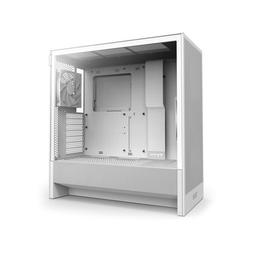
| Case | Cooler Master MasterBox Q300L |
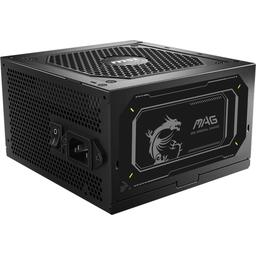
| Power supply | MSI MAG A650BN 650W |
| Total | 7 parts |
The planner picks a model for each row that doesn't name one, so check those picks against this table. It lists any row it can't match.
This is a 1080p-first machine that stretches to 1440p at high rather than ultra, and it gives up the AM5 upgrade path entirely — AM4 ends at the Ryzen 7 5700X3D. What it buys you is 16GB of current-generation GPU and 32GB of memory for $700 less than the AM5 list above, which is as close to $1,000 as August 2026 prices get. If you can wait for DDR5 to ease, wait and build the list above instead; it is the better machine by a wide margin.
Upgrade Path — Turning This Build Into a $1,500 Machine
What should you upgrade first? The GPU, in almost every case — and not until you actually miss the frames. Swapping the RX 9070 for an RX 9070 XT or RTX 5070 costs anywhere from nothing to about $30 more at August 2026 prices — the 9070 XT and the plain 9070 sit unusually close together in the parts list above — and pushes 1440p performance meaningfully closer to 4K territory. The 750W PSU in this list already has the headroom for either card, so it is a drop-in swap with no second purchase attached.
The order after that is worth being deliberate about, because the obvious upgrade is usually the wrong one:
- GPU — the only part that raises frame rate across the board. Do this first unless you are already CPU-limited.
- Storage — a second NVMe is the cheapest upgrade that changes daily use, and 1TB fills faster than people expect.
- CPU — only worth it if you play simulation or strategy titles, or run at 1080p on a high-refresh monitor where the CPU is genuinely the cap.
- Memory — 32GB is already past the point of diminishing returns for gaming. Faster RAM is a real but small gain; more RAM is not.
Skip the "upgrade the cooler" and "upgrade the case fans" instinct entirely at this tier. Neither adds frames on a 65W CPU.
The CPU upgrade story is also compelling: dropping a Ryzen 7 7800X3D or Ryzen 9 9800X3D into the same B650 board is a straightforward process that adds the game-cache advantage of 3D V-Cache, improving fps in CPU-limited scenarios by 20–30% in games like Microsoft Flight Simulator and Cities: Skylines 2.
Our under-$1,500 gaming PC guide builds around the same RX 9070 on AM4 and DDR4 instead, which is what gets it under $1,500.
Ready to put this list together? Start your build on PlanMyPC to check compatibility across every component.