BudgetUpdated 4 min read

Budget Gaming PC Under $1,000

A capable 1080p gaming rig that proves you don't need to spend a fortune to enjoy modern games at decent frame rates.

As an Amazon Associate, PlanMyPC earns from qualifying purchases. How we make money

PlanMyPC EditorialPublished 8 components$1,000 budget

Written with AI assistance and edited by PlanMyPC. How we write

As an Amazon Associate, PlanMyPC earns from qualifying purchases. We may also earn from other stores linked here. How we make money

Build this PC in one click

Load all 8 parts into the System Builder to check compatibility and total the build against your $1,000 target.

Key Takeaways

  • DDR4 is the reason this budget still works in 2026. The 16GB Mushkin kit here is $54.95, while the 32GB DDR5 kit in our 1080p AM5 build is about $516 — roughly nine times as much for the same job at this resolution.
  • The full list is $996.04 at August 2026 catalogue prices. Three swaps — the boxed cooler, a cheaper case and a 500GB drive — bring it to $829.81 without touching the CPU or the graphics card.
  • Storage rather than memory is what pushed this past its headline. The Kingston NV3 1TB at $159.99 and the $81.24 cooler are the two lines that moved; the cooler more than doubled, which is what actually pushed this past its headline.
  • The RX 7600 is the performance anchor: about 65 FPS in Cyberpunk 2077 at 1080p High, 151 FPS in Fortnite and 110 FPS in Modern Warfare III at Medium. Alan Wake 2 at 34 FPS is the honest floor of what an 8GB card does with the heaviest 2026 titles.
  • If the budget can stretch by roughly $70, put all of it into the graphics card. An RX 9060 XT 16GB at about $350 is a full tier faster and doubles the frame buffer, taking the build to around $958 — worth planning for rather than retrofitting.
  • AM4 is the trade this build makes deliberately. The upgrade path is shorter than AM5's, but a Ryzen 7 5700X3D remains a meaningful drop-in, and the platform savings are what keep the total near $890 at all.

A sub-$1,000 gaming PC is still enough for a strong 1080p experience in 2026. This build comes to about $996 at August 2026 catalogue prices: the proven 6-core Ryzen 5 5600X with an 8GB Radeon RX 7600, saving money on mature AM4 parts without cutting the 1TB SSD, airflow case or quality power supply. If $800 is your hard ceiling, the three swaps below take the same machine to $829.81 — close, but not inside it at August 2026 prices.

This build at a glance

FigureThis build
Budget targetUnder $1,000 — the swaps below land at $829.81
Approximate build cost (August 2026)$996.04
Parts in the list8
CPUAMD Ryzen 5 5600X (6 cores, 12 threads)
GPURadeon RX 7600 8GB
Memory / storage16GB DDR4-3200 / 1TB PCIe NVMe
Target resolution1080p High
PlatformAM4 / B550 — ends at the Ryzen 7 5700X3D
CPU + GPU rated power230W

The Build — Complete Parts List

Product prices and availability are accurate as of the date/time indicated and are subject to change. Any price and availability information displayed on Amazon at the time of purchase will apply to the purchase of this product.

Amounts quoted in the text are August 2026 catalogue figures; the parts table shows each part's price on file, with its store and the time it was checked.

Trimming toward $800

The list above is the build we would actually assemble; it runs about $196 over the $800 mark. Two lines are the whole of it: 1TB of NVMe is $159.99 against the $59 it cost when this guide was written, and the tower cooler is $81.24 against $38. Three swaps take most of it back without touching the two parts that set your frame rate:

SwapChangeRunning total
Use the 5600X's included Wraith Stealth cooler−$81.24$914.80
MasterBox Q300L instead of the X3 Mesh−$30.00$884.80
Kingston NV3 500GB instead of the 1TB−$54.99$829.81

Take the first two and stop if you can live with 1TB — that is $884.80. Take all three and you land at $829.81, which is $30 over $800 rather than $196 over: close enough that one sale on the GPU closes it. The CPU and GPU do not move in any version.

Why This Build Works Under $1,000

Gaming performance comes first at this price, so roughly one-third of the budget goes to the Radeon RX 7600. The Ryzen 5 5600X is fast enough to keep that card busy at 1080p, while the lower cost of B550 motherboards and DDR4 memory leaves room for a full 1TB NVMe drive and a quality power supply.

That DDR4 saving is the whole reason this budget still works in 2026. A 16GB DDR4-3200 kit is about $55; the cheapest 16GB DDR5 kit in our catalogue is around $187, and a 32GB DDR5 kit starts around $385. An AM5 version of this machine would spend the entire graphics-card budget on memory.

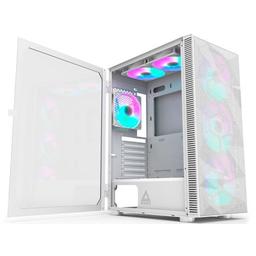
This is a balanced first gaming PC rather than the cheapest collection of parts that will boot. The mesh-front Phanteks case gives the GPU fresh air, the tower cooler keeps noise under control during long sessions, and the 650W supply has room for a stronger card later.

Expected 1080p Gaming Performance

The RX 7600 is happiest at 1080p. Expect roughly 60–75 FPS at high settings in demanding games such as Cyberpunk 2077, around 100–120 FPS in Call of Duty: Modern Warfare III at medium settings, and well above 144 FPS in lighter competitive games when settings are tuned for visibility and latency.

The 8GB frame buffer is the main limit. High textures work in most games, but the newest texture-heavy releases may need medium textures or an upscaling mode to avoid stutter. Ray tracing is also a bonus rather than a target; keep it off in demanding games and spend the frame-rate budget on higher native settings instead. For a build aimed squarely at high-refresh play, compare our best budget 1080p gaming PC.

Why We Chose AM4 Instead of AM5

AM5 offers the better long-term CPU path, but the motherboard and DDR5 premium would take money away from the graphics card at this budget. AM4 is mature, inexpensive and still fast enough for the RX 7600. The B550 board also supports PCIe 4.0 for the GPU and primary NVMe drive.

There is one worthwhile final CPU upgrade: the Ryzen 7 5700X3D. Its extra cores and 3D V-Cache can improve CPU-limited games without replacing the board or memory. After that, a future platform change makes more sense than spending further on AM4.

Upgrade Path

Add a second M.2 SSD as the game library grows, then step up the graphics card. The 650W power supply has ample capacity for a stronger midrange card, and the roomy Phanteks case avoids the clearance problems common to compact budget builds. Memory is the one upgrade to defer until DDR4 pricing settles. A Ryzen 7 5700X3D is the last high-value CPU stop on this board; beyond that, carry the GPU, storage, case and power supply into a future platform rebuild.
Our Verdict

This is a practical 1080p-high build, not a cut-down 1440p machine. The Ryzen 5 5600X and RX 7600 are well matched, and the B550 board, airflow case and 650W power supply preserve useful upgrade options. Choose it when the budget is firm.

Estimated Performance

Targets 60+ FPS at 1080p high in most AAA games, 100+ FPS in shooters, and 144+ FPS in lighter esports titles with tuned settings.

Estimated average FPS across the listed games. Targets 60+ FPS at 1080p high in most AAA games, 100+ FPS in shooters, and 144+ FPS in lighter esports titles with tuned settings.
GameSettingsAverage FPS1% low FPS
Cyberpunk 20771080p High6554
Fortnite1080p High151112
Baldur's Gate 31080p High7258
Call of Duty: Modern Warfare III1080p Medium11086
Alan Wake 21080p High3427

Average FPS shown; hover a bar for 1% lows. Figures are editorial estimates unless the note above cites a source, and vary by settings, drivers, and specific SKUs.

8

Components

$1,000

Budget Tier

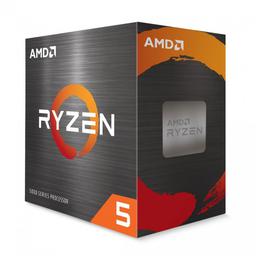
  • Six Zen 3 cores are enough to feed the RX 7600 at 1080p while keeping the platform cost low — and it ships with a Wraith Stealth cooler, which is the first $38 to cut if the budget is tight.

    • 6-core / 12-thread
    • 65W TDP
    • AM4

    Alternative

    AMD Ryzen 7 5700X3D — The final high-value AM4 gaming upgrade adds two cores and 3D V-Cache without a board swap.

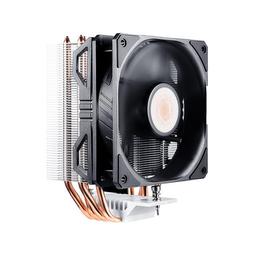
  • A simple tower cooler keeps the 65W Ryzen chip quieter than the bundled cooler during long gaming sessions. Optional rather than required — the 5600X does come with one.

    • 120mm fan
    • Tower air cooler
    • AM4 mounting
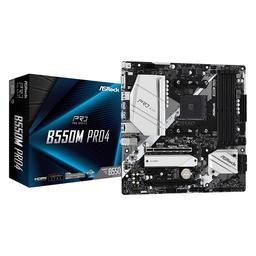
  • This affordable B550 board correctly matches the AM4 CPU and DDR4 memory while providing two M.2 slots.

    • AM4 / B550
    • Micro-ATX
    • 2× M.2
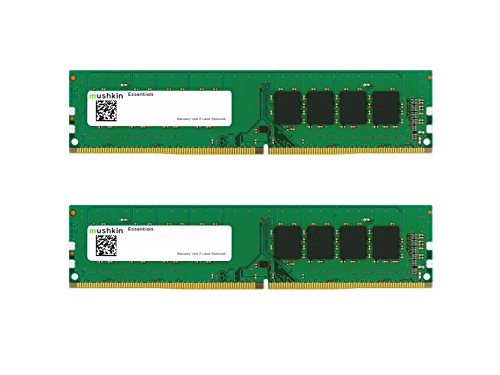
  • A matched dual-channel 16GB kit meets the gaming baseline without taking money from the GPU — and at a quarter the price of an equivalent DDR5 kit, it is the line item that makes this budget work at all.

    • 16GB (2×8)
    • DDR4-3200
    • Dual channel
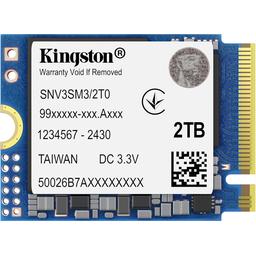
  • One terabyte gives Windows and several large games room to breathe with fast PCIe 4.0 load times. This is the line that moved most since the last revision of this guide — a 500GB drive saves about $48 if you need to hit $800 exactly.

    • 1TB
    • PCIe 4.0
    • NVMe M.2
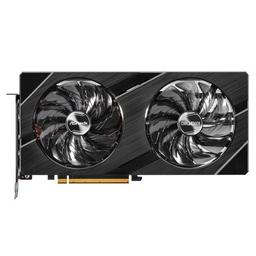
  • The build's biggest performance investment delivers dependable 1080p high-settings gaming, and it is the cheapest current 1080p-class card we can quote a price for.

    • 8GB GDDR6
    • 165W TDP
    • 1080p class

    Alternative

    PowerColor Reaper Radeon RX 9060 XT 16GB — About $70 more for a full tier of performance and double the frame buffer — the single best place to spend extra money on this build.

  • A mesh front and included fans give the GPU good airflow without demanding extra cooling purchases.

    • Mid-tower ATX
    • Mesh front
    • 2 fans, 6 max

    Alternative

    Cooler Master MasterBox Q300L — Saves $45 and still ventilates a 165W card properly — the cheapest honest cut in this list.

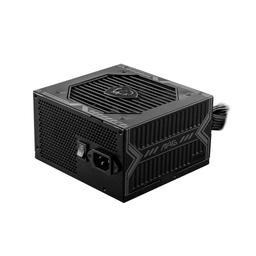
  • 650W is comfortable headroom over this build's roughly 300W peak and enough for a mid-range GPU upgrade later, at $30 less than the modular 750W unit this list used to carry.

    • 650W
    • 80+ Bronze
    • ATX

Where to Spend, Where to Save

Spend more on

The graphics card — and, if the budget moves at all, only the graphics card
The ASRock Challenger OC RX 7600 at $299.99 produces every frame in the table below, and the next $70 of budget belongs here rather than anywhere else. An RX 9060 XT 16GB at roughly $350 is a full tier faster and doubles the frame buffer, which is the specification most likely to age badly on an 8GB card as texture budgets grow. Planning for that card now is far better than buying the 7600 and replacing it in eighteen months.
The power supply — the one economy that can take the build with it
The MSI MAG A650BN at $59.99 is already inexpensive, and going below it means unbranded units with optimistic ratings and no meaningful protection circuitry. At this budget a failed supply does not just need replacing, it can damage the parts around it, which turns a $30 saving into a rebuild. The 650W capacity also leaves room for the RX 9060 XT upgrade above without a second purchase.
Two memory sticks rather than one, whatever the capacity
The Mushkin 16GB kit at $54.95 is a 2x8GB configuration and that matters more than the capacity does. Dual-channel doubles the bandwidth available to the CPU, and a single 16GB stick costs about the same while measurably lowering frame rates in CPU-bound games. This is the cheapest performance decision on the entire page — it is free, and it is easy to get wrong when shopping on price alone.

Save on

The CPU cooler — the boxed Wraith Stealth is adequate here
The Ryzen 5 5600X is a 65W part and ships with a cooler that handles it at stock. Dropping the Cooler Master Hyper 212 EVO V2 saves $81.24 outright and is the first cut to make if you are trimming the list — it is the line that moved most since this guide was written. You give up some acoustic comfort and a little thermal headroom, neither of which changes a frame rate.
The case — before you cut drive capacity
The Montech X3 Mesh at $69.99 is a good case, and a cheaper mesh-front chassis will cool a 165W graphics card and a 65W CPU perfectly well. If something has to give in the run to $800, take it from here rather than from the SSD, because storage capacity is the constraint you will actually feel week to week. Keep front mesh and confirm GPU clearance and you have lost nothing that matters.
Memory capacity — do not stretch to 32GB at this budget
A 32GB DDR4-3200 kit is around $199 against $57 for the 16GB kit, and that $142 buys nothing at 1080p in 2026. No current game at this resolution and these settings fills 16GB, and the graphics card is where that money produces visible results. This is the opposite of the advice our DDR5 builds now give, and the reason is simply that DDR4 pricing never moved the way DDR5 did.

Ready to build this list?

Every part above drops straight into the System Builder — compatibility checks, a running price total, and a one-click buy list.

Pros and cons

Pros

  • Strong 1080p performance without spending money on parts that do not add frames
  • Mature AM4 and DDR4 platform is what keeps this budget viable — a DDR5 kit alone costs four times as much
  • Quality airflow case and 650W PSU can support a future GPU upgrade

Cons

  • RX 7600's 8GB VRAM can require lower textures in the heaviest new games
  • AM4 has a shorter CPU upgrade path than a more expensive AM5 build
  • The full list is $996.04 at current NVMe prices — hitting $800 means the boxed cooler, a cheaper case and a 500GB drive

Frequently Asked Questions

Is $800 enough for a good gaming PC in 2026?

Yes, if 1080p is the target. This Ryzen 5 5600X and RX 7600 build clears 60 FPS in most games at high settings. The full list came in over that budget at August 2026 prices; the boxed cooler, a cheaper case and a 500GB drive bring it close.

Can this PC run games at 1440p?

It can run lighter and older games at 1440p, but the RX 7600's 8GB of VRAM makes 1080p the better fit for new AAA releases.

Is 16GB of RAM still enough for gaming?

Yes at 1080p, and at 2026 memory prices it is clearly the right call — a 32GB DDR4-3200 kit costs more than three times as much as 16GB. The difference buys nothing in games and would be far better spent on the graphics card.

Should I build on AM4 or save for AM5?

Choose AM4 when the budget is a hard ceiling, because the cheaper board and DDR4 memory protect the GPU budget. Save for AM5 if you expect several CPU upgrades and can spend more now.

Does this build need Wi-Fi?

The ASRock B550M Pro4 does not include Wi-Fi. Use Ethernet for the most consistent gaming connection, or add an inexpensive PCIe or USB Wi-Fi adapter if running a cable is not practical.

Related Guides

Parts8 components
Target$1,000
Build PC