We use cookies to understand how you use our site and improve your experience. Privacy Policy

All Build Guides
BudgetUpdated 2026-08-062 min read

Home Office & Productivity PC Build (2026)

A quiet, efficient desktop for everyday office work, web browsing, and light creative tasks — no dedicated GPU needed. About $1,300 at August 2026 catalogue prices.

Sarah KimPublished 2025-06-197 components$1,300 budgetCompatibility checked

Build this PC in one click

Load all 7 parts into the System Builder to check compatibility and total the build against your $1,300 target.

Key Takeaways

  • The defining decision on this page is a part that is not on the list. Deleting the graphics card is what buys the silence, the sub-50W idle and roughly $250 — and the integrated Radeon in the 7600X still drives two 4K displays with no adapters, which is all an office desk actually asks of graphics.
  • It is also the one thing you give up. The chart below tops out at 25.7 FPS in Dota 2 at 1080p and nothing measured clears 26 — that is a ceiling, not a starting point. If anyone is going to game on this machine, budget for a card now rather than discovering the limit later.
  • The $700 in the title no longer buys this parts list: at August 2026 catalogue prices it comes to about $1,234, and the 32GB memory kit alone is $503 of that. The 2026 memory and NAND market moved, not the specification.
  • Cutting back to 16GB and a 500GB drive brings it to about $921 and costs you nothing in a browser, a spreadsheet or a video call. Keep two memory sticks when you do it — with no graphics card, the iGPU is borrowing system memory bandwidth, and a single stick halves it.
  • Everything expensive here is bought for the second half of the machine's life. AM5 has years of CPU upgrades left, two DIMM slots and a second M.2 socket stay open, and the 750W supply and 400mm of card clearance mean adding a GPU later is an afternoon rather than a rebuild.

August 2026 price check This build was specced to a $700 target. At August 2026 catalogue prices the same parts list comes to about $1,234. That is not a spec change, it is the 2026 memory and NAND market: the 32GB DDR5 kit alone is about $503 against the $79 this guide assumed. For office work, dropping to a 16GB kit and a 500GB drive takes it to about $921 — neither costs you anything in a browser and a spreadsheet, and that is as close to $700 as this spec now gets.

Not every PC needs a discrete graphics card. For home office work — spreadsheets, email, video calls, web browsing, and even light photo editing — the integrated Radeon graphics in the Ryzen 5 7600X are enough on their own, and they drive dual monitors with no adapters. Gaming is the one thing they do not cover: the benchmark chart below tops out at 25.7 FPS at 1080p, so budget for a discrete card if you want to play anything on this machine.

Skipping the dedicated GPU saves $250+ and dramatically reduces power consumption and fan noise. This build idles at under 50 watts, which means near-silent operation during typical office tasks. The 6-core, 12-thread CPU is far more power than office applications need, but it ensures the system stays snappy for years without feeling slow.

We've included 32GB of DDR5 for heavy browser tab users and multitaskers, plus a 1TB NVMe for fast boot times and plenty of storage for documents and media. The compact Micro-ATX motherboard and mid-tower case keep the footprint reasonable for a desk setup.

Updated for mid-2026: Integrated graphics keep getting better. The Ryzen 5 7600X — or the cheaper Ryzen 8000-series APUs with stronger Radeon 700M graphics — still drives dual monitors and light photo work silently. DDR5 has gone the other way, though: the 32GB kit specced here is now $503 and the single largest line in the build, so 16GB in two sticks is the sensible 2026 default for an office machine. The no-discrete-GPU formula remains the best value for a quiet office desktop — the price of admission has just moved.
Our Verdict

At about $1,234 at August 2026 catalogue prices, this is the quiet, boring-in-the-best-way office desktop: six fast Zen 4 cores, 32GB of DDR5 and no discrete GPU to add heat, noise or cost. Integrated Radeon graphics drive two 4K displays and handle light Lightroom work, so the only reason to add a card later is gaming or video editing. If you never plan to game, spend the savings on a better monitor and keyboard instead.

Benchmark Performance

This build ships without a graphics card, so every frame below is rendered by the Ryzen 5 7600X's integrated Radeon graphics — two RDNA 2 compute units at 2.2 GHz, the same IOD graphics block AMD puts in every Ryzen 7000 desktop chip. Figures are Notebookcheck's measured desktop results for that iGPU (test system: Ryzen 9 7900X, identical graphics hardware) at 1920x1080, with each row labelled with the preset it was measured at. No reviewer publishes a 1080p Low pass or CS2, Valorant and League of Legends numbers for this part, so those rows are absent rather than estimated. Read the chart as a ceiling, not a target: nothing measured clears 26 FPS at 1080p. This is a machine for spreadsheets, browser tabs and video calls — if you want to game on it, budget for the graphics card upgrade below.

Average frames per second across benchmarked titles. This build ships without a graphics card, so every frame below is rendered by the Ryzen 5 7600X's integrated Radeon graphics — two RDNA 2 compute units at 2.2 GHz, the same IOD graphics block AMD puts in every Ryzen 7000 desktop chip. Figures are Notebookcheck's measured desktop results for that iGPU (test system: Ryzen 9 7900X, identical graphics hardware) at 1920x1080, with each row labelled with the preset it was measured at. No reviewer publishes a 1080p Low pass or CS2, Valorant and League of Legends numbers for this part, so those rows are absent rather than estimated. Read the chart as a ceiling, not a target: nothing measured clears 26 FPS at 1080p. This is a machine for spreadsheets, browser tabs and video calls — if you want to game on it, budget for the graphics card upgrade below.
GameSettingsAverage FPS
Dota 2 Reborn1080p High (7600X iGPU)25.7
X-Plane 11.111080p Medium (7600X iGPU)23
Final Fantasy XV Benchmark1080p Medium (7600X iGPU)19.3
F1 20211080p Medium (7600X iGPU)18.3
Strange Brigade1080p Medium (7600X iGPU)17.4

Average FPS shown. Figures are editorial estimates unless the note above cites a source, and vary by settings, drivers, and specific SKUs.

7

Components

$1,300

Budget Tier

Pass

Compatibility

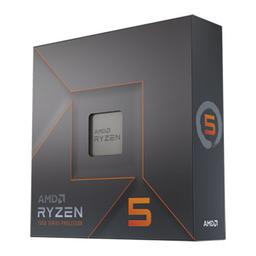
  • The six cores are not why this chip is here — office software will never use them. It is here because its integrated Radeon graphics are good enough to delete the graphics card from the build entirely, which is what removes the heat, the noise and $250 of cost. AM5 is the second reason: this is a socket with years of upgrades left, so the machine is not a dead end.

    • 6C / 12T
    • Integrated Radeon
    • AM5
    • 105W TDP
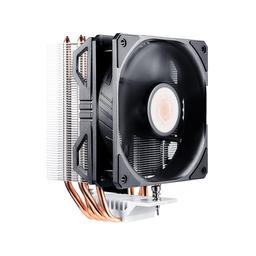
  • The 7600X ships with no cooler, so this line is not optional. A tower rated for 180W sitting on a chip that spends its day at a fraction of that is deliberate over-provisioning: the fan never has to spin up to stay in control, which is the entire point on a desk machine you sit next to. At 160mm it clears the case's 170mm limit with room to spare.

    • Air tower
    • 180W rated
    • 160mm tall
    • 8 dBA
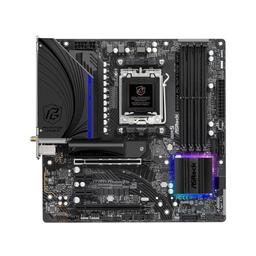
  • With no graphics card in the build, you are buying a board for its display outputs, its Wi-Fi and its memory slots — not its PCIe lanes, which is exactly where the expensive boards spend your money. Micro-ATX keeps the footprint desk-sized, and the four DIMM slots are what make the 16GB starting point below a genuine upgrade path rather than a trap.

    • Micro-ATX
    • AM5 / B650
    • 4x DDR5 slots
    • Wi-Fi + Bluetooth
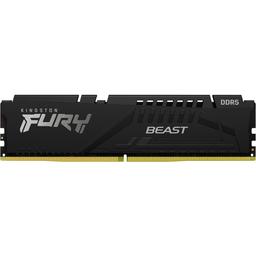
  • Read the part name as 2x16GB first and 32GB second. Integrated graphics have no memory of their own — they borrow the system's — so a build with no graphics card is the one build where running two sticks instead of one is not a nicety. At $503 this single line is now 39% of the total, which makes capacity the first thing to cut and the two-stick configuration the last.

    • DDR5-5200
    • CL40
    • 2x 16GB (dual channel)
    • 1.1V

    Alternative

    Kingston FURY Beast 16 GB (2x8GB DDR5-5200) — About $292 against $503, and still two sticks — so the iGPU keeps its dual-channel bandwidth and gives up nothing. For a browser, a spreadsheet and a video call, 16GB is the honest answer; take the roughly $212 and put it toward the monitor.

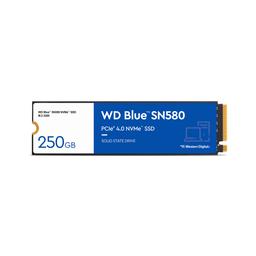
  • Any Gen4 NVMe makes this machine feel instant; no office workload comes close to saturating one, so sequential numbers are the wrong thing to shop on here. Capacity is the only decision that matters, and 1TB is the comfortable one — enough for years of documents, photos and a media library without ever auditing what to delete.

    • 1TB
    • PCIe Gen4 NVMe
    • M.2 2280

    Alternative

    Western Digital Blue SN580 500 GB — The same drive at half the capacity for about $159 instead of $325. It feels identical in daily use, and the board's second M.2 socket means adding storage later is a five-minute job rather than a migration.

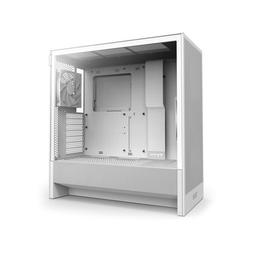
  • A mesh-front airflow case on a sub-100W machine sounds like overkill, and that is precisely why it is quiet: the two included fans never need to work hard. The 400mm of card clearance and seven expansion slots are the part that matters long-term — they are what make the add-a-GPU-later plan real instead of aspirational.

    • ATX mid-tower
    • 2 fans included
    • 170mm cooler
    • 400mm GPU
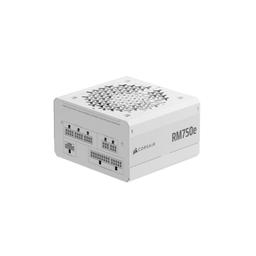
  • 750W for a system that idles under 50W is not a sizing mistake — it is the upgrade path, bought once. Every route out of this build ends in a graphics card, and this supply already has the wattage and the connectors for a mid-range one. Fully modular means the cables for a card you have not bought yet stay in the box instead of behind the motherboard tray.

    • 750W
    • Fully modular
    • ATX

Parts List

As an Amazon Associate, PlanMyPC earns from qualifying purchases made through links on this page. Read our affiliate disclosure

Where to Spend, Where to Save

Spend more on

The monitor — before anything inside the tower
This is the rare build where the best upgrade is not a component. You look at the display for eight hours a day and you will never once look at the CPU, and the integrated graphics already drive two 4K panels without an adapter or a card. Every dollar this page saves by skipping the GPU is better spent on a screen and a keyboard than on returning it to the parts list.
Memory channels — which is not the same as memory capacity
Integrated graphics have no dedicated memory; they take bandwidth from the system kit, so the number of sticks matters in a way it never does on a build with a graphics card. Two modules instead of one is worth real performance on the iGPU and costs nothing extra at the same total capacity. Buy 2x8GB over 1x16GB every time, and never fill a build like this with a single stick.
Power supply headroom, if a graphics card is even plausible
750W on a machine that idles under 50W looks like waste until you notice that every upgrade route out of this build ends in a GPU. Buying the headroom once, at $90, is what turns that into an afternoon with a screwdriver. If you are genuinely certain the machine will never get a card, this is the one place a smaller unit is defensible — but it is a one-way door.

Save on

Memory capacity — 32GB is generous, not necessary
The 32GB kit is $503 and 39% of the build total at August 2026 prices, which makes it the largest and easiest cut on the page. A 2x8GB kit is about $292 and keeps the dual-channel configuration the iGPU depends on. Browser tabs, Office and a video call do not fill 16GB, and the board keeps two slots open for the day something does.
Drive capacity — not drive speed
Nothing in an office workload gets near the limits of a Gen4 NVMe, so paying for sequential throughput here buys a number you will never observe. The same WD Blue SN580 at 500GB is about $159 against $325 and feels identical in daily use. The second M.2 socket on the board means adding capacity later is a five-minute job, not a reinstall.
The CPU tier
The 7600X's cores and 5.3 GHz boost are far beyond what spreadsheets and video calls ask for — the guide's own cons section says as much. A non-X Ryzen 5 or a Ryzen 8000-series APU with stronger Radeon 700M graphics costs less and, in the APU's case, gives you better integrated graphics, which is the part of this build that actually does work.

Ready to build this list?

Every part above drops straight into the System Builder — compatibility checks, a running price total, and a one-click buy list.

The Bottom Line

Pros

  • No discrete GPU means under 50W at idle and near-silent operation
  • 32GB of DDR5 handles heavy browser and spreadsheet multitasking for years
  • AM5 socket leaves a clean upgrade path to a faster CPU or a GPU later

Cons

  • Integrated Radeon graphics are not a gaming solution
  • The 105W 7600X is more CPU than most office work needs

Frequently Asked Questions

Do I need a graphics card for office work?

No. The Ryzen 5 7600X includes integrated Radeon graphics that drive two 4K displays, run Teams and Zoom calls with background blur, and handle light Lightroom edits. Skipping a discrete card saves roughly $250 and keeps the system quiet and cool.

Can integrated graphics run dual monitors?

Yes. The ASRock B650M board exposes HDMI and DisplayPort outputs from the CPU graphics, so a dual 1440p or 4K desktop works out of the box without any adapters.

Is 32GB of RAM overkill for a home office PC?

For most people, yes. 32GB earns its place only with 50-plus tabs, a call and Office at once. At August 2026 prices the kit is $503, so stepping down to 16GB saves about $212 — take it, but keep two sticks so the integrated graphics keep full memory bandwidth.

Can I add a graphics card to this build later?

Yes. The 750W power supply and the board's PCIe x16 slot leave room for a mid-range card such as an RTX 5060 or Intel Arc B580 with no other changes.

Will this build handle photo editing?

For Lightroom imports, culling and JPEG exports at 24MP, yes. For large panorama stitches, heavy Photoshop neural filters or 100MP files, step up to the dedicated photo-editing build.

Related Guides

Parts7 components
Target$1,300