We use cookies to understand how you use our site and improve your experience. Privacy Policy

All Build Guides
GamingUpdated 2026-08-067 min read

RTX 4070 SUPER vs 4070 Ti SUPER: Which Wins? (2026)

RTX 4070 SUPER vs 4070 Ti SUPER in 2026: a clear buyer's verdict for 1440p and 4K gaming, with a recommended balanced build and August 2026 prices for both.

Alex ChenPublished 2026-06-038 components$3,900 budgetCompatibility checked

Build this PC in one click

Load all 8 parts into the System Builder to check compatibility and total the build against your $3,900 target.

Key Takeaways

  • Buy the RTX 4070 SUPER for 1440p. It is the better frames-per-dollar card and covers ultra settings in every title charted here.
  • The Ti SUPER costs about 70% more at August 2026 catalogue prices ($1,425 vs $839) for 19-20% more frames — a value case that only works if you need what the extra buys.
  • What the extra actually buys is 16GB of VRAM instead of 12GB. That is the 4K and texture-pack argument, and it is the only one that gets stronger with time.
  • Two rows in the benchmark table change the answer: Starfield (55 → 68) and Alan Wake 2 (48 → 60) are where the SUPER drops under 60 FPS and the Ti SUPER does not.
  • The supporting build is identical either way — 7800X3D, 32GB DDR5-6000, 850W — so this is a single-decision guide. Buy one video card from the parts list, not both.

August 2026 price check The parts list attached to this comparison was specced to a $1,700 target. At August 2026 catalogue prices it comes to about $3,858. Both cards moved a long way from the $599 and $799 this guide compares them at — roughly $839 and $1,425 respectively — so read the sections below for the performance argument between the two tiers, and price the cards themselves before deciding.

Short answer: buy the RTX 4070 SUPER if your target is high-refresh 1440p gaming and value — it is the better deal for most people. Buy the RTX 4070 Ti SUPER if you want maximum 1440p headroom, serious ray tracing, or a card that comfortably plays at 4K. The Ti SUPER is meaningfully faster and carries more VRAM, but it costs around 30% more for 19–20% more frames across the five titles charted below (14% to 25% depending on the game — the note under the chart shows both ways of averaging).

The 4070-class is the most popular GPU tier for enthusiast gamers in 2026, and the two SUPER cards sit right on the fence between "great value" and "near-flagship." This guide cuts through the spec sheets and gives you a clear verdict plus a balanced build to drop either card into.

Where the base RTX 4070 fits

Before comparing the two SUPER cards, it is worth noting the non-SUPER RTX 4070 still exists at a lower price and remains a fine 1440p card. But both SUPER refreshes offer materially better performance-per-dollar, which is why our recommendation focuses on them. If your budget is tight, the standard 4070 is a reasonable step down; if you can stretch a little, the SUPER cards are the smarter buy.

RTX 4070 SUPER: the value champion

The 4070 SUPER closed most of the gap to the old 4070 Ti while keeping a friendlier price. It is built for 1440p ultra: the chart below has it between 48 and 88 FPS native across five titles, with DLSS 3 frame generation carrying the heaviest games the rest of the way to high-refresh. Power draw is low enough to run cool and quiet on a 750–850W supply. For the overwhelming majority of 1440p gamers, this is the card to buy. We use it in our Best 1440p High-Refresh Gaming PC Build (2026).

RTX 4070 Ti SUPER: headroom and 4K

The Ti SUPER adds more cores, more memory bandwidth and — importantly — a larger VRAM buffer. That extra memory is what makes it the safer choice for 4K gaming and for memory-hungry titles with high-resolution texture packs. If you run a 4K monitor, do heavy ray tracing, or simply want the longest legs before your next upgrade, the Ti SUPER justifies its premium. It pairs naturally with a top gaming CPU like the Ryzen 7 7800X3D.

How to decide

  • Choose the 4070 SUPER if: you game at 1440p, you want the best value, and you care about frames-per-dollar. This is most people.
  • Choose the 4070 Ti SUPER if: you game at 4K, you lean hard on ray tracing, or you want maximum future-proofing and will keep the card for several years.

Check your specific titles too — our per-game guides such as the best GPU for Cyberpunk 2077 and the best GPU for Counter-Strike 2 show how each card behaves under different workloads (ray-traced AAA vs. high-refresh esports).

A balanced build for either card

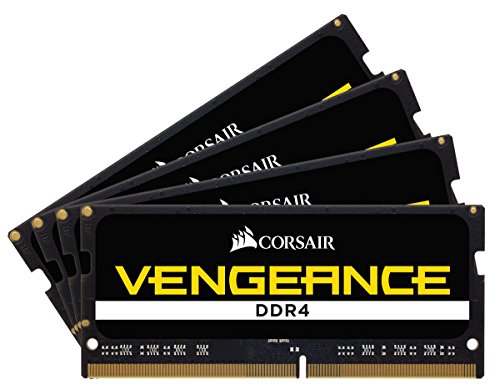
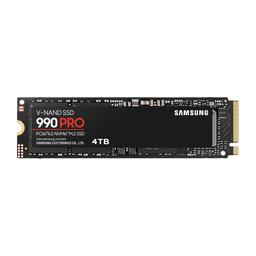
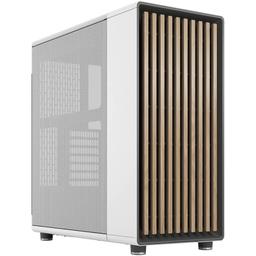
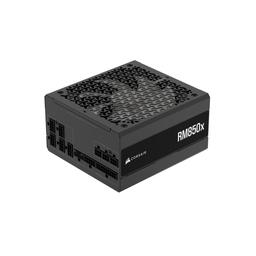
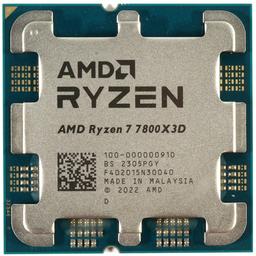
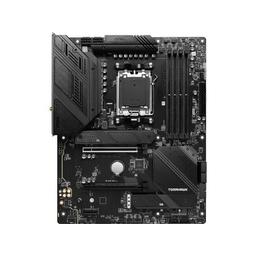
Whichever GPU you choose, you want a CPU and platform that won't bottleneck it. The build below is tuned for exactly that: the cache-rich Ryzen 7 7800X3D on a solid MSI MAG B650 TOMAHAWK WiFi, 32GB of fast Corsair Vengeance DDR5-6000, a roomy Samsung 990 Pro 2TB NVMe, the airflow-friendly Fractal Design North case and a fully-rated Corsair RM850x (2024). The parts list below includes both GPUs so you can compare them side by side; pick one and your build is complete.

The verdict

For most 1440p gamers in 2026, the RTX 4070 SUPER is the right buy — it delivers the experience you want at a price that makes sense. Step up to the 4070 Ti SUPER only if 4K, heavy ray tracing, or maximum longevity are genuine priorities for you. Either way, pair it with a strong gaming CPU and an 850W PSU and you will have a 1440p/4K machine that lasts.

The VRAM question

The single most important spec difference between these two cards is the memory buffer. The 4070 SUPER's 12GB is comfortable for 1440p in 2026, but a handful of recent titles with ultra texture packs will fill it at 4K. The Ti SUPER's larger 16GB buffer is the safety margin that matters if you intend to keep the card for several years or game at 4K. VRAM is the spec that ages worst: a card can have enough raw shading power for a game but stutter badly if it runs out of memory. If you are buying for longevity rather than today's frame rates, the extra VRAM is the strongest single argument for the Ti SUPER. At 1440p, however, both cards have headroom and the SUPER's smaller buffer is not a limitation.

Power, heat and noise

The two cards differ meaningfully in power draw, and that has knock-on effects. The 4070 SUPER's lower TDP means a cooler, quieter system and a smaller load on your power supply — an 850W unit gives it generous headroom. The Ti SUPER draws more, runs a little warmer, and benefits from a case with strong front-to-back airflow like the Fractal Design North used in this build. Neither card is hot or loud by modern standards, but if a near-silent system is a priority, the SUPER has a small advantage. Both are well within the capability of the Corsair RM850x (2024), so your PSU choice does not change between them.

Frequently asked questions

Is the 4070 Ti SUPER worth the extra money? Only if you game at 4K, lean on ray tracing, or want maximum longevity from the larger VRAM buffer. At 1440p, the 4070 SUPER delivers nearly the same experience for noticeably less.

Which card is better for 1440p high-refresh? The 4070 SUPER. It runs ultra settings at 1440p, supports DLSS 3, and offers the best frames-per-dollar at that resolution. Most 1440p gamers should buy it.

Does the Ti SUPER need a bigger power supply? No. The 850W unit in this build comfortably powers either card with room for a future upgrade. The Ti SUPER draws more but stays well within that budget.

Can the 4070 SUPER do 4K? Yes, with DLSS, at high settings in most games. For consistent 4K ultra, the Ti SUPER's extra cores and VRAM make it the better fit.

Bottom line

This is a genuine fork-in-the-road decision, but for most buyers it is not a close one. If you game at 1440p — which is where the majority of enthusiasts sit in 2026 — the RTX 4070 SUPER is the smarter purchase: it runs ultra settings, supports DLSS 3 frame generation, runs cool and quiet, and costs noticeably less. The 4070 Ti SUPER earns its premium in a narrower set of cases: 4K gaming, heavy ray tracing, or a multi-year hold where the larger VRAM buffer is the insurance you want. Whichever you choose, the supporting cast is the same — the 7800X3D, 32GB of DDR5-6000, a roomy NVMe and an 850W supply — so you can decide on the GPU alone and know the rest of the system is balanced for it. Compare the two cards in the parts list and let the gap between them, plus your target resolution, make the final call.

Affiliate disclosure

PlanMyPC is reader-supported. When you buy through links on this page we may earn an affiliate commission at no extra cost to you. As an Amazon Associate we earn from qualifying purchases. This never affects which products we recommend — see our full disclosure.
Our Verdict

Buy the RTX 4070 SUPER. For high-refresh 1440p it delivers the large majority of the Ti SUPER's performance for meaningfully less money, and it runs cooler and quieter on a 750 to 850W supply. The Ti SUPER earns its roughly 30% premium only if you game at 4K, run heavy ray tracing, or specifically want the larger VRAM buffer to stretch the upgrade cycle.

Benchmark Performance

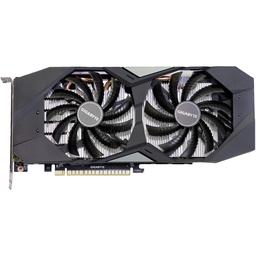
Both cards on the same Ryzen 7 7800X3D bench this guide specifies, at 1440p native — no upscaling, ray tracing off. Figures are from the PlanMyPC benchmark dataset for the two exact SKUs in the parts list: the Gigabyte Gaming OC RTX 4070 SUPER ($599) and the ASUS TUF Gaming RTX 4070 Ti SUPER OC ($799). Rows tagged (S) are the 4070 SUPER, (Ti) the 4070 Ti SUPER. Across these five titles the Ti SUPER returns 19% more frames as a ratio of the summed averages (398 vs 334 FPS); averaging the five per-title ratios instead gives 20%. Either way the spread runs 14% in Spider-Man to 25% in Alan Wake 2 — so the extra $200 is a 33% price increase buying a 19–20% performance increase, which is poor value per dollar and worth paying only where it changes what the card can do. That is two rows here: Starfield (55 → 68) and Alan Wake 2 (48 → 60) are where the SUPER sits under 60 FPS at these settings and the Ti SUPER does not.

Average frames per second across benchmarked titles. Both cards on the same Ryzen 7 7800X3D bench this guide specifies, at 1440p native — no upscaling, ray tracing off. Figures are from the PlanMyPC benchmark dataset for the two exact SKUs in the parts list: the Gigabyte Gaming OC RTX 4070 SUPER ($599) and the ASUS TUF Gaming RTX 4070 Ti SUPER OC ($799). Rows tagged (S) are the 4070 SUPER, (Ti) the 4070 Ti SUPER. Across these five titles the Ti SUPER returns 19% more frames as a ratio of the summed averages (398 vs 334 FPS); averaging the five per-title ratios instead gives 20%. Either way the spread runs 14% in Spider-Man to 25% in Alan Wake 2 — so the extra $200 is a 33% price increase buying a 19–20% performance increase, which is poor value per dollar and worth paying only where it changes what the card can do. That is two rows here: Starfield (55 → 68) and Alan Wake 2 (48 → 60) are where the SUPER sits under 60 FPS at these settings and the Ti SUPER does not.
GameSettingsAverage FPS
Cyberpunk (S)1440p Ultra — RTX 4070 SUPER78
Cyberpunk (Ti)1440p Ultra — RTX 4070 Ti SUPER92
Hogwarts (S)1440p Ultra — RTX 4070 SUPER65
Hogwarts (Ti)1440p Ultra — RTX 4070 Ti SUPER78
Spider-Man (S)1440p Very High — RTX 4070 SUPER88
Spider-Man (Ti)1440p Very High — RTX 4070 Ti SUPER100
Starfield (S)1440p Ultra — RTX 4070 SUPER55
Starfield (Ti)1440p Ultra — RTX 4070 Ti SUPER68
Alan Wake 2 (S)1440p High — RTX 4070 SUPER48
Alan Wake 2 (Ti)1440p High — RTX 4070 Ti SUPER60

Average FPS shown. Figures are editorial estimates unless the note above cites a source, and vary by settings, drivers, and specific SKUs.

8

Components

$3,900

Budget Tier

Pass

Compatibility

  • The 7800X3D is here as a control, not a flourish: its 96MB of 3D V-Cache keeps the CPU out of the way at 1440p, so the gap you read in the benchmark table is the two GPUs and nothing else. It is also the cheapest AM5 chip that will not bottleneck the Ti SUPER if you take that fork.

    • 8C/16T
    • 96MB 3D V-Cache
    • 120W TDP
    • AM5
  • The 7800X3D is locked and draws 120W, and neither video card saturates PCIe 4.0 x16 — so the extra VRM phases and Gen5 lanes on an X670E board are money spent on capability this build never asks for. The Tomahawk's 14+2+1 VRM, 2.5GbE and Wi-Fi 6E are the correct ceiling here.

    • AMD B650
    • AM5
    • 14+2+1 VRM
    • 2.5GbE + Wi-Fi 6E
  • DDR5-6000 CL30 is the AM5 sweet spot because it runs the memory controller 1:1 with the fabric; pushing past it usually costs latency rather than gaining it. Two DIMMs, not four, keeps that 1:1 stable — and at this catalogue price the kit is the line item worth shopping hardest, since any 6000 CL30 EXPO pair behaves the same.

    • 32GB (2x16GB)
    • DDR5-6000
    • CL30
    • AMD EXPO
  • The B650's primary M.2 slot is PCIe 4.0, so a Gen5 drive would run at Gen4 speeds and the premium would buy nothing — the 990 Pro saturates what this platform can actually deliver. 2TB is the practical floor once a handful of modern installs and their texture packs land.

    • 2TB
    • PCIe 4.0 x4
    • 7,450 MB/s read
    • DRAM cache
  • This is the recommendation, and the reason is the benchmark table: 48-88 FPS native at 1440p across five titles, with DLSS 3 frame generation covering the two heaviest. Its 12GB buffer is comfortable at 1440p in 2026, and 220W means it runs cool and quiet with the 850W supply barely working. Buy this one unless a 4K monitor is on your desk.

    • 12GB GDDR6X
    • 192-bit bus
    • 220W TDP
    • DLSS 3 FG

    Alternative

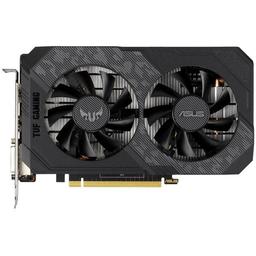
    ASUS TUF Gaming GeForce RTX 4070 Ti SUPER OC — The alternative fork, listed as its own row below — take it for 4K, heavy ray tracing, or a multi-year hold. You buy one of these two cards, never both.

  • The second half of the fork — pick this instead of the SUPER above, not alongside it. What the extra money buys is 16GB on a 256-bit bus rather than 12GB on 192-bit, which is the difference between comfortable and marginal at 4K with ultra texture packs. At 1440p it wins by 19-20% for a much larger price gap, so it is the wrong card at that resolution.

    • 16GB GDDR6X
    • 256-bit bus
    • 285W TDP
    • 8,448 CUDA cores
  • Both cards are triple-fan and long, and the North clears them with room to spare while its front intake feeds the GPU directly. The airflow matters more on the 285W Ti SUPER path than the 220W one, which is exactly why the case does not need to change between the two builds.

    • Mid-tower ATX
    • 2x 140mm included
    • GPU up to 355mm
    • Mesh side panel
  • 850W is sized for the Ti SUPER plus transient spikes, not for the SUPER — which is the point, because it means the PSU is the one part you do not have to reconsider when you pick a card. Its ATX 3.1 / 12V-2x6 connector also carries straight over to a 50-series upgrade, so dropping to 750W to save twenty dollars costs you that path.

    • 850W
    • 80+ Gold
    • ATX 3.1
    • 12V-2x6 native

Parts List

As an Amazon Associate, PlanMyPC earns from qualifying purchases made through links on this page. Read our affiliate disclosure

Where to Spend, Where to Save

Spend more on

The video card — if and only if you game at 4K
This is the only real decision on the page, and the resolution already on your desk makes it. At 1440p the $586 between the $839 SUPER and the $1,425 Ti SUPER buys 19-20% more frames for a 70% higher price, and the chart shows exactly two rows where that changes the experience rather than the number: Starfield 55 → 68 and Alan Wake 2 48 → 60. At 4K the argument flips completely, because 16GB against 12GB is what stops texture-pack stutter, and no amount of spending elsewhere in this list substitutes for the buffer.
The power supply — 850W and ATX 3.1, not 750W
The $140 RM850x is sized for the fork you did not take. The Ti SUPER's 285W board power arrives with transient spikes well above its rating, and 850W absorbs them where a 750W unit sits near its limit with the fan up — the two Corsair units are only about $53 apart at catalogue prices. The native 12V-2x6 connector is the second half of the argument: it plugs straight into a 50-series card, so this is the one part you never have to revisit when the GPU changes.
The CPU — the 7800X3D is what makes this comparison honest
A slower chip does not merely cost frames, it invalidates the page: at 1440p a CPU that cannot feed either card compresses the gap between them, and you end up buying the cheaper GPU for a reason that is not true. The $300 7800X3D's 96MB of 3D V-Cache keeps the processor out of the way at this resolution, so the 19-20% in the chart is the two graphics cards and nothing else. It is also the cheapest AM5 part that will not bottleneck the Ti SUPER if you take that fork.

Save on

The motherboard — B650, not X670E
The 7800X3D is a locked 120W part and neither of these cards comes close to saturating PCIe 4.0 x16, so the two things an X670E board sells you — heavier VRM phases and Gen5 lanes — are capability this build never asks for. The $176 MAG B650 Tomahawk already carries a 14+2+1 VRM, 2.5GbE and Wi-Fi 6E; the ROG Strix X670E-E is $333, so the upgrade is roughly $157 spent on lanes that sit idle. Put that toward the card or the monitor instead.
The memory kit — shop the brand, not the capacity
At $436 the 32GB DDR5-6000 kit is about 18% of the SUPER build and the single most inflated line here, and that is 2026 DRAM pricing rather than a specification choice. The saving is not capacity: AM5 wants DDR5-6000 CL30 because it runs the memory controller 1:1 with the fabric, and any 2x16GB EXPO pair hitting those two numbers behaves identically on this board. Shop this line on price alone and take whichever kit clears $436 by the most.
The SSD generation — Gen4 is the platform ceiling
The B650's primary M.2 socket is PCIe 4.0, so a Gen5 drive negotiates down to Gen4 speeds the moment you seat it — you would pay the Gen5 premium for a number this board physically cannot deliver. The Samsung 990 Pro already saturates the slot at about 7,450 MB/s sequential read. Keep the 2TB capacity, which a handful of modern installs and their texture packs genuinely consume, and put the generation premium nowhere.

Ready to build this list?

Every part above drops straight into the System Builder — compatibility checks, a running price total, and a one-click buy list.

The Bottom Line

Pros

  • 4070 SUPER is the better value for 1440p high-refresh gaming
  • Ti SUPER's larger VRAM buffer is the safer 4K and texture-pack choice
  • Both cards pair cleanly with a 7800X3D and an 850W supply

Cons

  • Ti SUPER costs about 30% more for 19-20% more frames across the charted titles
  • Both are last-generation cards, so cross-shop the RTX 5070 family when buying new

Frequently Asked Questions

Which is better value, the 4070 SUPER or the 4070 Ti SUPER?

The 4070 SUPER. The Ti SUPER costs around 30% more for roughly 15 to 20% more performance, so unless you need the extra VRAM or 4K headroom, the cheaper card is the better buy.

Is the 4070 SUPER enough for 1440p?

Yes, comfortably. It targets ultra settings at high refresh in nearly every current title, with DLSS 3 frame generation available for a further boost in supported games.

Can the 4070 SUPER handle 4K gaming?

In lighter and older titles at high settings, yes. For consistent 4K ultra in demanding AAA games with ray tracing, the Ti SUPER or a 4080-class card is the more reliable choice, mostly because of VRAM.

Should I buy an RTX 5070 or 5070 Ti instead?

If you are buying new today, cross-shop them. The 50-series adds DLSS 4 Multi Frame Generation and often matches or beats these cards at similar prices; the SUPER cards remain strong buys when discounted or bought used.

What power supply do these cards need?

A quality 750W unit covers the 4070 SUPER in a full build, and 850W is the comfortable figure for the Ti SUPER or for leaving headroom for a future GPU.

Related Guides

Parts8 components
Target$3,900