Best 1440p High-Refresh Gaming PC Build (2026)
August 2026 GPU change This build previously specced an RTX 4070 SUPER at about $839. Nothing in our catalogue currently sells that card — it has no retailer offer at all — while the cheapest listed RTX 5070 Ti is $699.99. The newer card is cheaper and faster, so the graphics card here has been changed. The parts list now comes to about $2,070 against the $1,500 it was originally specced to; memory ($97 to $436) and the 1TB NVMe ($69 to $227) account for most of what is left of that gap.
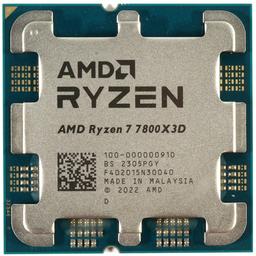
The best 1440p high-refresh gaming PC around $2,000 pairs AMD's Ryzen 7 7800X3D with NVIDIA's RTX 5070 Ti. It is a deliberately gaming-first combination: the CPU protects frame-time consistency in fast, CPU-heavy games, while the GPU has enough raster performance for high or ultra settings at 1440p without making upscaling mandatory. Across the ten games we benchmark it averages 134 FPS at native 1440p with ray tracing and upscaling off, and 9 of those 10 clear 60 FPS.
High-refresh 1440p is still the resolution most enthusiasts should target in 2026. It is visibly sharper than 1080p at a normal desk distance, much less demanding than native 4K, and now supported by a broad range of affordable 165Hz and 240Hz IPS and OLED monitors. This build is for the player who wants responsive competitive games and detailed single-player games on the same machine, without paying for a flagship GPU that the display cannot fully use.
This build at a glance
| Figure | This build |
|---|---|
| Budget target | $1,500 as specced (see the GPU change above) |
| Approximate build cost (August 2026) | $2,070.40 |
| Parts in the list | 8 |
| CPU | AMD Ryzen 7 7800X3D (8 cores, 96MB 3D V-Cache) |
| GPU | GeForce RTX 5070 Ti 16GB |
| Memory / storage | 32GB DDR5-6000 / 1TB PCIe 4.0 NVMe |
| Target resolution | 1440p High/Ultra on a 165–240Hz panel |
| Platform | AM5 / B650 — accepts a 9800X3D later |
| CPU + GPU rated power | 405W |
| Average fps, 1440p (10 tested games) | 134 fps |
| Games at 60+ fps, 1440p | 9 of 10 |
The build — complete parts list
| Component | Pick | Approx. price (Aug 2026) |
|---|---|---|
| CPU | AMD Ryzen 7 7800X3D | $299.99 |
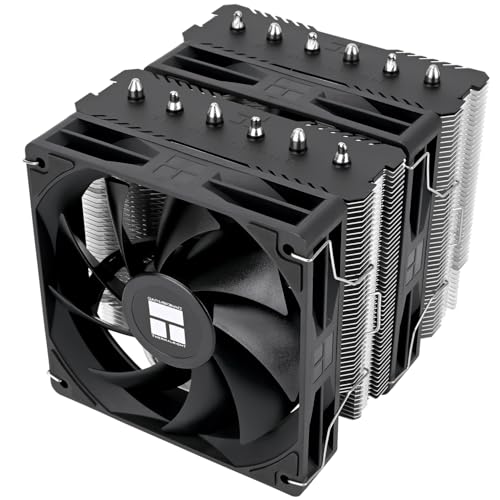
| CPU Cooler | Thermalright Peerless Assassin 120 SE V2 | $47.90 |
| Motherboard | Gigabyte B650 AORUS Elite AX | $149.99 |
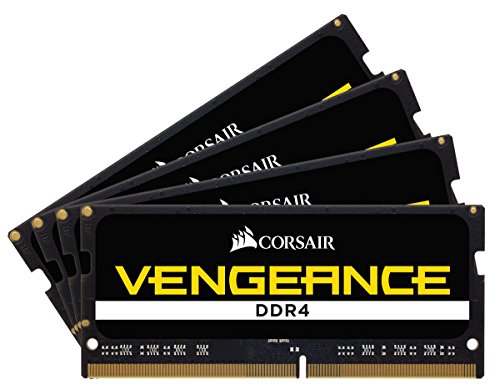
| Memory | Corsair Vengeance 32 GB (2x16GB DDR5-6000) | $435.55 |
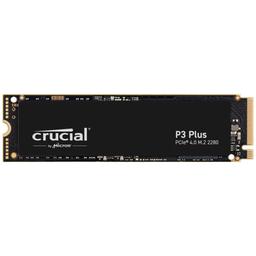
| Storage | Crucial P3 Plus 1 TB | $227.00 |
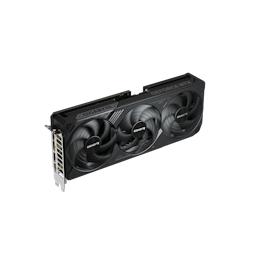
| Video Card | Gigabyte WINDFORCE OC SFF GeForce RTX 5070 Ti | $699.99 |
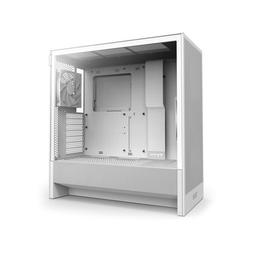
| Case | NZXT H5 Flow (2024) | $69.99 |
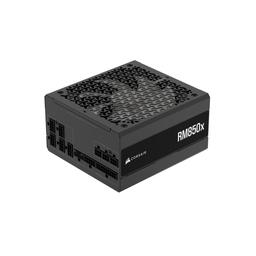
| Power Supply | Corsair RM850x (2024) 850W | $139.99 |
| Total | 8 parts | $2,070.40 |
These are approximate August 2026 figures drawn from the offers in our own catalogue, not live quotes. Treat the total as a planning number and expect each line to move with sales and stock — component pricing is checked periodically here, not continuously, so confirm the number at the retailer before you order.
Why this CPU and GPU pairing works
The AMD Ryzen 7 7800X3D earns its place through 96MB of L3 cache and consistently strong gaming frame times. Average FPS is only half of a high-refresh experience: a game that averages 165 FPS but repeatedly dips near 80 FPS feels less fluid than one with steadier 1% lows. The 7800X3D gives the RTX 5070 Ti room to work in simulation-heavy open worlds and large multiplayer matches, where a cheaper processor is most likely to interrupt smooth delivery.
The Gigabyte WINDFORCE OC SFF RTX 5070 Ti is the other half of the balance. Its 16GB of GDDR7 is generous for 1440p textures rather than merely adequate, its 285W board-power target is well inside what the 850W supply and this case's airflow already handle, and DLSS 4 gives demanding supported games another performance lever. We treat native rendering as the benchmark baseline, however: upscaling and frame generation are useful options, not a way to disguise a GPU that misses the resolution target.
This card replaced an RTX 4070 SUPER in this build in August 2026, and the reason is worth stating plainly: nothing in our catalogue currently sells the 4070 SUPER, while the RTX 5070 Ti is both cheaper and materially faster. If you are shopping the older card second-hand, the RTX 4070 SUPER vs RTX 4070 Ti SUPER guide still explains where those two sit.
This is not a native-4K-ultra build. The RTX 5070 Ti averages 92 FPS at 4K in the same ten games and clears 60 FPS in 6 of them, so 4K is genuinely playable here — but buyers who already own a 4K 120Hz display should use our Best 4K Gaming PC Build, which is built around that target rather than tolerating it.
Expected 1440p performance
The figures below are PlanMyPC benchmark entries for this build's exact GPU — the same dataset our per-game GPU rankings serve, so the two pages cannot disagree. All are native resolution at the listed preset with ray tracing and upscaling off.
At native 1440p this build averages 134 FPS across the ten games, and 9 of 10 clear 60 FPS. Expect about 125 FPS in Cyberpunk 2077 Ultra, 112 FPS in Hogwarts Legacy Ultra, 82 FPS in Starfield Ultra and 65 FPS in the exceptionally demanding Alan Wake 2 Ultra. Elden Ring sits at 52 FPS at every resolution because the engine, not the graphics card, sets that ceiling. If Hogwarts Legacy is the title deciding your purchase, the best GPU for Hogwarts Legacy breakdown ranks fifteen cards on that game alone.
Those averages explain how to tune this PC honestly. Games above roughly 80 FPS are ready for a variable-refresh 144Hz or 165Hz panel at the listed preset — at 1440p that is 7 of the ten titles here. In Alan Wake 2, dropping one quality setting or enabling DLSS Quality is smarter than chasing an “Ultra” label. Ray tracing is also workload-dependent: use DLSS and frame generation for heavy RT modes, and turn RT down when low input latency matters more than reflections.
Competitive games are a different workload. Counter-Strike 2, Valorant, Overwatch 2 and performance-mode Fortnite can run far beyond the AAA numbers because they use lighter visual settings and often become CPU-limited. That is where the 7800X3D makes the premium worthwhile and where a 240Hz monitor becomes reasonable. For game-specific GPU choices, see our Cyberpunk 2077 GPU guide and Counter-Strike 2 GPU guide.
Frame rates by resolution
Every figure is a PlanMyPC benchmark entry for this build's GPU at native resolution, ray tracing and upscaling off. The average row is the mean of the ten titles above it.
| Game | Preset | 1080p | 1440p | 4K |
|---|---|---|---|---|
| Counter-Strike 2 | High | 430 | 396 | 275 |
| Fortnite | Epic | 198 | 155 | 95 |
| Call of Duty: Warzone | Ultra | 172 | 142 | 103 |
| Baldur's Gate 3 | Ultra | 155 | 142 | 95 |
| Cyberpunk 2077 | Ultra | 155 | 125 | 73 |
| Hogwarts Legacy | Ultra | 129 | 112 | 77 |
| Starfield | Ultra | 95 | 82 | 56 |
| Microsoft Flight Simulator 2024 | Ultra | 77 | 73 | 56 |
| Alan Wake 2 | Ultra | 82 | 65 | 39 |
| Elden Ring | Ultra | 52 | 52 | 52 |
| Average | 155 | 134 | 92 |
Why AM5 is the right platform
The Gigabyte B650 AORUS Elite AX supplies the practical features this build needs: an AM5 socket, capable CPU power delivery, Wi-Fi and room for additional NVMe storage. An expensive X-series board would not add FPS. More importantly, B650 keeps a later Ryzen 7 9800X3D upgrade on the same motherboard, subject to the appropriate BIOS version.
We pair it with 32GB of Corsair Vengeance DDR5-6000. DDR5-6000 is the practical AM5 tuning target, and this two-DIMM kit gives modern games, voice chat, a browser and recording software enough capacity without forcing the budget upward. Install the modules in the board-recommended slots and enable EXPO in BIOS; otherwise the kit may run at its slower default speed.
The Crucial P3 Plus 1TB is a quick PCIe 4.0 system drive. One terabyte keeps the initial total controlled, though large modern libraries can fill it quickly. Adding a second 2TB drive later changes load-time convenience, not frame rate, so storage is an easy place to defer spending.
Prebuilt versus this custom build
A prebuilt can be worthwhile when a single warranty and no assembly time matter more than part-level control. At this price, though, prebuilts often advertise the CPU and GPU while economizing on the motherboard, power supply, memory configuration or airflow. Those choices may not lower the headline FPS on day one, but they can create noise, thermal limits or an awkward upgrade later.
Building this list yourself makes every supporting part known. You get a named 850W Gold power supply, a retail B650 motherboard, two memory modules for dual-channel operation and a mesh-front case. If you prefer a ready-made system, compare the exact model numbers—not just “32GB RAM” or “850W PSU”—and price the convenience premium against the Best Gaming PC Build 2026.
Upgrade path
The graphics card is no longer the obvious first upgrade — the RTX 5070 Ti swap in August 2026 already took that step. The next one up is an RTX 5080-class card, which is worth it only if you are also moving to a 4K panel; at 1440p it adds about 10 FPS to the ten-game average (144 against 134) for roughly $600 more. The 850W RM850x has the headroom either way. Confirm card length against the H5 Flow and use the power cable supplied or specified for the new card.
The CPU is less urgent. The 7800X3D remains fast enough to support much stronger GPUs at 1440p, so a Ryzen 7 9800X3D makes sense only when you can identify a CPU limit in the games you actually play or you are also replacing the GPU. Update the motherboard BIOS before removing the old CPU. Storage is the simplest upgrade: add a second NVMe drive when the 1TB boot drive becomes inconvenient rather than replacing a perfectly good one.
Bottom line
This build is for 1440p high-refresh gaming, not spec-sheet theater. The Ryzen 7 7800X3D protects the smooth frame delivery that makes a 165Hz or 240Hz display worthwhile, while the RTX 5070 Ti handles native 1440p high and ultra settings at a 134 FPS ten-game average. The B650 board, air cooler, 32GB of DDR5 and 850W supply support those two parts without stealing budget from them.
Build it if you want one PC for competitive shooters and demanding single-player games around $2,000. Step down to the Best Gaming PC Build Under $2,000 if 60–100 FPS at 1440p is enough, or step up to the Best Gaming PC Under $3,000 if you want more 4K headroom. PlanMyPC is reader-supported; purchases through eligible links may earn us a commission at no extra cost to you, but product selection remains editorially independent.