August 2026 price check This build was specced to a $2,000 target. At August 2026 catalogue prices the same parts list comes to about $3,074. The RTX 4070 Ti SUPER is most of the gap at roughly $1,425, and memory adds about $300; the power supply came down by $89. The 7800X3D argument below is about the CPU and holds regardless of what the rest of the list costs.
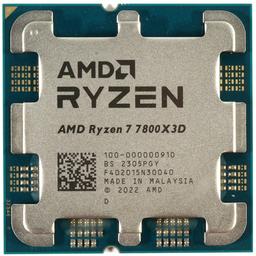
Short answer: to build around the AMD Ryzen 7 7800X3D in 2026, pair it with a quality B650 motherboard, 32GB of DDR5-6000 CL30 memory, a strong air or 360mm AIO cooler, and a GPU in the RTX 4070 SUPER to 4070 Ti SUPER range for a balanced high-end gaming PC. The 7800X3D remains the fastest mainstream gaming CPU you can buy, but it only shines when the parts around it are chosen correctly — this guide covers each pairing.
The Ryzen 7 7800X3D is special because of its 96MB of stacked 3D V-Cache, which delivers the best gaming frame rates and 1% lows in its class while sipping power. Below we walk through how to choose each surrounding component, then give you a complete, tested parts list.
Motherboard: B650 is the sweet spot
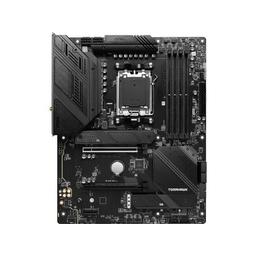
The 7800X3D does not overclock in the traditional sense and draws modest power, so you do not need an expensive X670E board. A solid B650 board with a competent VRM is the value pick. We recommend the MSI MAG B650 TOMAHAWK WiFi: a strong VRM, good connectivity, Wi‑Fi and reliable memory support, all without paying for features a single-GPU gaming rig will never use. Make sure your board is on a current BIOS for the best X3D memory compatibility. If you are still cross-shopping the newer Ryzen 7 9800X3D, do not assume this board advice carries over — that chip draws more power and lands on AM5's newer X870/B850 chipsets, so the shortlist is different; our best motherboards for the Ryzen 7 9800X3D guide covers those picks and their BIOS requirements.
Memory: DDR5-6000 CL30 is the magic number
For AM5 gaming, DDR5-6000 with CL30 timings is the documented sweet spot — it keeps the memory controller running in its optimal 1:1 mode for the lowest latency, which is exactly what an X3D chip likes. 32GB (2x16GB) is the right capacity in 2026. We use the Corsair Vengeance DDR5-6000; enabling the EXPO profile in BIOS unlocks the rated speed in one click. A premium RGB kit like the Corsair Vengeance RGB DDR5-6000 is a fine alternative if you want the lighting. If you would rather compare kits by tier — 16GB, 32GB, 64GB, and the DDR4 options for an older board — our best RAM for gaming picks rank them side by side.
Cooler: the 7800X3D runs cool — but don't starve it
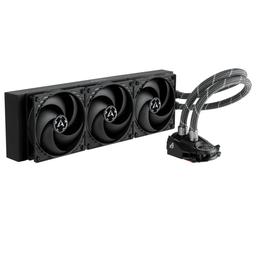
Because the 3D V-Cache sits on top of the cores, keeping the 7800X3D cool helps it sustain peak clocks. The good news is it draws far less power than rival flagships, so you have options. A high-end air cooler like the Thermalright Peerless Assassin 120 SE V2 is more than enough and near-silent. If you prefer liquid or want extra thermal margin in a warm room, a 360mm unit such as the Arctic Liquid Freezer II 360 keeps temperatures very low and is the choice we make in the full build below.
GPU pairings: match the card to your resolution
The 7800X3D is fast enough to pair with almost any GPU, so choose based on your monitor:
- 1440p high-refresh: the RTX 4070 SUPER is the value pick — see our Best 1440p High-Refresh Build.
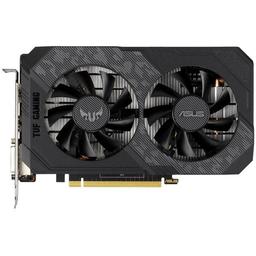
- 1440p maxed or entry 4K: the RTX 4070 Ti SUPER adds headroom and VRAM. Unsure between them? Read our 4070 SUPER vs 4070 Ti SUPER comparison.
- Per-game tuning: our targeted guides like the best GPU for Cyberpunk 2077 and the best GPU for Baldur's Gate 3 show how each card performs in your favourite title.
The complete recommended build
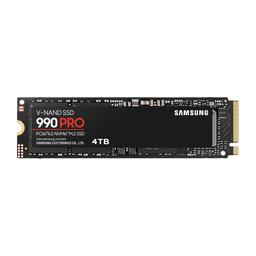
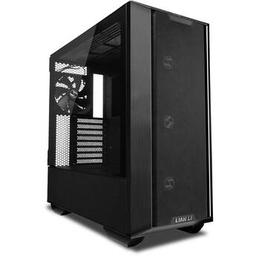
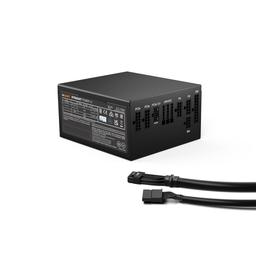
The parts list below is our balanced high-end 7800X3D build: the Ryzen 7 7800X3D cooled by the Arctic Liquid Freezer II 360, on the MSI MAG B650 TOMAHAWK WiFi with 32GB of DDR5-6000, a fast Samsung 990 Pro 2TB NVMe, the RTX 4070 Ti SUPER, the showcase Lian Li Lancool III case and a quiet, fully-rated be quiet! Straight Power 12 850W supply. It is a near-flagship gaming machine that will stay near the top for years. If that is more machine than you need, the 7800X3D is also the CPU we build around in our Best Gaming PC Build 2026 at roughly $1,500 — the same cache advantage in a leaner package, with the savings coming out of the GPU and the case rather than the CPU.
Performance and longevity
Expect maxed-out 1440p frame rates that saturate a 165Hz+ panel and a genuinely good 4K experience with DLSS. Because the 7800X3D will remain a top gaming CPU well into the future, the only upgrade you are likely to make is the GPU — and with an 850W supply and a modern AM5 board, that is a simple drop-in.
First-boot BIOS checklist
A 7800X3D build rewards a few minutes of setup. On first boot, do three things in the BIOS. First, update to the latest BIOS if the board shipped on an older one — early AM5 firmware had memory-training quirks that current releases have long since fixed, and a clean BIOS is the difference between a system that posts instantly and one that takes 30 seconds. Second, enable the EXPO profile so your Corsair Vengeance DDR5-6000 runs at its rated DDR5-6000 CL30 rather than a slow JEDEC default — this is free gaming performance. Third, confirm the CPU is reporting its expected boost behaviour; the 7800X3D manages its own clocks and cache, so you should not manually overclock it. Leave it on its stock curve and let the cooler do its job.
Why this is a "build once" platform
The reason to invest in a 7800X3D build now is that the surrounding platform has years of life. AM5 will keep receiving new CPUs, so even when the 7800X3D is eventually surpassed you can drop in a newer X3D chip on the same MSI MAG B650 TOMAHAWK WiFi board. DDR5-6000 is the standard the platform is built around, so your memory will not need replacing. And the 850W be quiet! Straight Power 12 supply has the headroom for a much more powerful future GPU. In practical terms, the only component you are likely to swap over the next several years is the graphics card — everything else is a long-term investment rather than a recurring cost.
Frequently asked questions
Do I need an X670E motherboard for the 7800X3D? No. The chip does not overclock and draws modest power, so a quality B650 board like the Tomahawk is the value sweet spot. X670E adds connectivity a single-GPU gaming rig will not use.
What RAM speed should I run? DDR5-6000 with CL30 timings. This keeps the memory controller in its optimal 1:1 mode for the lowest latency, which is exactly what the 7800X3D's cache benefits from most.
Can I overclock the 7800X3D? Not in the traditional sense — it manages its own clocks. Leave it stock, enable EXPO for the RAM, and ensure good cooling. Manual core overclocking offers no meaningful benefit and adds risk.
Air cooler or AIO? Either works. The chip runs cool, so a high-end air cooler is silent and sufficient. A 360mm AIO adds thermal margin and a cleaner look, which is why the full build uses one.
Bottom line
The 7800X3D remains the CPU to build around for a high-end gaming PC in 2026, and the parts that surround it matter more than its price suggests. Get the four pairings right — a quality B650 board, DDR5-6000 CL30 memory, adequate cooling, and a GPU matched to your monitor — and you have a near-flagship gaming machine that will stay near the top for years. Over-spending on an X670E board or exotic RAM buys you nothing here; the value is in spending that money on the GPU or on storage instead. The recommended build above is balanced end to end and ready to drop in a more powerful graphics card whenever you choose. Build it once, set the BIOS correctly, and the only future decision you face is which GPU to upgrade to.
Affiliate disclosure
PlanMyPC is reader-supported. When you buy through links on this page we may earn an affiliate commission at no extra cost to you. As an Amazon Associate we earn from qualifying purchases. This never affects which products we recommend — see our full disclosure.