We use cookies to understand how you use our site and improve your experience. Privacy Policy

All Build Guides
WorkstationUpdated 2026-08-064 min read

AI & Machine Learning Workstation

A workstation built for training neural networks, running large language models locally, and serious data science work — anchored by 24GB of GPU VRAM.

Marcus JohnsonPublished 2025-06-218 components$5,600 budgetCompatibility checked

Build this PC in one click

Load all 8 parts into the System Builder to check compatibility and total the build against your $5,600 target.

Key Takeaways

  • One number decides what this machine can do, and it is not the CPU: 24GB of VRAM. A Q4-quantized 32B model needs about 19GB of weights resident on the card, and the chart below has Qwen2.5 32B at 34 tokens per second because it fits.
  • Cross that line and it is a cliff, not a slope. Llama 3.3 70B spills into system RAM and falls to 4 tokens per second — roughly an eight-fold collapse that no amount of CPU, memory or storage recovers, because the bottleneck becomes the PCIe bus.
  • At August 2026 catalogue prices this parts list is about $5,541 against a $3,500 target, and the graphics card is essentially the whole gap at about $3,400. VRAM is the one line that cannot be traded, so a hard $3,500 ceiling means a 16GB card and smaller models, not a cheaper 24GB card.
  • 32GB of system memory is the second ceiling and it arrives sooner than people expect: dataset caching, tokenizer shards and CPU-offloaded layers all live there. Two DIMM slots stay open, so 64GB is a drop-in rather than a rebuild.
  • The 1000W supply and the X670E board look over-specified until you notice both are bought for the card after this one. A 32GB RTX 5090 draws 575W and wants native 12VHPWR, and buying that headroom once is what keeps the upgrade to a screwdriver job.

August 2026 price check This build was specced to a $3,500 target. At August 2026 catalogue prices the same parts list comes to about $5,541. The RTX 4090 is most of it — end-of-life, and our last catalogue reading is about $3,400. VRAM is the one thing this build cannot trade away, so if $3,500 is a hard ceiling the answer is a 16GB card and smaller models, not a cheaper 24GB card.

AI & Machine Learning Workstation (2026)

Every other spec on an AI workstation is a rounding error next to one number: how much VRAM sits on the graphics card. That single figure decides which models load at all, how long a context window you can hold, and whether a fine-tune finishes overnight or falls over. This build is organised around it — a 24GB RTX 4090 paired with a 16-core Ryzen 9 7950X, 32GB of DDR5-6000 and a 2TB Gen4 NVMe, for roughly $5,541 at August 2026 catalogue prices.

Why 24GB of VRAM Is the Spec That Matters

A quantized model has to fit in VRAM or it doesn't run at full speed — there is no gradual degradation, just a cliff. At 4-bit quantization, a 7B model needs roughly 5GB, a 13B around 9GB, and a 32B about 19GB. All three fit on the RTX 4090's 24GB with room left for the KV cache that grows with your context length. A 70B model at the same quantization wants roughly 40GB, so it spills to system memory and drops from tens of tokens per second to single digits. That is the ceiling you are buying, and it is worth understanding before you spend: see the measured figures in the benchmark section below.

For training and fine-tuning the same logic applies with less headroom. LoRA and QLoRA fine-tunes of 7B-class models fit comfortably in 24GB; full fine-tunes of anything meaningful do not, and are a cloud job rather than a desktop one. Compare the rest of the graphics card catalog if you want to see where the VRAM tiers fall.

The CPU Feeds the GPU

The Ryzen 9 7950X is here for 16 cores and 32 threads of preprocessing — image decode and augmentation, tokenization, pandas and Polars transforms, and the CPU-bound halves of training loops. A GPU this fast is easy to starve: if your dataloader can't keep the batch queue full, utilisation sags and the expensive part of the machine idles. The X670E platform also gives full PCIe 5.0 lanes and a second x16-capable slot, which matters if you ever add a second card.

Memory, Storage and Power

32GB of DDR5-6000 is the floor, not the target. It handles single-GPU training and local inference fine, but dataset caching, notebook sprawl and CPU-offloaded model layers all eat into it quickly — the board takes 128GB and two DIMM slots are free. The 2TB Gen4 NVMe is sized for checkpoints and active datasets, both of which grow faster than people expect. The 1000W ATX 3.0 supply provides a native 12VHPWR connector for the 450W card with genuine headroom, and the Lancool III's mesh panels are what keep that card at its boost clocks through a multi-hour run rather than thermally throttling in hour two.

Updated for Mid-2026

VRAM is still king, and the tier list has moved. The RTX 5090's 32GB is now the meaningful step up — it takes 32B-class models to longer contexts and opens up comfortable Flux and SDXL-scale image work that the 4090 handles but does not enjoy. The RTX 4090 remains a strong buy, particularly on the used market, and is the better value per dollar of VRAM. On CPU, the Zen 5 Ryzen 9 9950X edges the 7950X on preprocessing throughput for a modest premium, and PyTorch and CUDA support for NVIDIA's Blackwell architecture is now mature rather than experimental.

Where to Spend the Difference

As specced the parts total roughly $5,541 against a $3,500 budget, almost all of the gap being the end-of-life RTX 4090. The first upgrade is always VRAM — a 5090 before anything else. The second is memory, to 64GB. The third is a second NVMe for datasets so checkpoints aren't competing with the OS for the same drive. If you also do 3D or video work on the same machine, the 3D rendering and animation workstation and the content-creator workstation rebalance the same budget toward render and encode throughput instead. And if gaming is the primary use with AI second, the 4K gaming powerhouse spends the same money on shader throughput rather than VRAM capacity — a good gaming build is often a poor AI build, because a 16GB card that beats this one in some games will refuse models this one runs.

Ready to price it out? Configure this build on PlanMyPC to check compatibility and total the parts at our catalogue figures — approximate August 2026 numbers rather than live quotes, so confirm each line at the retailer before you order.
Our Verdict

This is the machine I would build for someone who needs local AI to be a daily tool rather than an experiment, and who wants it on their desk instead of on a credit card in someone else's data centre. The 24GB RTX 4090 is the whole thesis: it runs quantized models up to roughly 32B parameters entirely in VRAM at usable speed, and LoRA fine-tunes of 7B-class models finish overnight rather than over a weekend. The 7950X's 16 cores exist to keep that card fed, and they do. The compromise you are accepting is the 70B ceiling — cross it and throughput collapses by an order of magnitude, so if 70B-class models are your actual workload, budget for a 32GB RTX 5090 instead of buying this and hoping. Everything else here is correctly sized, but at roughly $5,541 it no longer fits the $3,500 target — the graphics card is the whole of that gap.

Benchmark Performance

Local LLM generation throughput via llama.cpp on this exact configuration — a single RTX 4090 (24GB), Q4_K_M quantization, short-context prompts, all layers offloaded to the GPU except where noted. The 70B row deliberately shows what happens past the VRAM ceiling.

Average tokens/sec across benchmarked workloads. Local LLM generation throughput via llama.cpp on this exact configuration — a single RTX 4090 (24GB), Q4_K_M quantization, short-context prompts, all layers offloaded to the GPU except where noted. The 70B row deliberately shows what happens past the VRAM ceiling.
ModelSettingsAverage tokens/sec
Mistral 7BQ4_K_M fully offloaded to GPU148
Llama 3.1 8BQ4_K_M fully offloaded to GPU135
Llama 2 13BQ4_K_M fully offloaded to GPU78
Qwen2.5 32BQ4_K_M fully offloaded, ~19GB VRAM34
Llama 3.3 70BQ4_K_M partial offload, spills to system RAM4

Average tokens/sec shown. Figures are editorial estimates unless the note above cites a source, and vary by settings, drivers, and specific SKUs.

8

Components

$5,600

Budget Tier

Pass

Compatibility

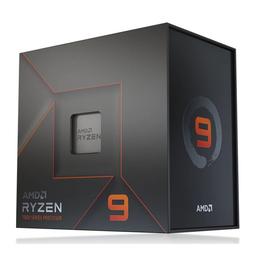
  • Sixteen Zen 4 cores exist here to keep the GPU fed — image decode, augmentation, tokenization and dataframe transforms are all CPU work, and a starved dataloader idles the expensive part of the machine.

    • 16 cores / 32 threads
    • Up to 5.7 GHz
    • AM5 / 170W

    Alternative

    AMD Ryzen 9 9950X — Spend more for Zen 5 if preprocessing is your measured bottleneck — it edges the 7950X on throughput per core at the same core count.

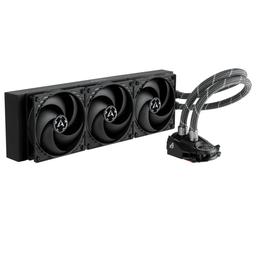
  • A 360mm AIO is what holds the 7950X's 170W all-core boost through hours of preprocessing rather than minutes of benchmarking, and it costs a fraction of comparable premium units.

    • 360mm AIO
    • VRM fan included
    • AM5 bracket in box
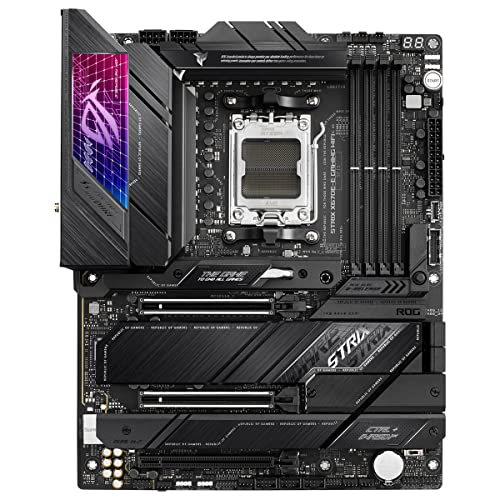
  • X670E is the reason to spend here: full PCIe 5.0 lanes, a second x16-capable slot for a future card, four DIMM slots to 128GB and four M.2 sockets for dataset drives.

    • AM5 / X670E
    • 4× M.2, 128GB max
    • PCIe 5.0 + Wi-Fi 6E

    Alternative

    ASUS TUF Gaming X670E-PLUS WiFi — Save money with the same X670E chipset and lane layout if you can live with a lighter VRM and fewer rear USB ports.

  • 32GB in two sticks covers single-GPU inference and training while leaving two slots free — capacity, not speed, is what you will run out of first here.

    • 32GB (2×16GB)
    • DDR5-6000
    • 2 slots free

    Alternative

    Corsair Vengeance DDR5-6000 64GB (2x32GB) — Spend more up front if you cache large datasets in memory or rely on CPU offload for models that don't quite fit in VRAM.

  • A fast Gen4 NVMe keeps dataset reads and checkpoint writes off the critical path — 2TB is enough for the OS plus an active project, and three M.2 sockets remain free.

    • 2TB Gen4 NVMe
    • ~7,450 MB/s read
    • M.2 2280
  • The 24GB of GDDR6X is the entire point of this build: it runs quantized models up to roughly 32B parameters fully on the GPU, and the TUF cooler holds boost clocks through sustained 450W loads.

    • 24GB GDDR6X
    • 16,384 CUDA cores
    • 450W / 12VHPWR

    Alternative

    NVIDIA GeForce RTX 5090 32GB — The only upgrade that changes what this machine can run — 32GB takes 70B-class quantized models onto the GPU instead of spilling them into system RAM.

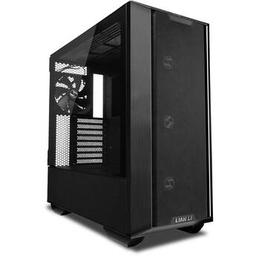
  • Mesh front and top panels plus room for a 360mm radiator and a triple-slot card is what keeps a 450W GPU off its thermal limit in hour three of a training run.

    • Mesh airflow
    • 360mm radiator support
    • Full-tower ATX
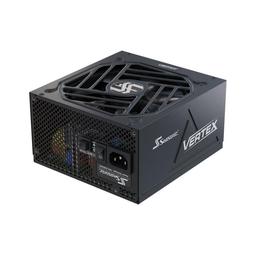
  • 1000W ATX 3.0 with a native 12VHPWR cable absorbs the 4090's transient spikes without tripping protection mid-job, and leaves headroom for extra drives or a second card.

    • 1000W 80+ Gold
    • ATX 3.0 / 12VHPWR
    • Fully modular

    Alternative

    Seasonic Vertex GX-1200 — Spend more if a second GPU is on the roadmap — 1200W is the point where a dual-card AI workstation stops being marginal.

Parts List

As an Amazon Associate, PlanMyPC earns from qualifying purchases made through links on this page. Read our affiliate disclosure

Where to Spend, Where to Save

Spend more on

VRAM capacity — ahead of every other line on this page
Model weights either fit on the card or they do not, and that binary is the entire performance story for local inference. Qwen2.5 32B at Q4 needs roughly 19GB and returns 34 tokens per second on 24GB; Llama 3.3 70B does not fit, spills its remaining layers to system RAM over PCIe, and returns 4. There is no configuration change that softens that — buy the VRAM tier that holds the largest model you actually intend to run, then size everything else around it.
System memory capacity — 64GB, not 32GB
System RAM is where the work that feeds the GPU lives: tokenized dataset shards, cached batches, and any layers you deliberately offload when a model sits just over the VRAM line. 32GB is enough to run inference and not much else, which is why the guide's own cons list names it as the second ceiling. Two of the board's four DIMM slots are free, so a 2x32GB kit is a drop-in upgrade rather than a discarded kit — but buying it up front costs less than buying twice.
Power supply headroom and connector generation
A 450W card under a multi-hour training run is a sustained load with transient spikes, not the intermittent draw a gaming build presents, and the $377 Vertex GX-1000 is sized for that rather than for the nameplate. The ATX 3.0 rating and native 12VHPWR matter more than the wattage number: they are what let this supply carry a 575W RTX 5090 later without an adapter chain. Every plausible upgrade out of this build is a bigger card, so this is headroom bought once.

Save on

The CPU tier — 16 cores are there to feed the GPU, not to train
Training and inference here are GPU-bound by design; the 7950X's job is dataloading, tokenization and augmentation, and those saturate long before 16 cores do. A 12-core Ryzen 9 7900X does the same feeding work and costs meaningfully less than the $427 specced here. Take the difference straight to VRAM or to the 64GB memory kit, both of which change what the machine can run.
The motherboard tier
The X670E-E is $337 and most of that premium is PCIe 5.0 lanes and a second x16 slot. A single-card workstation never touches PCIe 5.0 bandwidth once model weights are resident in VRAM — the transfer happens at load time and then the bus goes quiet. A B650E board with the same four DIMM slots and two M.2 sockets does this job for roughly half, unless a second card is a concrete plan rather than a maybe.
Drive speed tier — not drive capacity
Checkpoints and model weights are read once into VRAM at load and then never touched again during a run, so sequential throughput buys you a few seconds at startup and nothing afterwards. A mainstream Gen4 drive at the same 2TB feels identical to the $165 990 Pro in this workload. Capacity is the part worth keeping, because a handful of 30GB quantized models and a dataset cache fill a small drive fast.

Ready to build this list?

Every part above drops straight into the System Builder — compatibility checks, a running price total, and a one-click buy list.

The Bottom Line

Pros

  • 24GB of VRAM runs quantized models up to roughly 32B parameters entirely on the GPU, where a 12GB or 16GB card either refuses or crawls
  • 16 Zen 4 cores and 32 threads keep dataloaders, tokenization and augmentation from starving a 450W GPU mid-run
  • X670E gives full PCIe 5.0 lanes, four DIMM slots to 128GB and a second x16-capable slot for a future dual-card setup
  • 1000W ATX 3.0 with native 12VHPWR plus a mesh airflow case means the card holds boost clocks through multi-hour training runs, not just benchmarks

Cons

  • 70B-class models are past the 24GB ceiling — they spill to system RAM and throughput drops from tens of tokens per second to single digits
  • 32GB of system RAM is the second ceiling; dataset caching and CPU-offloaded layers make 64GB the realistic target
  • Full fine-tunes of anything beyond 7B-class models remain a cloud job — this machine is built for inference and LoRA/QLoRA, not from-scratch training
  • A single 2TB drive holds the OS, datasets and checkpoints at once, and checkpoints grow faster than most people plan for

Frequently Asked Questions

How much VRAM do I actually need for local AI in 2026?

It tracks model size and quantization, not the framework. At 4-bit, budget roughly 5GB for a 7B model, 9GB for a 13B, 19GB for a 32B and 40GB for a 70B, plus a few GB of KV cache that grows with context. That is why 24GB is the practical floor: it clears everything up to 32B with headroom.

Is the RTX 4090 still worth buying, or should I wait for a 5090?

Buy the 4090 if 32B-class models and LoRA fine-tuning are your workload and you want the best VRAM per dollar, especially used. Buy the 5090 if you need 70B-class models on the GPU rather than spilling to system RAM. No CPU or RAM upgrade compensates for a 24GB ceiling.

Can this workstation train models from scratch, or only run them?

It runs and adapts models rather than pretraining them. Inference on quantized models up to 32B parameters is comfortable, and LoRA or QLoRA fine-tunes of 7B-class models complete overnight. Full fine-tuning of anything larger needs multiples of this VRAM and is cheaper to rent.

Why 32GB of system RAM if the model lives in VRAM?

Because the model is only one of the things using memory. Dataset caching, notebook kernels, dataframe transforms and CPU-offloaded model layers all live in system RAM. 32GB is enough to work in, but it is the second upgrade after the GPU — the board takes 128GB and two slots are free.

Do I need a 1000W power supply for a single graphics card?

For this card, yes. The RTX 4090 draws 450W sustained with transients well above that, and the 7950X adds up to 170W under an all-core load. A 1000W ATX 3.0 unit with a native 12VHPWR connector absorbs those spikes; undersizing shows up as mid-run shutdowns on long jobs.

Does an AI workstation double as a gaming PC?

Yes — the RTX 4090 and Ryzen 9 7950X are a flagship 4K gaming pairing, so nothing here compromises games. The reverse is not true: gaming rewards raw shader throughput while AI rewards VRAM, so a 16GB card that beats this one in some games will refuse models it runs.

Related Guides

Parts8 components
Target$5,600