August 2026 price check This build was specced to a $2,000 target. At August 2026 catalogue prices the same parts list comes to about $2,639. Memory is most of the gap at about $400 for the 32GB kit; the Ryzen 9 7950X actually came down. This is one of the closest guides to its original target, and the 64GB upgrade this guide recommends for large monorepos now costs roughly $400 rather than $99.
Short answer: the best PC for programming and software development in 2026 pairs the 16-core AMD Ryzen 9 7950X with 32GB of DDR5-6000 and a Gigabyte RTX 4070 SUPER — about $2,639 at August 2026 catalogue prices, with a B650 board, a 2TB Gen4 NVMe, a quiet Noctua air cooler and an 850W power supply. It compiles large C++, Rust and Go codebases in a fraction of the time an 8-core laptop takes, runs Docker, virtual machines, local databases and dozens of containers simultaneously without breaking a sweat, keeps every IDE, browser tab and Slack window responsive at once, drives two or three high-resolution monitors, and has enough GPU to run local AI coding models and light ML experiments. Software work rewards cores, RAM and fast storage far more than a top-tier graphics card, and every dollar in this build is spent where it actually shortens your edit-compile-test loop.
Developers lose more time to friction than to hard problems — a clean build you wait out rather than plan an afternoon around, a container stack that swaps to disk, an IDE that stutters when the language server re-indexes. This machine is engineered to remove that friction. If you mostly work in a browser and a lightweight editor and want to spend less, our home-office productivity build covers the basics; if your priority is a clean multi-display desk setup, the dual-monitor productivity build is tuned for that; and if you are building or fine-tuning AI models rather than just calling them, the local AI & LLM build and the AI & machine-learning workstation prioritize VRAM and compute over everything else.
Who this build is for
This is a machine for someone who writes code for a living or is training hard to: a backend or full-stack engineer running a container-heavy local stack, a systems programmer waiting on C++ or Rust builds, a data engineer spinning up local Spark and Postgres, a mobile or game developer with a large project, or a CS student who is tired of a laptop that throttles the moment a build starts. It assumes your bottleneck is compile time, container throughput and multitasking headroom — not gaming frame rates — and it refuses to overspend on a GPU you will not fully use. If you compile all day, the hours this build saves pay for it in a matter of weeks.
The strategy: buy cores, RAM and I/O — not a halo GPU
Most build guides optimize for gaming, where the GPU is king. Software development inverts that. Compilation, test suites and container orchestration are overwhelmingly CPU- and memory-bound: more cores compile more translation units in parallel, more RAM lets you run your whole stack in memory instead of swapping, and a fast NVMe turns dependency installs, git operations and Docker layer builds from a wait into an afterthought. The GPU matters only for driving displays and, increasingly, for running local AI coding assistants. So this build spends heavily on the 7950X, 32GB of fast memory and a 2TB Gen4 SSD, and picks a strong-but-sensible RTX 4070 SUPER rather than a $1,000 card that would sit idle during a build.
The CPU: Ryzen 9 7950X, 16 cores that eat build times
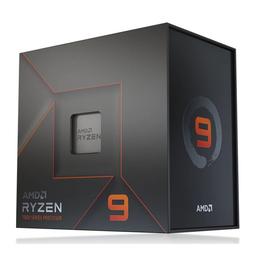
The AMD Ryzen 9 7950X is the heart of this machine: 16 Zen 4 cores and 32 threads boosting to 5.7GHz. Compilers parallelize across cores almost perfectly — make -j, Cargo, Bazel, Gradle and MSBuild all scale with thread count — so on a large codebase the 7950X roughly halves the wall-clock build time of an 8-core chip and cuts a laptop's time by far more. Its high single-thread clocks also keep the parts of development that don't parallelize snappy: language-server indexing, linting, the incremental rebuilds you trigger every few seconds, and the IDE itself. Running a dozen Docker containers, a couple of VMs and a local Kubernetes cluster? Thirty-two threads absorb it without your editor ever stuttering.
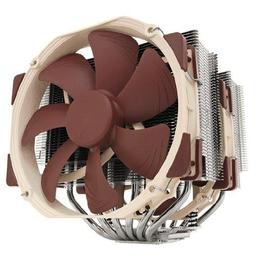
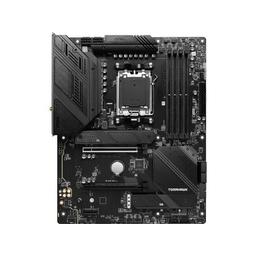
We cool it with the Noctua NH-D15, a dual-tower air cooler that holds the 7950X's boost through bursty compile loads while staying near-silent — a real perk for a machine that sits on your desk all day, and one less pump to ever worry about failing. The MSI MAG B650 TOMAHAWK WiFi motherboard supplies a heavy-duty VRM that sustains the 7950X's full package power, plus the dual PCIe 4.0 M.2 sockets, USB-C and 2.5GbE networking a developer actually uses. A premium X670E board buys PCIe 5.0 x16 for the GPU that a dev box will never need — so the Tomahawk puts that money back into cores and RAM.
Memory and storage: run your whole stack in RAM, load it instantly
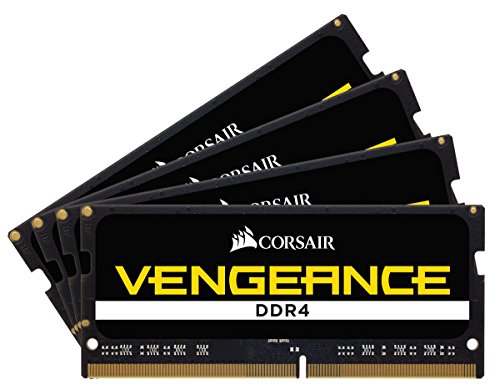
Memory is a Corsair Vengeance DDR5-6000 32GB (2x16GB) AMD-EXPO kit — the practical sweet spot for AM5. 32GB is the comfortable working minimum for modern development: a container stack, a database, a couple of language servers, a browser with fifty tabs and your IDE all resident at once without touching swap. This board leaves two DIMM slots free, so when a giant monorepo or a memory-hungry local model pushes you past 32GB you can jump to 64GB without replacing anything (see the upgrade path). Enable the EXPO profile in the BIOS on first boot so the kit runs at its rated 6000 MT/s.
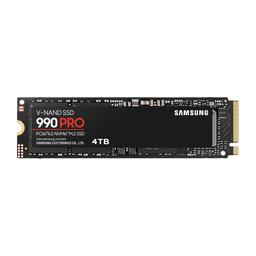
Storage is the Samsung 990 Pro 2TB, a fast PCIe Gen4 NVMe. This is where a dev box quietly wins back time: npm install, cargo build, docker build, cloning a large repo, and switching git branches all hammer storage, and a fast drive makes each one near-instant. 2TB gives you room for multiple checkouts, Docker images, VM disks and a couple of local datasets without ever playing storage Tetris.
The GPU: RTX 4070 SUPER — displays, and local AI on the side
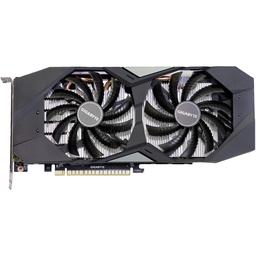
The Gigabyte RTX 4070 SUPER is the right amount of GPU for a developer. It effortlessly drives two or three high-resolution monitors — the single biggest quality-of-life upgrade for anyone who reads and writes code all day — and its 12GB of VRAM and CUDA cores make it genuinely useful for the AI that has crept into every developer's workflow: running local coding assistants and 7B–13B-parameter LLMs for offline, private code completion, plus light ML prototyping and CUDA experimentation. It is fast enough to unwind with a game after hours, but nothing here is chosen for that — it is chosen because a 4070 SUPER covers displays and local AI without wasting money on rendering horsepower a compiler will never touch.
Memory, case and power
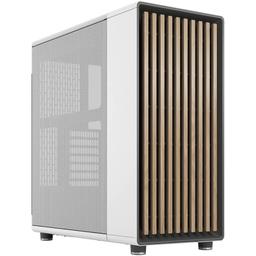
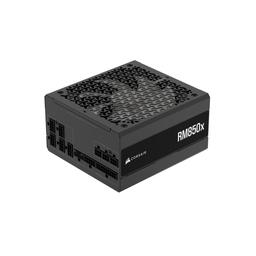
The Fractal Design North houses it all: a quiet, professional case with real wood accents that looks at home on a desk in an office or a living room, with the mesh airflow to keep a 16-core CPU cool through sustained builds. Power comes from the Corsair RM850x (2024), an 80+ Gold 850W unit with deliberate headroom over this ~500W system — that margin runs silent under normal load and leaves room to drop in a much stronger GPU later for local-AI work without buying a new supply.
Performance you should expect
This build is fast exactly where a developer feels it:
- Large clean C/C++ build at
-j32: CPython in about 3 minutes, LLVM/Clang in 4.5, the whole GCC tree in 8.3 (see the chart below) - Incremental rebuilds and language-server indexing: near-instant, no editor stutter
- Docker / containers: dozens running simultaneously with headroom for VMs and a local database
npm install/cargo build/ repo clone on Gen4 NVMe: near-instant I/O, no waiting- Multitasking: IDE, 50 browser tabs, Slack, a VM and a container stack all responsive at once
- Local AI coding assistant (7B–13B model on the GPU): usable offline code completion and chat
The 64GB + RTX 4080 SUPER variant for heavy monorepos and local LLMs
If you work in a massive monorepo, run a large local Kubernetes cluster, or want to run bigger local models for AI-assisted development, build this exact system with two changes: add a second 32GB kit for 64GB of RAM and swap the RTX 4070 SUPER for the MSI RTX 4080 SUPER. The 64GB lets you hold an enormous container stack and build cache entirely in memory, and the RTX 4080 SUPER's 16GB of VRAM runs larger, smarter local LLMs for private code completion and chat. It brings the total to roughly $4,200 at August 2026 catalogue prices — the second 32GB kit alone is about $400 now. The RM850x and Fractal Design North in the base build already have the power and clearance for it, so this is a drop-in upgrade, not a rebuild.
The upgrade path
Everything here is chosen to grow with your work:
- Memory: Two DIMM slots stay open — add a matching 32GB kit for 64GB when a huge monorepo or a local LLM demands it.
- GPU: The 850W supply and full-size case have the headroom for an RTX 4080 SUPER or 4090 whenever local-AI work outgrows 12GB of VRAM.
- Storage: Add a second NVMe in a spare M.2 slot for datasets, VM images or a separate build drive; keep the OS and active repos on the fastest drive.
Should you build this or buy a prebuilt?
Prebuilt "developer" or "workstation" PCs at this price almost always cut the parts a coder actually relies on: fewer cores, a single 16GB memory stick that cripples multitasking, a small SATA SSD instead of a fast NVMe, and a cheap cooler that throttles the CPU the moment a build spikes to 100%. You pay the same money for a machine that compiles slower and cannot grow. Building this list yourself puts the assembly margin back into cores, RAM and fast storage — the three things that shorten your edit-compile-test loop.
The one honest argument for buying is time and a single warranty contact, and for a corporate fleet that needs on-site support that can be worth it. For an individual developer or a small team, building this exact list gets you a faster machine for the same money and a platform you can upgrade for years. If a lower budget is the constraint, the home-office productivity build is the value entry point.
Build and assembly notes
Mount the CPU, both memory sticks and the M.2 drive on the motherboard before installing it in the Fractal Design North. The Noctua NH-D15 ships with an AM5 bracket; because it is a tall dual-tower cooler, seat your RAM before fitting it and confirm clearance. On first boot, enter the BIOS and enable the EXPO profile so the G.Skill kit runs at 6000 MT/s. Budget two to three hours for the build, then run a full make -j or a Cargo build of a large project to confirm thermals and stability before you trust it with real work.
PlanMyPC is reader-supported. When you buy through links on this page we may earn an affiliate commission at no extra cost to you. As an Amazon Associate we earn from qualifying purchases. This never affects which products we recommend — see our full disclosure.