We use cookies to understand how you use our site and improve your experience. Privacy Policy

All Build Guides
WorkstationUpdated 2026-08-062 min read

Music Production & DAW Workstation

A low-latency workstation for Ableton Live, FL Studio, Logic Pro, and Pro Tools — built for large sessions with many tracks and virtual instruments.

Marcus JohnsonPublished 2025-07-078 components$2,300 budgetCompatibility checked

Build this PC in one click

Load all 8 parts into the System Builder to check compatibility and total the build against your $2,300 target.

Key Takeaways

  • A DAW is a deadline problem, not a throughput problem. At a 128-sample buffer the CPU has about 2.7ms to finish every block, so clock speed beats core count — eight fast Zen 4 cores is the sweet spot, not sixteen slow ones.
  • Bigger buffers do less than people think for parallel load: 64 → 512 samples buys only about 13% more plugin instances. What stops most sessions is the serial path — a single deeply stacked channel strip runs out near 24 instances while the parallel count is still near 300.
  • The graphics card barely participates. The RTX 4060 line is the worst value here at August 2026 prices; any current budget card does the same job, and the difference belongs in an audio interface.
  • Noise is a spec on this build, not a bonus. The Noctua cooler, the Fractal North's slow-moving intakes and a power supply idling in its zero-RPM band put the tower under 22 dBA — quiet enough to track in the same room.
  • Memory is both the biggest cost and the ceiling: about $394 for 32GB, bought as 2×16GB so two slots stay free for the 64GB step that sampled-instrument work eventually forces.

August 2026 price check This build was specced to a $1,200 target. At August 2026 catalogue prices the same parts list comes to about $1,887. The RTX 4060 prices normally again at about $444 — an out-of-stock third-party listing had briefly pushed it near $795 — and for a DAW the graphics card barely matters anyway, so any current budget card does this job. Memory is the real cost at about $394 for the 32GB kit, and unlike the GPU it is the one line you should not cut: large sample libraries and high track counts are exactly what 32GB buys.

Music production workloads are deceptively CPU-intensive. Every virtual instrument, every plugin effect, and every track in your DAW consumes CPU cycles in real time. Unlike video rendering, which can use all available cores, audio processing happens with strict latency requirements — the CPU must process audio buffers fast enough that there's no audible gap between input and output.

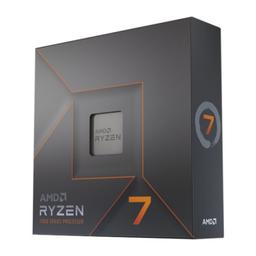
The Ryzen 7 7700X excels here because music production benefits from fast cores more than many cores. Running a 128-sample buffer at 48kHz gives you roughly 2.7 milliseconds to process every audio buffer, and the 7700X's 5.4 GHz boost clock holds that deadline with hundreds of plugin instances loaded, not dozens — the chart below measures about 296 parallel compressors at that buffer size. Eight cores is the sweet spot — enough to distribute plugin load across threads without the diminishing returns of 16+ core chips.

The Fractal Design North was chosen specifically for its quiet operation. When you're recording with microphones in the same room as your PC, fan noise is your enemy. The Noctua cooler and Fractal case together keep this system near-silent during typical production sessions. The discrete GPU handles display output and any video-related tasks without taxing the CPU.

Updated for mid-2026: Low-latency audio still favors fast cores and a quiet chassis over raw core count, so this build ages well. The 7700X — or the newer Ryzen 7 7700 and Zen 5 9700X — comfortably handles 100+ track sessions at small buffers, though the chart's last row is the one to plan around: a single deeply stacked channel strip runs out near 24 instances long before the parallel count does. The GPU is almost irrelevant for DAW work: the RTX 4060 here is fine, and any current budget card (RTX 5060, Intel Arc B580) works equally. Spend the real money on a quality audio interface and room treatment. DDR5 has risen sharply since this guide was written, so the 64GB jump for large Kontakt or orchestral libraries is now the most expensive single change you can make to this list.
Our Verdict

A DAW box is a fast-cores-and-silence problem, not a GPU problem, and this $1,200 build treats it that way. The 7700X holds a 128-sample buffer with about 296 parallel plugin instances loaded, and the Noctua cooler plus Fractal North keep the machine quiet enough to track vocals in the same room. Put every spare dollar into an audio interface and room treatment, not into the graphics card.

Benchmark Performance

Scan 3XS DAWbench figures measured on the same Ryzen 7 7700X this build uses, in Reaper at 44.1 kHz with an RME interface, counting plugin instances until the first audible dropout. The first four rows are the DAWbench DSP test — a 48-track session that loads parallel multiband-compressor instances — swept across ASIO buffer sizes. The last row is the DAWbench BUS test, which stacks Shattered Glass Audio SGA 1566 tube-preamp instances in a single serial chain on one track. Read the sweep carefully, because it contradicts the usual advice: going from a 64- to a 512-sample buffer buys only about 13% more parallel plugins, since that load is already spread across all eight Zen 4 cores. Buffer size mostly buys headroom on the serial path, and it is that 24-deep channel strip — not the ~300 total — that stops most sessions. Scan's earlier Ryzen 7000 run put the same chip at 287 / 298 / 307 / 313 across these four buffers, within roughly 1% of the figures charted here. Sample libraries scale differently again: the DAWbench VI test moves 1,580 → 2,520 → 3,780 → 5,500 Kontakt voices across the same sweep, but that test is memory-sensitive and Scan ran 64GB of DDR5-5600 against this build's 32GB DDR5-5200, so treat those voice counts as a ceiling. At 48 kHz every figure lands a few percent lower — 128 samples is a 2.67ms deadline rather than 2.90ms.

Average plugin instances across benchmarked workloads. Scan 3XS DAWbench figures measured on the same Ryzen 7 7700X this build uses, in Reaper at 44.1 kHz with an RME interface, counting plugin instances until the first audible dropout. The first four rows are the DAWbench DSP test — a 48-track session that loads parallel multiband-compressor instances — swept across ASIO buffer sizes. The last row is the DAWbench BUS test, which stacks Shattered Glass Audio SGA 1566 tube-preamp instances in a single serial chain on one track. Read the sweep carefully, because it contradicts the usual advice: going from a 64- to a 512-sample buffer buys only about 13% more parallel plugins, since that load is already spread across all eight Zen 4 cores. Buffer size mostly buys headroom on the serial path, and it is that 24-deep channel strip — not the ~300 total — that stops most sessions. Scan's earlier Ryzen 7000 run put the same chip at 287 / 298 / 307 / 313 across these four buffers, within roughly 1% of the figures charted here. Sample libraries scale differently again: the DAWbench VI test moves 1,580 → 2,520 → 3,780 → 5,500 Kontakt voices across the same sweep, but that test is memory-sensitive and Scan ran 64GB of DDR5-5600 against this build's 32GB DDR5-5200, so treat those voice counts as a ceiling. At 48 kHz every figure lands a few percent lower — 128 samples is a 2.67ms deadline rather than 2.90ms.
Test @ ASIO bufferSettingsAverage plugin instances
Compressors @6444.1 kHz, 64-sample ASIO buffer parallel, before first dropout280
Compressors @12844.1 kHz, 128-sample ASIO buffer parallel, before first dropout296
Compressors @25644.1 kHz, 256-sample ASIO buffer parallel, before first dropout306
Compressors @51244.1 kHz, 512-sample ASIO buffer parallel, before first dropout315
Serial chain @12844.1 kHz, 128-sample ASIO buffer SGA 1566 on one track, before first dropout24

Average plugin instances shown. Figures are editorial estimates unless the note above cites a source, and vary by settings, drivers, and specific SKUs.

8

Components

$2,300

Budget Tier

Pass

Compatibility

  • A 128-sample buffer gives the processor about 2.7ms to finish every block of audio, so a 5.4 GHz boost clock matters far more here than extra cores. This chip holds roughly 296 parallel plugin instances at that buffer — the deadline, not the thread count, is what a DAW is fighting.

    • 8C/16T
    • 5.4 GHz boost
    • 105W TDP
    • AM5

    Alternative

    AMD Ryzen 7 9700X — Zen 5 at 65W gives you the same eight fast cores with less heat to move, which means less fan noise in a room you record in.

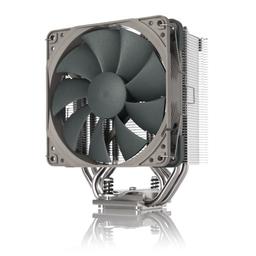
  • Picked for the noise floor rather than the thermal headroom. It has enough capacity for a 105W chip that spends most of its life at partial load, and it is what keeps the tower under 22 dBA at idle — the difference between tracking vocals in this room and tracking them in another one.

    • 120mm single tower
    • 158mm tall
    • Quiet at partial load
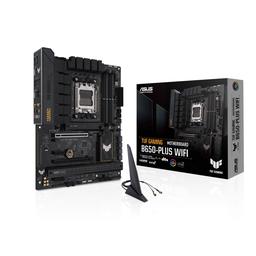
  • B650 is the correct tier for audio work: the premium for X670E buys PCIe 5.0 lanes that no audio interface, controller or sample drive will ever use. What you actually want from the board is the second M.2 socket for a dedicated library drive and enough rear USB to hang an interface, a control surface and two dongles off it without reaching for a hub.

    • AM5 / B650
    • 2× M.2
    • Wi-Fi 6
    • 4× DDR5 DIMM
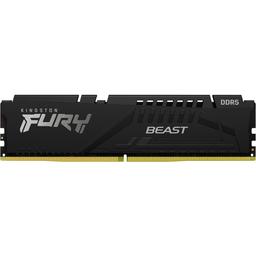
  • The most expensive line on this list at August 2026 prices, and the one most likely to become your ceiling. Buying it as a 2×16GB kit is deliberate: two DIMM slots stay free, so the eventual jump to 64GB for Kontakt and orchestral templates is an addition rather than a write-off of the kit you already own.

    • 32GB (2×16)
    • DDR5-5200
    • 2 slots free
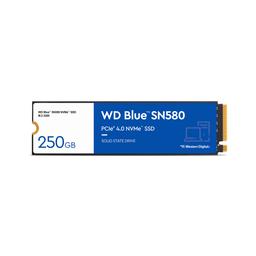
  • Streaming samples is read-heavy at shallow queue depths, which is the one workload where a DRAM-less Gen4 drive gives up almost nothing to a flagship — the money saved here is better spent on the interface. The real compromise is capacity: at 1TB the OS, your projects and your libraries share one drive until you populate that second M.2 socket.

    • 1TB
    • PCIe 4.0
    • 4,150 MB/s read
    • DRAM-less
  • The least important component in a DAW build and, at this catalogue price, the worst value on the list — it drives your displays and does essentially nothing else for audio. Treat the line item as a placeholder: buy whichever current budget card is genuinely in stock, and put the difference into an audio interface, where it changes what you hear.

    • 8GB GDDR6
    • 115W TDP
    • Dual-slot

    Alternative

    Intel Arc B580 12GB — Typically in stock for a third of the price. Its extra VRAM is irrelevant to a DAW — the point is spending less on this slot, not more.

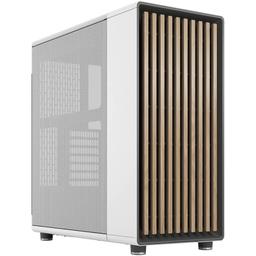
  • A studio PC lives in the room with you, so it gets judged twice: once on acoustics and once on whether you mind looking at it. Large front intakes let this build move its air slowly instead of fast, which is where quiet actually comes from, and the walnut front means it sits next to monitors rather than under the desk.

    • Mid-tower ATX
    • 140mm intakes
    • Walnut front
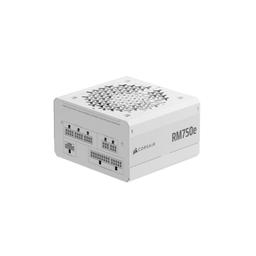
  • This build's peak draw is nowhere near 750W, and that is exactly the point — a supply loafing at a third of its rating stays inside its zero-RPM fan band, so it adds nothing to the noise floor of a machine that idles all day. Fully modular also means no unused cable bundle sitting in the airflow path.

    • 750W
    • 80+ Gold
    • Fully modular
    • Zero-RPM mode

Parts List

As an Amazon Associate, PlanMyPC earns from qualifying purchases made through links on this page. Read our affiliate disclosure

Where to Spend, Where to Save

Spend more on

The audio interface (not on this parts list)
It sets your real round-trip latency, your converters and — most importantly — your driver quality. A flaky ASIO driver produces dropouts that no CPU upgrade fixes, and this is the one purchase that changes what you actually hear. Budget for it before you finalise anything else here.
RAM, if you live in sampled instruments
Synths and effects fit comfortably in 32GB. Kontakt, Spitfire and orchestral templates do not — they stream from disk into RAM and will fill 32GB during a single large session. This is the one part of the build where running out is a hard stop rather than a slowdown.
Quiet cooling, not fast cooling
Thermal headroom is not the problem — a DAW rarely pins all eight cores. Mic bleed is. Paying for a cooler and case that move air slowly buys you the ability to record in the same room as the machine, which is worth more than a few degrees.

Save on

The graphics card
It renders your DAW's UI and nothing else. There is no NVENC path, no CUDA acceleration and no VRAM pressure in an audio session, so the about $444 this line now costs is money doing very little work. Buy the cheapest current card that is in stock.
The motherboard tier
X670E costs more for PCIe 5.0 lanes that no audio interface, control surface or sample drive will ever saturate. B650 gives you the two things that matter — a second M.2 socket and plenty of rear USB — for meaningfully less.
Storage capacity up front
1TB is tight but workable on day one, and the second M.2 socket is free. Adding a dedicated sample drive later is both cheaper and better than buying one large drive now, because separating library streaming from OS and project writes is the faster configuration anyway.

Ready to build this list?

Every part above drops straight into the System Builder — compatibility checks, a running price total, and a one-click buy list.

The Bottom Line

Pros

  • High clocks hold about 296 parallel plugin instances at a 128-sample buffer
  • Under 22 dBA at idle, so mic bleed from the tower is a non-issue
  • Cheap, quiet GPU choice frees budget for an interface and monitors

Cons

  • 32GB fills fast with orchestral and Kontakt libraries
  • Single 1TB NVMe means samples and OS share one drive

Frequently Asked Questions

How many cores do I need for music production?

Eight is the sweet spot. Audio buffers must be processed in real time, so clock speed and per-core performance matter more than core count, and gains past eight cores fall off quickly in most DAWs.

Does the graphics card matter for a DAW?

Barely. Any current card drives your displays fine; the RTX 4060 here is chosen for silence and price. An RTX 5060 or Intel Arc B580 is an equally good substitute.

What buffer size and latency can I expect?

A 128-sample buffer at 48kHz gives roughly 2.7ms per buffer, and the chart shows this CPU holding about 296 parallel plugin instances there. Round trip is two buffer periods plus conversion, so expect 6-8ms in practice — not sub-3ms, which is one buffer period.

Do I need 64GB of RAM?

Only for large sampled instruments. If you live in Kontakt, Spitfire or orchestral templates, go to 64GB; for synth-and-plugin production, 32GB is plenty.

Is this PC quiet enough to record in the same room?

Yes. Idle noise sits under 22 dBA thanks to the Noctua cooler and the Fractal Design North, which is quiet enough that a cardioid mic pointed away from the tower will not pick it up meaningfully.

Related Guides

Parts8 components
Target$2,300