We use cookies to understand how you use our site and improve your experience. Privacy Policy

All Build Guides
WorkstationUpdated 2026-08-062 min read

Dual-Monitor Productivity Build

A productivity-focused PC with a discrete GPU for driving two or more high-resolution monitors for software development, data analysis, and multitasking.

Alex ChenPublished 2025-07-178 components$2,100 budgetCompatibility checked

Build this PC in one click

Load all 8 parts into the System Builder to check compatibility and total the build against your $2,100 target.

Key Takeaways

  • The graphics card on this list is bought for its outputs, not its frame rate, and that inverts how you shop for it. Four display connectors and a hardware video engine are the specification that matters — so the card becomes the easiest line here to substitute, not the hardest.
  • Which is exactly what you should do. The RTX 4060 costs about $444 now that the out-of-stock third-party offer near $795 has cleared, and a current Gigabyte WINDFORCE OC RTX 5060 is about $350 for the same output count — the cheaper of the two, and a generation newer.
  • Six cores is a deliberate ceiling, not a compromise. Window management, video calls and forty browser tabs are latency problems, not core-count problems — but if wall-clock compile time is what actually limits your day, the answer is the 16-core programming build, not more memory here.
  • Memory, not the graphics card, is now the largest single line. The 32GB DDR5 kit is about $394 at August 2026 catalogue prices against the roughly $80 this guide was written around. The 2026 memory market moved; the specification did not.
  • A 16GB kit brings the same four-output desk machine to about $1,635 rather than $1,742, and swapping in a current RTX 5060 as well takes it to about $1,541. That is the honest 2026 version of this build, and nothing in it changes what the machine does across two or three screens.

August 2026 price check This build was specced to a $1,000 target. At August 2026 catalogue prices the same parts list comes to about $1,742. The RTX 4060 is back to a normal price of about $444 after an out-of-stock third-party listing briefly had it near $795, so the card in the parts list is the card to buy — though for driving three displays any current card with the same output count does the job, such as an RTX 5060 or an Intel Arc B580. Memory adds about $394 on top. With a 16GB kit — enough for browser-and-office work across three displays — this is a four-output desk machine at about $1,635.

If your workflow involves code on one screen and documentation on another, or a spreadsheet beside a browser beside a chat window, a dual-monitor setup is transformative. This build is designed specifically for that use case — a discrete GPU that can drive two or three high-resolution displays simultaneously, paired with enough CPU and RAM to keep dozens of applications running smoothly.

The Gigabyte RTX 4060 provides four display outputs across HDMI 2.1 and DisplayPort 1.4a, so you can run dual 4K monitors or even a triple-monitor setup without any adapters. Unlike integrated graphics, the discrete GPU ensures smooth window management, video playback, and hardware-accelerated rendering across all connected displays without loading the CPU.

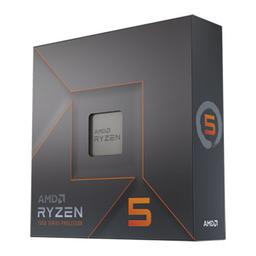
The Ryzen 5 7600X provides more than enough processing power for development environments, Docker containers, database queries, and heavy browser usage. The 32GB of DDR5 gives you room to run VS Code with dozens of extensions, multiple browser profiles, Slack, and still have memory to spare. The NVMe storage keeps build times fast and IDE indexing snappy.

Updated for mid-2026: Driving multiple high-res displays with headroom to spare is still what this build does best. The RTX 4060's four outputs remain plenty for dual/triple 4K; if buying new, the RTX 5060 or 8GB Arc B580 are current equivalents at a similar price. The Ryzen 5 7600 (non-X) is a cheaper drop-in with the same productivity performance, and Zen 5's Ryzen 5 9600X is the step up if you compile heavily or run VMs. DDR5 has gone the other way since this guide was written — a 32GB kit is about $394 at August 2026 catalogue prices — so the 64GB upgrade is now the expensive option rather than the easy one, and the $1,000 target no longer holds at this spec.
Our Verdict

A $1,000 desk machine for people who work across two or three screens. The point of the RTX 4060 here is not gaming, it is four display outputs and hardware-accelerated window and video work without loading the CPU. Six Zen 4 cores and 32GB of DDR5 keep an IDE, a container stack and a browser full of tabs all resident at once.

Benchmark Performance

Gaming figures for the dual-purpose case — what this desk machine does after hours — measured at 1080p on the Gigabyte Windforce OC GeForce RTX 4060 8GB in this parts list, at each title's stock preset with ray tracing and upscaling off. The two-monitor workload itself is not frame-rate bound; display output and window compositing are covered in the sections above.

Average frames per second across benchmarked titles. Gaming figures for the dual-purpose case — what this desk machine does after hours — measured at 1080p on the Gigabyte Windforce OC GeForce RTX 4060 8GB in this parts list, at each title's stock preset with ray tracing and upscaling off. The two-monitor workload itself is not frame-rate bound; display output and window compositing are covered in the sections above.
GameSettingsAverage FPS
Spider-Man Remastered1080p Very High73
Cyberpunk 20771080p Ultra62
Hogwarts Legacy1080p Ultra54
Starfield1080p Ultra44
Alan Wake 21080p High39

Average FPS shown. Figures are editorial estimates unless the note above cites a source, and vary by settings, drivers, and specific SKUs.

8

Components

$2,100

Budget Tier

Pass

Compatibility

  • A desk covered in open applications is a latency problem, not a throughput one, and this chip is picked for the half of that equation that matters: single-thread speed is what makes dragging a window between screens, switching projects and re-indexing a repository feel instant. Six cores is also the honest ceiling — if you compile large codebases all day, the fix is more cores, and AM5 means that is a chip swap rather than a rebuild.

    • 6C / 12T
    • 5.3 GHz boost
    • AM5
    • 105W TDP

    Alternative

    AMD Ryzen 5 7600 — The same six Zen 4 cores at 65W instead of 105W, which is a quieter machine for a desk you sit at. It is not currently the cheaper part in our catalogue — about $210 against $166 — so take it for the power draw and the noise, not for the savings.

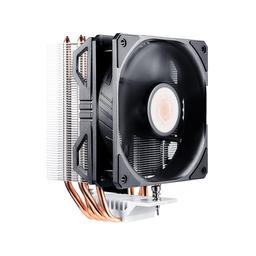
  • The 7600X ships with no cooler, so this line is not optional. Putting a tower rated for 180W on a chip that spends its day nowhere near that is the entire point: the fan never has to reach for its top end, and a machine you sit beside for eight hours stays quiet rather than merely cool. At 160mm it clears the case's 170mm limit with room to spare.

    • Air tower
    • 180W rated
    • 160mm tall
    • 8 dBA
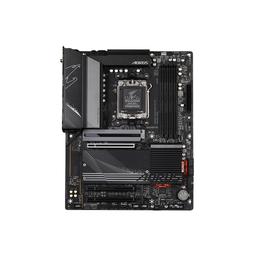
  • On a build where every display hangs off the graphics card, the board is bought for its slots and its lifespan rather than its rear I/O. Four DIMM slots leave two open for the 64GB step, and the second M.2 socket is what turns 'put project files and databases on their own drive' into a five-minute job later instead of a migration. B650 on AM5 keeps the CPU upgrade path open for years.

    • ATX
    • AM5 / B650
    • 4x DDR5 slots
    • 2x M.2 Gen4
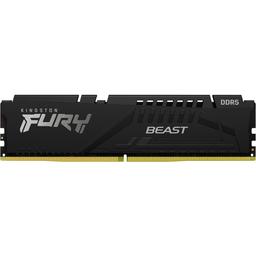
  • 32GB is the capacity at which a language server, a container stack, a local database and thirty browser tabs all stay resident at once — which is the whole experience this build is selling, since the moment anything swaps, the multi-screen desk stops feeling seamless. At about $394 it is now the largest line on the list, so size it against what you actually keep open; the two spare DIMM slots make 64GB a later decision rather than a now one.

    • DDR5-5200
    • CL40
    • 2x 16GB (dual channel)
    • 1.1V

    Alternative

    Kingston FURY Beast 16 GB (2x8GB DDR5-5200) — About $287 against $394, and still two sticks, so nothing is given up on bandwidth. If your day is a browser, an editor and a chat window rather than containers and VMs, this is the honest capacity — and it is roughly $107 back toward the second monitor.

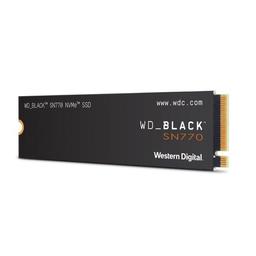
  • Fast enough that package installs and IDE indexing never register as waiting, and DRAM-less in a way no desktop workload notices — this is a drive class where paying up for sequential headroom buys a number you will never see. Capacity is the decision that matters, and 1TB is the comfortable one; the board's second M.2 socket is the answer when project files and databases deserve their own drive.

    • 1TB
    • PCIe Gen4 NVMe
    • M.2 2280
    • DRAM-less
  • This card is on the list for its display outputs and its media engine, not its frame rate. Four connectors drive dual or triple 4K with no adapters and no MST hub, and hardware decode keeps a 4K video call on one screen from touching the cores that are compiling on the other. Shop it that way and it stops being the expensive centrepiece and becomes the easiest line here to substitute.

    • 8GB VRAM
    • HDMI 2.1 + DisplayPort
    • Dual-slot
    • 192mm long

    Alternative

    Gigabyte WINDFORCE OC GeForce RTX 5060 — The same cooler and the same output count one generation on, at about $350 against the about $444 the 4060 now costs — a generation newer for less money. At 199mm it drops into the same case with 200mm to spare. This is the swap this guide would make today.

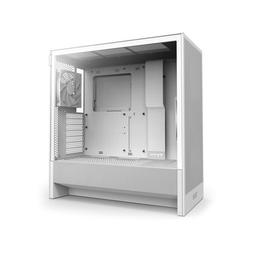
  • A mesh airflow case around a machine this modest is what makes it quiet rather than what makes it cool — the two included fans never have to work hard enough to be heard. The 400mm of card clearance matters more than it looks on a build whose graphics card is the line most likely to change: it means the swap above is a card decision, not also a case decision.

    • ATX mid-tower
    • 2 fans included
    • 170mm cooler
    • 400mm GPU
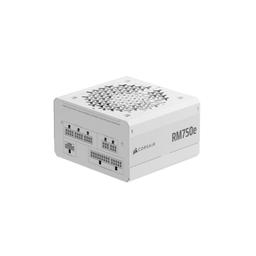
  • A 7600X and a 4060 together draw nowhere near 750W, and the gap is deliberate — it is what lets a bigger card drop in later without a second purchase, and what keeps the supply's own fan off its top end on a desk machine. Fully modular means the cables for hardware you have not bought yet stay in the box rather than behind the motherboard tray.

    • 750W
    • Fully modular
    • ATX

Parts List

As an Amazon Associate, PlanMyPC earns from qualifying purchases made through links on this page. Read our affiliate disclosure

Where to Spend, Where to Save

Spend more on

The displays — the tower is only the thing driving them
This is a build defined by what plugs into it. The case's job is to push pixels to two or three panels without the CPU noticing, and it does that comfortably with any card in this class; the panels are what you look at for eight hours a day. A second good IPS monitor changes your working day more than any component swap inside this case will, and the card already has the outputs sitting idle waiting for it.
Memory capacity — if you genuinely run containers or VMs
32GB is the line between a desk that holds everything open and one that starts swapping when the fourth tool loads, and swapping is exactly the friction this build exists to remove. It is expensive in 2026 and it is also the one thing here you cannot work around with better habits. Two DIMM slots stay free, so going further later is cheap — but starting below what you actually keep open means buying twice.

Save on

The graphics card, once you stop shopping it on frame rate
Every card in this class carries the same four outputs and the same hardware video decode. The price difference above that buys gaming performance this build is not for, which makes this the single largest saving on the page: the current-generation RTX 5060 is about $350 against the about $444 the RTX 4060 now costs, and it drives the same dual or triple 4K desk. Put the difference into the second monitor or the memory kit.
Memory capacity, if you mostly live in a browser and an editor
16GB in two sticks is about $287 against $394 for 32GB, and for a spreadsheet beside a browser beside a chat window it costs you nothing you will notice. Keep two modules whichever capacity you pick — dual channel is free performance — and use the two open DIMM slots when the workload actually outgrows it rather than in advance.
Sequential SSD speed
IDE indexing, package installs and project builds are dominated by small random reads and by the CPU, not by how many gigabytes per second a drive can stream. Any Gen4 NVMe makes this machine feel instant, so buy capacity and ignore the headline numbers — and note that at current catalogue prices the 1TB drive here is $325 against $230 for the 500GB, which makes the larger one the better dollar per gigabyte anyway.

Ready to build this list?

Every part above drops straight into the System Builder — compatibility checks, a running price total, and a one-click buy list.

The Bottom Line

Pros

  • Four display outputs drive dual or triple 4K with no adapters
  • 32GB of DDR5 covers IDEs, containers and heavy browser use
  • Air-cooled and modest power draw, so it stays quiet on a desk

Cons

  • Six cores is the limit if you compile large codebases all day
  • 8GB of VRAM is fine for desktop work but thin for creative apps

Frequently Asked Questions

Do I need a discrete GPU for multiple monitors?

Not strictly, but it helps. Integrated graphics can drive two displays; a discrete card gives you four outputs, more display bandwidth for high-refresh 4K, and keeps compositing and video decode off the CPU.

Can this build run three 4K monitors?

Yes. The RTX 4060 provides four display outputs across HDMI 2.1 and DisplayPort 1.4a, which is enough for a triple 4K setup at 60Hz without adapters or daisy chaining.

Is 32GB enough for software development?

For most stacks, yes: an IDE with language servers, a container stack, a local database and a browser fit comfortably. Go to 64GB if you run virtual machines or a very large monorepo.

Should I buy the Ryzen 5 7600 non-X instead?

Yes, if you can find it cheaper. It is effectively the same productivity performance at lower power, and the savings go further in RAM or a better monitor.

Should I upgrade to a Ryzen 9 for heavy compiles?

If build times are your bottleneck, look at the programming and software development build instead. It is built around a 16-core 7950X, which roughly halves wall-clock compile time versus six cores.

Related Guides

Parts8 components
Target$2,100