August 2026 price check This build was specced to a $2,500 target. At August 2026 catalogue prices the same parts list comes to about $3,379. The RTX 5080 is roughly $1,400 and memory and the 2TB NVMe add about $540 between them. VRAM is what this build is buying, so the card is the last line to trade down.
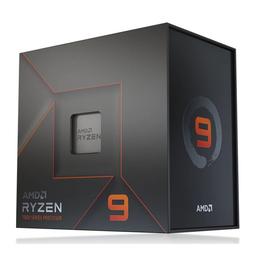
Short answer: the best PC for 3D rendering and animation in 2026 pairs the 16-core AMD Ryzen 9 7950X with an MSI GeForce RTX 5080 — about $3,379 at August 2026 catalogue prices, with an X670E board, 32GB of DDR5-6000, a 2TB Gen4 NVMe, a 360mm AIO and a 1000W power supply. It tears through GPU rendering in OptiX and CUDA engines like Redshift, Octane and Cycles-OptiX — the chart below has the RTX 5080 rendering Blender's Monster scene about 18x faster than the 7950X manages on all 32 threads — carries the CPU-only renderers (Corona, V-Ray CPU, Arnold) on 16 Zen 4 cores, and keeps the viewport fluid in Blender, Maya, Cinema 4D, 3ds Max and Houdini while you sculpt, simulate and animate. Rendering is one of the few workloads that rewards spending on both a many-core CPU and a fast GPU, and this build is engineered to feed both without wasting a dollar on parts that do not shorten a render.
3D artists lose more time to slow iteration than to almost anything else — every test render, every simulation bake, every viewport stutter is friction between you and a finished frame. This machine is built to remove that friction. If your work leans toward video and motion graphics more than full 3D, our video-editing build under $2,200 is the value pick; if you are training or running AI models alongside your 3D work, the AI & machine-learning workstation prioritizes VRAM and compute; and if you stream or produce content across disciplines, the content-creator workstation balances all of it.
Who this build is for
This is a machine for someone who renders for a living or is serious about getting there: a freelance 3D artist, a motion designer, an architectural visualizer, a game-asset creator, or a student building a demo reel. It assumes your bottleneck is render and simulation time, not budget-shopping — but it refuses to overspend. Every part is chosen because it directly shortens the gap between hitting render and seeing the frame, and nothing is here for prestige. If you render professionally, the hours this build saves pay for it in weeks.
The strategy: feed the CPU and the GPU equally
Most build guides optimize for one component. 3D rendering is different: it is one of the only workloads that hammers a high-core-count CPU and a powerful GPU, often on the same project. CPU renderers (Cycles-CPU, Corona, V-Ray CPU, Arnold) scale almost linearly with core count, so cores translate directly into finished frames. GPU renderers (Redshift, Octane, Cycles-OptiX, V-Ray GPU) lean on CUDA cores and VRAM and can be an order of magnitude faster for the scenes that fit in memory. The winning strategy is to buy strength in both — but be clear about why. Where an engine offers both paths, the GPU is not close: the chart below has Cycles rendering the same Monster scene at 4,447 samples/min in OptiX against 249 on all 32 CPU threads, about 18x. The 7950X earns its place on the engines that have no GPU path at all — Corona, V-Ray CPU, Arnold — and on simulation bakes, not by competing with the RTX 5080 inside Cycles.
The CPU: Ryzen 9 7950X, 16 cores of render throughput
The AMD Ryzen 9 7950X is the CPU-rendering heart of this build: 16 Zen 4 cores and 32 threads boosting to 5.7GHz. In CPU render engines that scale with threads, it roughly halves the wall-clock time of an 8-core chip on the same scene, and it chews through the single-threaded work — modeling, rigging, UV unwrapping, mesh operations — without the lag that turns creative flow into waiting. It also drives fast baking of physics and fluid simulations, which are stubbornly CPU-bound in most tools.
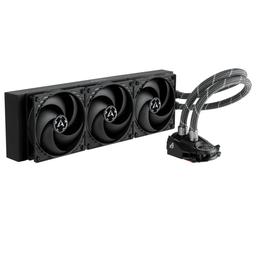
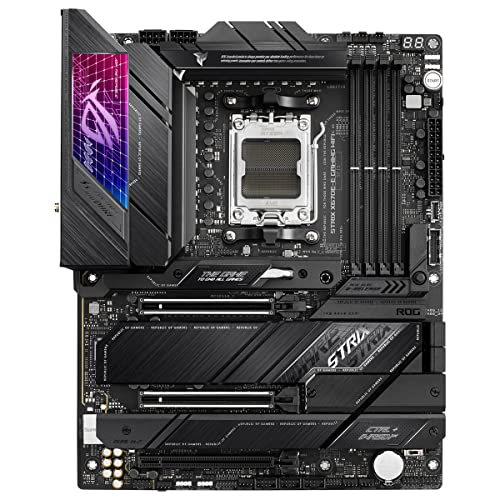
Sixteen cores run hot under a sustained render, so we cool it with the Arctic Liquid Freezer II 360, a 360mm AIO that holds the 7950X at full boost through hours-long batch renders without thermal throttling. A high-end air tower can do it, but at this power level a 360mm liquid cooler is the safer, quieter choice for a machine that renders overnight. The ASUS ROG Strix X670E-E Gaming WiFi motherboard supplies a heavy-duty VRM that sustains the 7950X's full package power indefinitely and gives you PCIe 5.0 for the GPU and NVMe headroom for years.
The GPU: RTX 5080 for OptiX/CUDA rendering and a fluid viewport
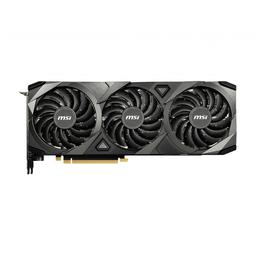
The MSI GeForce RTX 5080 is what makes GPU rendering fast and the viewport a pleasure. In OptiX and CUDA engines — Redshift, Octane, Cycles-OptiX, V-Ray GPU — it renders many scenes dramatically faster than any CPU can, turning a test render from a coffee break into a couple of seconds of iteration. Its 16GB of GDDR7 holds substantial scenes entirely in VRAM, and its ray-tracing hardware accelerates exactly the path-traced workloads 3D artists live in. Just as importantly, it keeps heavy viewports — millions of polygons, dense particle systems, textured previews in Blender, Maya and Cinema 4D — smooth and responsive, so you are working, not fighting your scene.
If your renderer is GPU-first, the RTX 5080 is the single most impactful part in this build. Its only real limit is VRAM: scenes that exceed 16GB either fall back to slower out-of-core rendering or must be rendered on the CPU — which is exactly why the many-core 7950X is here as backup, and why the RTX 5090 variant below exists for artists who routinely blow past 16GB.
Memory, storage and the case
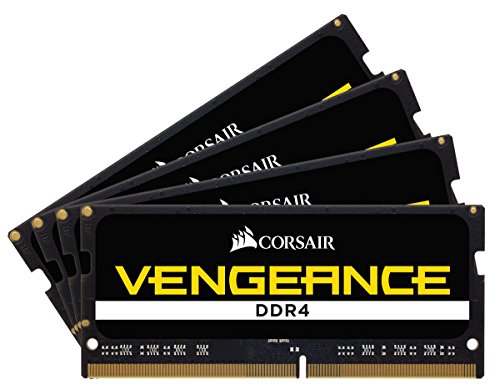
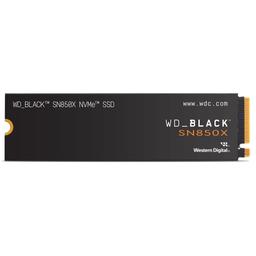
Memory is a Corsair Vengeance DDR5-6000 32GB (2x16GB) AMD-EXPO kit — the sweet spot of speed and latency on AM5. 32GB is the working minimum for professional 3D, and this board leaves two DIMM slots free so you can jump to 64GB when your scenes demand it (see the upgrade path). Enable the EXPO profile in the BIOS on first boot so the kit runs at its rated 6000 MT/s. Storage is the WD Black SN850X 2TB, a fast Gen4 NVMe that loads multi-gigabyte project files, texture libraries and cached simulations instantly and gives you room for a real asset library — 3D projects balloon in size, and slow storage stalls every save and load.
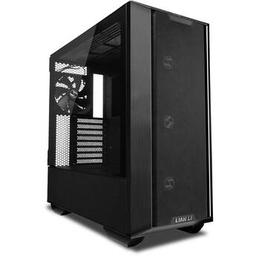
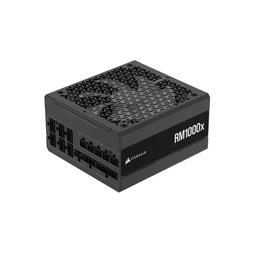
The Lian Li Lancool III houses it all: a roomy, mesh-fronted case with the airflow to keep a 16-core CPU and a 360mm-cooled render box cool through sustained loads, plus the clearance for the largest graphics cards. Power comes from the Corsair RM1000x (2024), an 80+ Gold 1000W unit with deliberate headroom over this ~750W system — that margin is what lets you drop in an RTX 5090 later without buying a new supply.
Performance you should expect
This build is fast exactly where a 3D artist feels it:
- Blender Cycles (GPU/OptiX): 4,447 samples/min on Open Data's Monster scene, 2,375 on Junkshop, 2,313 on Classroom
- Blender Cycles (CPU, all 32 threads): 249 samples/min on Monster — roughly one-eighteenth of the same machine's OptiX throughput, so render on the GPU wherever the scene fits
- V-Ray / Corona CPU benchmark: top-tier scores for a single-socket desktop
- Viewport (Maya, C4D, Blender) with multi-million-poly scenes: fluid, responsive navigation
- Simulation bakes (fluids, cloth, particles): fast, multi-threaded CPU performance
- Project load / save of multi-GB scene files: near-instant on Gen4 NVMe
The no-compromise RTX 5090 + 64GB variant
If you routinely render scenes that exceed 16GB of VRAM — heavy architectural interiors, film-grade assets, dense volumetrics — build this exact system with two changes: swap the RTX 5080 for the ASUS TUF Gaming RTX 5090 OC and add a second 32GB kit for 64GB of RAM. The RTX 5090's 32GB of VRAM keeps far larger scenes entirely on the GPU — where rendering is fastest — instead of falling back to CPU or out-of-core, and 64GB of system memory lets you hold huge scenes, texture caches and simulation data without swapping. It brings the total to roughly $5,000 at August 2026 catalogue prices. The RM1000x and Lian Li Lancool III in the base build already have the power and clearance for it, so this is a drop-in upgrade, not a rebuild.
The upgrade path
Everything here is chosen to grow with your work:
- GPU: Start with the RTX 5080; the 1000W supply and full-size case have the headroom for an RTX 5090 whenever your scenes outgrow 16GB of VRAM.
- Memory: Two DIMM slots stay open — add a matching 32GB kit for 64GB when large scenes or heavy simulations demand it.
- Storage: Add a second NVMe in a spare M.2 slot as your asset and project library grows; keep the OS and active projects on separate drives for the fastest workflow.
Should you build this or buy a prebuilt workstation?
Prebuilt "workstations" at this price almost always cut the corners that matter most to a renderer: a slower cooler that thermal-throttles the CPU on long batch renders, a single-channel or 16GB memory config, a smaller power supply with no GPU-upgrade headroom, and a case with airflow tuned for looks rather than sustained thermal load. You pay the same money for a machine that renders slower and cannot grow. Building this list yourself puts the assembly margin back into the parts that shorten renders — cores, VRAM, cooling and a real upgrade platform.
Boutique workstation vendors (the ones that certify drivers and offer on-site support) are a legitimate choice if your studio requires ISV certification or a service contract — but you pay a steep premium for it, and a freelancer or small studio rarely needs either. The one honest argument for buying is time and support; if a certified box with a warranty phone number is worth the markup to you, buy carefully. Everyone else renders more frames per dollar by building this.
Build and assembly notes
Mount the CPU, both memory sticks and the M.2 drive on the motherboard before installing it in the Lian Li Lancool III. The Arctic Liquid Freezer II 360 ships with an AM5 bracket; mount the radiator in the front or top with a clear path for cable routing. On first boot, enter the BIOS and enable the EXPO profile so the G.Skill kit runs at 6000 MT/s. Install your GPU vendor's Studio driver rather than the Game Ready driver — Studio drivers are validated for creative applications and are the right choice for a render box. Budget two to three hours for the build, and run a stress-test render overnight to confirm thermals before you trust it with a deadline.
PlanMyPC is reader-supported. When you buy through links on this page we may earn an affiliate commission at no extra cost to you. As an Amazon Associate we earn from qualifying purchases. This never affects which products we recommend — see our full disclosure.