We use cookies to understand how you use our site and improve your experience. Privacy Policy

All Build Guides
GamingUpdated 2026-08-062 min read

Best PC for Fortnite & Valorant (Competitive Esports)

A focused build for competitive multiplayer gaming where high frame rates and low input latency matter more than visual fidelity.

Marcus JohnsonPublished 2025-06-308 components$2,100 budgetCompatibility checked

Build this PC in one click

Load all 8 parts into the System Builder to check compatibility and total the build against your $2,100 target.

Key Takeaways

  • This build spends where competitive frame rates actually come from, and it is not the graphics card. Every title in the table is CPU-bound at competitive Low settings — Valorant at 465 fps, Rainbow Six Siege at 402, Overwatch 2 at 385 — so the 7600X's 5.3 GHz boost is the part doing the work.
  • Buy the 240Hz monitor in the same order or you have wasted the build. Frame rates this high on a 144Hz panel discard roughly 40% of what you paid the CPU for, and the monitor is the only component here you look at directly.
  • The RTX 4060 line reads normally again. An out-of-stock third-party offer had it near $795 earlier this month; with that listing cleared it sits at about $444, so the card in the parts list is the card to buy — a current RTX 5060 at about $350 is the cheaper swap if you want one.
  • At August 2026 catalogue prices this list is about $1,692 against a $900 target, and about $394 of that is the 32GB memory kit. A 16GB kit lands the same machine near $1,585, which is a genuine esports build; $900 is not reachable today.
  • The 8GB frame buffer is the honest caveat. It is comfortable for everything measured here and tight the moment you leave competitive settings — Fortnite drops from 288 fps in Performance Mode to 112 at Epic with DX12.

August 2026 price check This build was specced to a $900 target. At August 2026 catalogue prices the same parts list comes to about $1,692. The RTX 4060 line is no longer the problem it was earlier this month: an out-of-stock third-party listing had it near $795, and with that listing cleared the card prices normally again at about $444 — so the card in the parts list is the card to buy, with the RTX 5060 or 12GB Intel Arc B580 as fine current-generation substitutes. Memory is what actually breaks the budget, at about $394 for the 32GB DDR5 kit. Drop to a 16GB dual-channel kit — ample for the esports titles this machine targets — and the total lands near $1,585. The $900 figure is still not reachable this month.

In competitive esports, frames win games. Running Fortnite or Valorant at 240+ FPS on a 240Hz monitor gives you a measurable advantage in reaction time and visual clarity during fast-paced engagements. This build is engineered specifically for that use case — maximum frames per dollar in lightweight competitive titles.

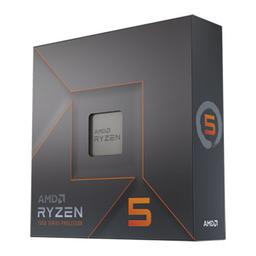
The Ryzen 5 7600X is the ideal esports CPU because competitive games care about single-threaded performance and clock speeds, not core counts. Its 5.3 GHz boost clock pushes frame rates in Valorant past 400 FPS at 1080p, where even high-end CPUs with twice the cores can't keep up. The RTX 4060 provides plenty of GPU power for these less demanding titles while keeping the budget focused on what matters.

We've kept the build lean and focused: 32GB of DDR5 prevents any memory-related stuttering, a fast NVMe eliminates load time disadvantages, and the compact mid-tower keeps things clean on your desk. The money you save here is better spent on a high-refresh-rate monitor and quality peripherals — those matter more than raw GPU power in competitive play.

Updated for mid-2026: Frames-per-dollar is still the goal, and the fundamentals haven't changed — a fast-clocked 6-core plus a capable 1080p GPU. The RTX 4060 still runs Valorant, CS2, and Fortnite at very high frame rates, but the newer RTX 5060 and 12GB Intel Arc B580 are worth comparing at this budget; the B580's extra VRAM helps in heavier titles. The Ryzen 5 7600 (non-X) is now a cheaper drop-in that hits nearly identical esports frame rates. As always, put the money you save into a 240Hz+ monitor — it matters more than any spec bump here. The sub-$900 target is not achievable at August 2026 catalogue prices; a 16GB kit and a current 8GB card put a genuine esports machine just under $1,000.
Our Verdict

For Fortnite, Valorant and CS2 this is the build to beat, because it spends where competitive frame rates actually come from: a fast-clocked 6-core, not a bigger GPU. The 7600X is the part doing the work — every title here is CPU-bound at 1080p competitive settings, and the RTX 4060 only becomes the limit once you turn the settings up, which competitive players do not. Buy it with a 240Hz monitor in the same order; a 144Hz panel throws away most of what you are paying for. The one honest caveat is 8GB of VRAM: fine for esports today, tight the moment you stray into Epic-preset Fortnite or a heavy single-player title.

Benchmark Performance

Measured at 1080p on competitive presets — the settings a ranked player actually uses. Fortnite is shown twice on purpose: Performance Mode is the competitive reality, Epic shows where the RTX 4060 becomes the limiter.

Average frames per second across benchmarked titles. Measured at 1080p on competitive presets — the settings a ranked player actually uses. Fortnite is shown twice on purpose: Performance Mode is the competitive reality, Epic shows where the RTX 4060 becomes the limiter.
GameSettingsAverage FPS1% low FPS
Valorant1080p Low (competitive)465244
Counter-Strike 21080p Low (competitive)371168
Rainbow Six Siege1080p Low (competitive)402288
Overwatch 21080p Low (competitive)385262
Fortnite1080p Performance Mode288196
Apex Legends1080p Low (competitive)238172
Fortnite1080p Epic (DX12)11284

Average FPS shown; hover a bar for 1% lows. Figures are editorial estimates unless the note above cites a source, and vary by settings, drivers, and specific SKUs.

8

Components

$2,100

Budget Tier

Pass

Compatibility

  • Competitive titles are CPU-bound at 1080p low, and they lean on one or two fast threads rather than many — a 5.3 GHz 6-core beats a slower 12-core in exactly this workload.

    • 6-core / 12-thread
    • Up to 5.3 GHz
    • AM5

    Alternative

    AMD Ryzen 7 7800X3D — Spend more only if you also play simulation-heavy or open-world games — the 3D V-Cache lifts 1% lows there far more than it does in Valorant or CS2.

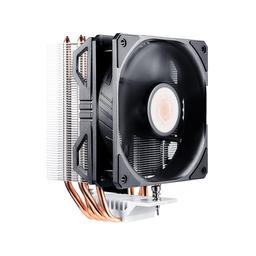
  • The 7600X is designed to sit at its 95°C thermal limit by default; a $35 tower is enough to hold full boost clocks, and anything pricier buys quiet rather than frames.

    • 120mm tower
    • AM5 bracket included
    • Handles 105W TDP
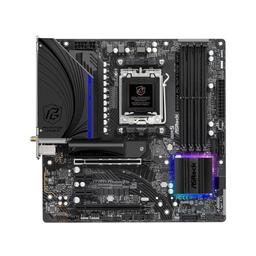
  • B650M gives you everything an esports build uses — AM5 upgrade path, PCIe 4.0 and Wi-Fi 6E — without paying the X670E tax for lanes this build will never fill.

    • AM5 / B650
    • Wi-Fi 6E
    • Micro-ATX
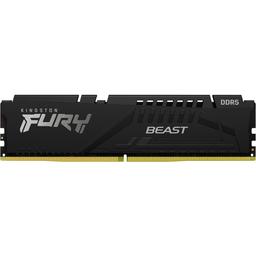
  • 32GB removes any chance of a background Discord, browser and OBS stack causing a stutter mid-round, which is the memory failure mode competitive players actually hit.

    • 32GB (2x16GB)
    • DDR5-5200
    • Dual-channel

    Alternative

    Corsair Vengeance DDR5-6000 32GB (2x16GB) — Spend roughly $30 more for DDR5-6000 CL30 — the sweet spot for AM5's memory controller and worth a few percent in CPU-bound esports titles.

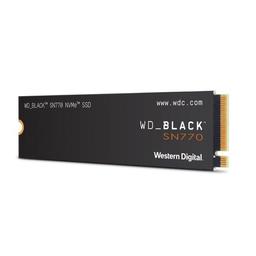
  • A Gen4 NVMe means you load into the map with everyone else rather than last — and 1TB is enough when your library is four live-service titles instead of forty.

    • 1TB
    • PCIe 4.0 NVMe
    • ~5,150 MB/s read
  • At 1080p competitive settings the RTX 4060 is never the bottleneck in these titles, and its 115W draw keeps the whole build cool, quiet and cheap to power.

    • 8GB GDDR6
    • 115W TGP
    • DLSS 3 + NVENC

    Alternative

    Intel Arc B580 12GB — Spend about the same for 12GB of VRAM if you play heavier single-player games alongside esports — you trade a little esports headroom for a much less cramped frame buffer.

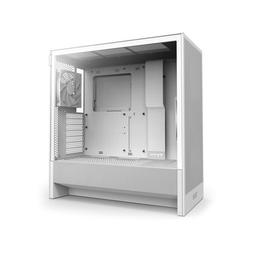
  • A perforated front panel and a bottom intake keep a 105W CPU and 115W GPU cool at low fan speed, which matters when your headset mic is picking up the machine all match.

    • Mid-tower ATX
    • Perforated front intake
    • 2 fans included
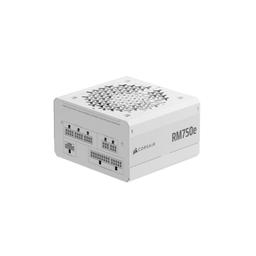
  • This build peaks near 300W, so 750W is deliberate overkill — it means a future RTX 5070-class card is a GPU swap rather than a GPU and PSU swap.

    • 750W 80+ Gold
    • ATX 3.0 / 12VHPWR
    • Fully modular

Parts List

As an Amazon Associate, PlanMyPC earns from qualifying purchases made through links on this page. Read our affiliate disclosure

Where to Spend, Where to Save

Spend more on

The monitor — a 240Hz panel, bought at the same time as the tower
Every title in the benchmark table clears 240 fps at competitive settings, and a display can only show you frames it can draw. Pairing this build with a 144Hz panel throws away roughly two of every five frames the CPU produced, which is the single most expensive mistake available on this page. If the budget forces a choice between a faster card and a faster panel, the panel wins outright for this workload.
CPU clock speed, specifically — not core count
Source-engine and Unreal competitive titles run a single dominant render thread, so the frame rate tracks how fast one core retires instructions rather than how many cores exist. That is why a 6-core 7600X at 5.3 GHz outruns higher-core-count chips here, and why the guide steers the money to the CPU rather than the GPU. Spend on clock speed and cache latency; a 3D V-Cache chip is only worth the premium if you also play simulation-heavy or open-world games, where it lifts 1% lows far more than it does in CS2.
Memory speed — DDR5-6000 CL30 over the specced DDR5-5200
In a CPU-bound workload the memory subsystem is part of the CPU's effective speed, because every cache miss costs a round trip to DRAM and competitive titles generate a lot of them at 400-plus frames per second. DDR5-6000 CL30 is AM5's 1:1 fabric sweet spot and is worth a few percent in exactly these games, for roughly $30 over the DDR5-5200 kit on the list. Enable EXPO in the BIOS afterwards, or the kit quietly runs at 4800 and you have paid for nothing.

Save on

The graphics card tier
465 fps in Valorant at Low is not GPU work, and the benchmark table makes that argument better than any prose can: the card only becomes the limit when you raise settings, which competitive players do not. The RTX 4060 here is priced normally again at about $444, so it is a fair buy — but a current RTX 5060 at about $350 costs less and gives a less cramped frame buffer for the evenings you play something else. The saving is better placed in the monitor.
Memory capacity — 32GB is generous for a 30GB game library
The 32GB kit is about $394 and roughly a quarter of the build total, which is indefensible on a machine whose heaviest workload is a competitive shooter using 8 to 12GB. A two-stick 16GB kit at DDR5-6000 CL30 costs less than the 32GB DDR5-5200 kit specced here and is faster where it counts. The board keeps two slots open if that ever changes.
Storage capacity
An esports library is small in a way no other gaming build's is: Counter-Strike 2, Valorant and Fortnite together are under 100GB, and none of them load faster on a premium drive than on a mainstream one. The WD Black SN770 at $325 for 1TB is sized and priced for a AAA library this machine will not hold. A 500GB or 1TB mainstream Gen4 drive saves real money with no measurable effect on time-to-match.

Ready to build this list?

Every part above drops straight into the System Builder — compatibility checks, a running price total, and a one-click buy list.

The Bottom Line

Pros

  • Every listed title clears 240 FPS at competitive settings, so a 240Hz panel is fed rather than half-used
  • The 7600X's 5.3 GHz boost is the right lever for CS2 and Valorant, where clock speed beats core count outright
  • AM5 socket means a future Zen 5 or X3D drop-in without replacing board or memory
  • 750W supply and a 115W GPU leave room for a far larger card later without a PSU swap

Cons

  • 8GB of VRAM is the weak point — fine for esports, tight for Epic-preset Fortnite and modern single-player games
  • The Hyper 212 EVO V2 is adequate, not quiet; the 7600X runs warm and the fan is audible under sustained load
  • 32GB of DDR5-5200 is generous for esports and slower than the DDR5-6000 an AM5 build usually wants
  • Frame rates this high are wasted on a 144Hz monitor, which is a real added cost most buyers forget

Frequently Asked Questions

Do I need a 240Hz monitor for this build?

To get the benefit, yes. Every competitive title here runs well past 240 FPS, and on a 144Hz panel those extra frames are discarded before they reach your eyes. If your budget is fixed, buy the 240Hz monitor first and the RTX 4060 second — the panel is the larger upgrade for a competitive player.

Is the Ryzen 5 7600X or the RTX 4060 the bottleneck in Valorant and CS2?

The CPU, by a wide margin. At 1080p low settings these engines are almost entirely CPU-bound, which is why the 7600X's 5.3 GHz boost matters more than GPU tier. Spending another $200 on the graphics card would barely move Valorant or CS2 frame rates.

Should I get the Ryzen 5 7600 instead of the 7600X to save money?

It is a reasonable swap. The non-X runs about 200 MHz lower and lands within a few percent in esports titles, and it includes a cooler. Take the savings and put them toward the monitor — that trade is a net win for competitive play.

Is 8GB of VRAM going to be a problem?

Not for Valorant, CS2, Overwatch 2 or Fortnite Performance Mode, which is what this build is for. It gets tight in Epic-preset Fortnite and modern single-player releases at high textures. If you play meaningfully outside esports, a 12GB card such as the Arc B580 is the better buy at this price.

Can this build stream to Twitch while I play?

Yes. The RTX 4060's NVENC encoder handles a 1080p60 stream almost entirely on the GPU, so your in-game frame rate barely moves. Six cores is enough for esports plus OBS; if you want a webcam, alerts and heavier scenes on top, step up to the 8-core streaming build.

Will this run at 1440p?

For esports titles, comfortably — Valorant and CS2 still clear 240 FPS at 1440p competitive settings. For anything heavier the RTX 4060 and its 8GB frame buffer become the limit, so treat 1440p as a bonus rather than the target this build was priced for.

Related Guides

Parts8 components
Target$2,100