We use cookies to understand how you use our site and improve your experience. Privacy Policy

All Build Guides
WorkstationUpdated 2026-08-0610 min read

Content Creator Workstation

Built for video editors, 3D artists, and anyone who needs maximum multi-threaded performance alongside strong GPU acceleration.

Alex ChenPublished 2025-06-078 components$4,100 budgetCompatibility checked

Build this PC in one click

Load all 8 parts into the System Builder to check compatibility and total the build against your $4,100 target.

Key Takeaways

  • Sixteen Zen 4 cores and dual NVENC encoders attack the two slowest stages of a creative pipeline at once — CPU renders and GPU exports — which is why this configuration exists rather than a faster-clocked 8-core.
  • The RTX 4080 SUPER's 16GB frame buffer is the right VRAM tier for 4K timelines with effects and mid-size Blender scenes. Step up to 24GB only when you can point at a specific scene that will not load, because that upgrade is roughly a $1,600 line.
  • 32GB of memory is the first ceiling you will hit, not the destination. After Effects compositions and multicam 4K want 64GB, two DIMM slots are free, and the X670E board goes to 128GB.
  • At August 2026 catalogue prices this parts list is about $4,046 against a $2,800 target. The graphics card and the memory kit are the two lines that moved, adding roughly $1,100 between them.
  • Because the same parts run 4K games at high settings — 91 fps in Cyberpunk 2077 with DLSS Quality, 119 in Modern Warfare III — this doubles as the gaming PC you were probably buying anyway.

Content Creator Workstation: 16 Cores, 16GB of VRAM, and a Real Upgrade Path

August 2026 price check This build was specced to a $2,800 target. At August 2026 catalogue prices the same parts list comes to about $4,046. The RTX 4080 SUPER and the 32GB DDR5 kit are the two lines that moved, together adding roughly $1,100. If you are buying to a hard $2,800 ceiling, drop to a 16GB card first — it costs you export headroom on 4K timelines, not the ability to do the work.

The best content creator workstation around $3,600 pairs a 16-core CPU with a 16GB NVENC-capable graphics card and fast NVMe storage — our pick is a Ryzen 9 7950X and RTX 4080 SUPER build that renders in Blender, exports 4K H.265 faster than real time, and still has two free DIMM slots and three spare M.2 sockets when your projects outgrow it. If your income depends on how fast a timeline exports or a frame renders, this is the configuration to build.

Who this content creator workstation is for

This build targets people whose deadline is measured in render minutes: video editors cutting 4K in Premiere Pro or DaVinci Resolve, 3D artists iterating in Blender or Cinema 4D, motion designers in After Effects, and developers who compile large projects between edits. It is deliberately not a gaming build that happens to render — the money goes to cores, VRAM, storage bandwidth, and sustained cooling rather than to the highest frame rate per dollar.

If you edit 4K but do not do 3D, our video editing build under $2,200 delivers most of the export speed for half the money. If your work is almost entirely 3D and simulation, the 3D rendering and animation workstation skews harder toward GPU compute. And if you train or run local models alongside creative work, the AI and machine-learning workstation prioritizes VRAM above everything else.

Why 16 cores is the right CPU target

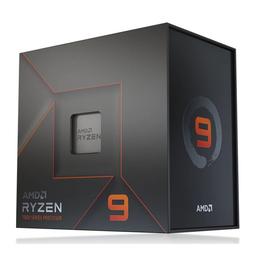
Creative applications split into two camps, and this build has to serve both. Timeline scrubbing, viewport navigation, and UI responsiveness lean on single-thread speed. Final renders, encodes, simulation bakes, and compiles scale almost linearly with core count. The Ryzen 9 7950X is unusual in covering both: 16 Zen 4 cores and 32 threads for the parallel work, with boost clocks up to 5.7 GHz so the interactive half never feels sluggish.

The practical difference against an 8-core chip is not subtle. A CPU-bound Blender render or a CPU-only H.265 encode finishes in roughly half the time, because those workloads saturate every thread you give them. Over a week of iteration that is hours, not minutes. Browse the CPU catalog if you want to compare Zen 4 against Zen 5 and Intel's current parts at this tier.

The trade is real and worth stating plainly: a Ryzen 7 7800X3D costs less and posts better 1% lows in games thanks to its 3D V-Cache. If you are not actually rendering, buy that instead and put the difference into the GPU. If you are, the 7950X pays for itself the first month.

The RTX 4080 SUPER: NVENC, CUDA, and 16GB of VRAM

The graphics card does three separate jobs in a creator machine, and the RTX 4080 SUPER is competent at all three. Its two dedicated NVENC encoders handle H.264 and H.265 export entirely off the CPU, so a 4K export runs faster than real time while your processor stays free for whatever else is queued. Its CUDA cores accelerate GPU rendering in Blender Cycles, Resolve's effects and noise reduction, and the AI-assisted tools that now sit in every major editor.

The third job is the one people underestimate: holding data. 16GB of GDDR6X is the practical floor for 4K timelines with effects stacks, and for Blender scenes with real texture budgets. Below that you do not get slow performance — you get out-of-memory errors and failed renders, which is a categorically worse problem. Compare graphics cards if you want to weigh encode throughput against frame buffer size at other price points.

Memory and storage for 4K and 8K timelines

We spec 32GB of DDR5-6000 because it comfortably covers 4K editing, mid-size 3D scenes, and a browser full of reference material. It is also the part of this build most likely to become your bottleneck. After Effects compositions, multicam 4K, and 8K proxy workflows all want 64GB, and because we chose a 2×16GB kit you can add a second kit rather than throwing the first one away. The X670E board tops out at 128GB if your work ever justifies it — see the memory catalog for the kits that fit, and confirm what one costs at the retailer.

Storage is where a lot of otherwise-good creator builds quietly fail. A 2TB Gen4 NVMe with a real DRAM cache sustains write speed through a long 4K ingest; a DRAM-less drive posts a great peak number and then collapses partway through the transfer once its SLC cache is exhausted. The Crucial T500 2TB is the right kind of drive here, and the board's remaining M.2 sockets let you add a dedicated scratch and cache disk later without touching the boot drive.

Cooling, case, and power for sustained render loads

A 170W 16-core processor under an all-core render is a fundamentally different thermal problem than a gaming CPU. Games load a handful of cores in bursts; a render pins all 32 threads for 40 minutes. The 360mm AIO in this build exists to hold full all-core boost for the whole render rather than throttling at minute ten, which is the difference between the render time you expected and the one you got.

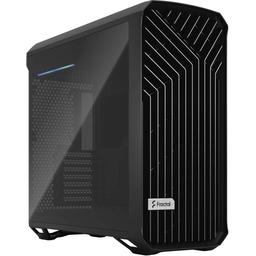
The Fractal Design Torrent is here for the same reason. Its oversized 180mm front intakes feed both the radiator and a 320W graphics card at low fan speed — and low fan speed matters more in a creator build than a gaming one, because the machine is frequently sitting next to a microphone. The 850W Platinum supply covers a 170W CPU and 320W GPU at full tilt with transient headroom, and its native 12VHPWR cable keeps the build free of adapter clutter.

Where to spend and where to save

Spend on cores, VRAM, and memory capacity — those three set the ceiling on what this machine can finish and how fast. Spend on the cooler, because thermal headroom is render throughput on a workstation in a way it never is on a gaming PC.

Save on the case if the budget is tight; a functional high-airflow chassis costs meaningfully less than the Torrent and gives up little beyond noise. Save by starting at 32GB and upgrading to 64GB when you actually hit the wall, rather than pre-buying capacity. The one thing not to save on is the X670E motherboard: on a gaming build the X670E premium buys nothing, but here the extra M.2 sockets and PCIe 5.0 lanes are exactly what a multi-drive editing workflow consumes.

What this machine does in real workloads

Expect GPU-accelerated Blender renders to finish in a small fraction of CPU-only time, and CPU renders to complete in roughly half the time an 8-core chip needs. Expect 4K H.264 and H.265 exports to run faster than real time through NVENC, with the CPU left free. Expect DaVinci Resolve 4K timelines to scrub smoothly with Fusion effects applied, and Cinebench R23 multi-core to land in the high-30,000s — the range a 16-core Zen 4 part occupies.

Treat every figure on this page as an editorial estimate rather than a lab result. They are drawn from published reviews of these components and cross-checked against the configurations in our parts catalog; your own numbers will move with drivers, project complexity, codec, and the specific SKU you buy.

Gaming performance: the dual-purpose case

The same RTX 4080 SUPER that exports your timelines is a genuine 4K gaming card, which is why this build is easy to justify if you were going to buy a gaming PC anyway. The benchmark section below covers what to expect at 4K. The honest caveat: a 7800X3D system posts slightly better 1% lows in CPU-heavy titles, because 3D V-Cache is worth more in games than raw core count. At 4K, where the GPU sets the limit, that gap is small — and you would be trading half your render throughput for it.

The upgrade path

This is a machine you improve one part at a time rather than replace. Memory to 64GB is the first and most-felt upgrade. A dedicated NVMe scratch disk is the second, and the board has the sockets for it. The graphics card is the third: 24GB of VRAM unlocks larger Blender scenes, 8K timelines, and local AI models that 16GB simply cannot hold — but that step also needs a 1000W supply for a 450W card, so budget for both together. The AM5 socket, the DDR5 platform, and the 850W supply are the long-life parts.

Workstation vs prebuilt vs Mac

A comparable prebuilt creator workstation typically costs a meaningful premium over these parts, and the premium usually buys one warranty contact and no assembly time — which is a legitimate thing to pay for if downtime costs you a client. What it often does not buy is known-quality memory, power, and cooling; those are the components prebuilt vendors substitute most freely, and they are exactly the ones that determine whether this machine holds boost through a long render.

Against a Mac Studio at a similar price, the trade is specific rather than universal. Apple silicon is excellent at H.265 and ProRes and extremely power-efficient. This build wins on GPU-accelerated 3D, CUDA-dependent plugins, local AI work, upgradeability, and the fact that you can double the memory yourself for the price of a kit.

Frequently asked questions

Should I buy the Ryzen 9 9950X instead? If rendering and encoding are billable hours, yes — same 16 cores, higher Zen 5 IPC, better efficiency under sustained all-core load. If your budget is fixed, the 7950X plus 64GB of memory beats the 9950X plus 32GB for most editors.

Can I add a second GPU for rendering? Only if your renderer is genuinely multi-GPU aware — Blender Cycles and Redshift are, most video editors are not. Check that your specific application scales before buying a second card; for editing workloads the money is better spent on VRAM or memory.

Is the X670E chipset overkill? On a gaming build, yes. Here it is the point: four M.2 sockets and PCIe 5.0 lanes let scratch, cache, and archive drives coexist at full bandwidth, which is what a multi-drive editing workflow actually consumes.

How loud is this under a full render? Quiet for the class. The Torrent's two 180mm intakes move a lot of air at low RPM, and the 360mm radiator means the pump and fans never need to run flat out — which is the reason to pay for both on a machine that sits near a microphone.

Bottom line

If your work is rendering, exporting, and compositing, this is the balanced build at this budget: sixteen cores and dual NVENC encoders attack the two slowest stages of a creative pipeline simultaneously, and the platform leaves you somewhere to go on memory, storage, and VRAM. Configure it on PlanMyPC, or compare it against the video editing build under $2,200 if 3D is not part of your workflow.

Affiliate disclosure

PlanMyPC is reader-supported. When you buy through links on this page we may earn an affiliate commission at no extra cost to you. As an Amazon Associate we earn from qualifying purchases. This never affects which products we recommend — see our full disclosure.

Our Verdict

This is the machine I would buy if rendering and exporting are how I bill hours: sixteen Zen 4 cores and dual NVENC encoders attack the two slowest stages of a creative pipeline at the same time. Take the 32-to-64GB memory upgrade before anything else, because capacity is the ceiling most editors hit first and the two free DIMM slots make it painless. The RTX 4080 SUPER's 16GB is the right VRAM tier for 4K timelines and mid-size 3D; step up to 24GB only when you can point at a scene that will not load. And because the same parts run 4K games at high settings, this doubles as the gaming PC you were probably going to buy anyway.

Benchmark Performance

Gaming figures for the dual-purpose case, measured at 4K on the RTX 4080 SUPER. Creator render and export expectations are covered in the sections above.

Average frames per second across benchmarked titles. Gaming figures for the dual-purpose case, measured at 4K on the RTX 4080 SUPER. Creator render and export expectations are covered in the sections above.
GameSettingsAverage FPS1% low FPS
Cyberpunk 20774K High (DLSS Quality)9171
Baldur's Gate 34K Ultra8666
Fortnite4K Epic11688
Call of Duty: Modern Warfare III4K High11995
Alan Wake 24K High (DLSS Quality)7257

Average FPS shown; hover a bar for 1% lows. Figures are editorial estimates unless the note above cites a source, and vary by settings, drivers, and specific SKUs.

8

Components

$4,100

Budget Tier

Pass

Compatibility

  • Sixteen Zen 4 cores roughly halve CPU render and encode times against an 8-core chip, while 5.7 GHz boost keeps timeline scrubbing and viewport work responsive.

    • 16-core / 32-thread
    • Up to 5.7 GHz
    • AM5

    Alternative

    AMD Ryzen 9 9950X — Spend more for Zen 5 if rendering is billable time — same 16 cores, higher IPC and better efficiency under sustained all-core load.

  • A 360mm AIO is what holds a 170W 16-core chip at full all-core boost through a 40-minute render instead of throttling at minute ten.

    • 360mm radiator
    • 3x 120mm fans
    • AM5 mount
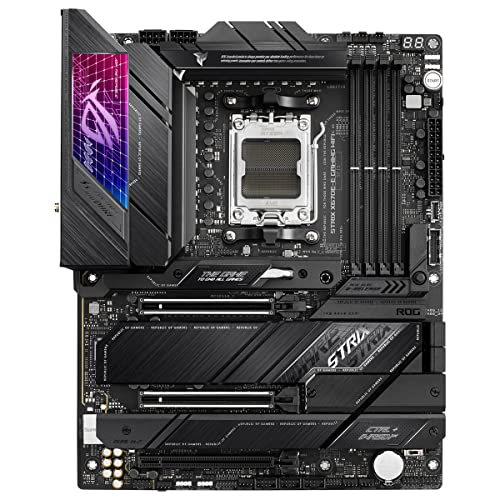
  • X670E earns its premium on a workstation rather than a gaming build: four M.2 sockets and PCIe 5.0 lanes let scratch, cache and archive drives coexist at full bandwidth.

    • AM5 / X670E
    • 4x M.2 sockets
    • 128GB DDR5 max
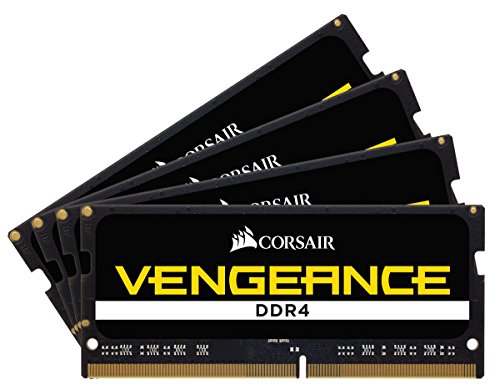
  • 32GB at DDR5-6000 covers 4K editing and mid-size 3D scenes, and a two-stick kit leaves both remaining slots free so 64GB is an addition rather than a replacement.

    • 32GB (2x16GB)
    • DDR5-6000
    • Dual-channel

    Alternative

    Corsair Vengeance 64 GB (2x32GB DDR5-6000) — Spend more upfront for After Effects compositions, multicam 4K or 8K proxies — capacity is the upgrade editors feel first.

  • A Gen4 NVMe with a real DRAM cache sustains write speed through a long 4K ingest, where DRAM-less drives collapse once their SLC cache runs out.

    • 2TB
    • PCIe 4.0 NVMe
    • DRAM cache

    Alternative

    Crucial T500 4 TB — Spend more for 4TB if more than one active project lives on the machine — video fills a working drive faster than any other workload.

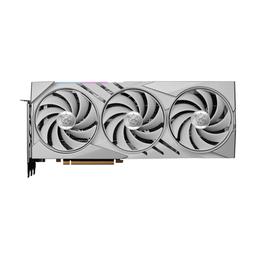
  • Two dedicated NVENC encoders export 4K H.264 and H.265 entirely off the CPU, and 16GB of VRAM is the practical floor for 4K timelines with effects and mid-size Blender scenes.

    • 16GB GDDR6X
    • Dual NVENC
    • 320W TGP

    Alternative

    MSI GAMING X SLIM GeForce RTX 4090 — Spend more only when VRAM is your measured ceiling — 24GB holds larger scenes, 8K timelines and local AI models, but budget a 1000W supply alongside it.

  • Oversized 180mm front intakes feed both a 360mm radiator and a 320W card at low fan speed, which matters on a machine that often sits beside a microphone.

    • High-airflow
    • 2x 180mm intakes
    • 360mm radiator support
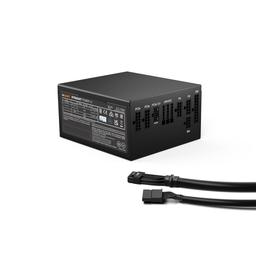
  • 850W of quiet, fully modular Platinum power covers a 170W CPU and 320W GPU at full tilt with transient headroom, and the native 12VHPWR cable avoids adapter clutter.

    • 850W 80+ Platinum
    • ATX 3.0 / 12VHPWR
    • Fully modular

Parts List

As an Amazon Associate, PlanMyPC earns from qualifying purchases made through links on this page. Read our affiliate disclosure

Where to Spend, Where to Save

Spend more on

Memory capacity — 64GB, and take it before anything else
After Effects caches RAM previews frame by frame and simply stops caching when it runs out, which turns a scrub through a composition from instant to a re-render. Multicam 4K and 8K proxies hit the same wall from the other direction. The guide's own cons list names 32GB as the first ceiling, two DIMM slots are already free, and a 2x32GB kit is the cheapest change on this page that a working editor feels every day.
A second NVMe as a dedicated scratch and cache disk
Premiere's media cache and After Effects' disk cache generate continuous small writes, and putting them on the same drive that is streaming your source footage makes the two workloads queue behind each other. The X670E board has spare M.2 sockets, so a second $150 2TB drive turns that contention into two independent queues. After system memory, this is the cheapest measurable reduction in export and preview time available here.
Sustained cooling — the 360mm loop and the high-airflow case together
A render is forty minutes of all-core load, not a thirty-second benchmark, and a 170W 16-core chip only holds its all-core boost if that heat has somewhere to go. A cooler that throttles at minute twelve costs you the same lost minutes on every single export for the life of the machine. The Fractal Torrent's airflow is doing as much work here as the radiator is — this is one line item split across two parts, and undersizing either one undoes the other.

Save on

The motherboard tier
The X670E-E is about $337 and the premium buys PCIe 5.0 lanes to the x16 slot plus a second x16-capable slot. Neither does anything for NVENC exports or Blender renders, which are bound by the encoder and the shader array rather than by bus bandwidth. A B650E board with the same four DIMM slots and the same spare M.2 sockets does this job for well under half, and the difference is most of the way to the 64GB memory upgrade above.
The 24GB graphics card, until VRAM is your measured ceiling
The RTX 4090 alternative is roughly $3,400 against about $1,795 for the 4080 SUPER, and the thing it buys is frame buffer rather than encode throughput — both cards carry the same dual NVENC block. Unless you have watched a specific scene fail to load or an 8K timeline fall over, that $1,600 buys headroom you cannot yet name a use for. Put it in memory and the scratch disk, both of which pay back on every project.
Gen5 storage throughput
Video editing reads sequentially and steadily, and a 4K H.265 timeline asks for well under 1 GB/s even with several streams open. A Gen5 drive advertising 12 to 14 GB/s is selling a number your editor will never request. The Crucial T500 at $150 for 2TB is correctly specced; spend any storage budget on a second drive rather than a faster one.

Ready to build this list?

Every part above drops straight into the System Builder — compatibility checks, a running price total, and a one-click buy list.

The Bottom Line

Pros

  • Sixteen cores and dual NVENC encoders cut time at both ends of the pipeline — CPU renders and GPU exports
  • 16GB of VRAM clears 4K timelines with effects and mid-size Blender scenes without out-of-memory failures
  • X670E board, two free DIMM slots and spare M.2 sockets leave a real path to 128GB and a dedicated scratch disk
  • 360mm AIO and a high-airflow case hold all-core boost through a long render instead of throttling partway

Cons

  • 32GB is the first ceiling you will hit — After Effects compositions and multicam 4K want 64GB
  • A 7800X3D build costs less and posts better 1% lows if you are not actually rendering
  • A 170W CPU beside a 320W GPU makes this a warm, power-hungry machine in a small room

Frequently Asked Questions

Is 32GB of RAM enough for 4K video editing?

For most 4K Premiere Pro and DaVinci Resolve timelines, yes. Move to 64GB if you run After Effects compositions, multicam 4K, or keep Resolve open alongside Blender. The two free DIMM slots on this board make that a drop-in upgrade.

Ryzen 9 7950X or Ryzen 7 7800X3D for a creator PC?

Take the 7950X. Its 16 cores roughly halve Blender CPU renders and CPU-side encodes against 8 cores. The 7800X3D wins in games, but that advantage is small at 4K and does nothing for render time.

Do I really need 16GB of VRAM for content creation?

16GB is the practical floor for 4K timelines with effects and mid-size 3D scenes. Below it you hit out-of-memory failures in Blender and Resolve Fusion rather than merely slow performance. Go to 24GB only when VRAM is your measured ceiling.

Does this workstation double as a gaming PC?

Yes. The RTX 4080 SUPER runs 4K high settings comfortably and the 7950X is far faster than games require. A 7800X3D build posts slightly better 1% lows, but you would trade away half your render throughput for it.

Is 850W enough for a Ryzen 9 7950X and RTX 4080 SUPER?

Yes, with headroom. A 170W CPU and 320W GPU peak near 600W system-wide, and a quality 850W Platinum unit absorbs the transients. Step to 1000W only if you later fit a 450W RTX 4090.

Related Guides

Parts8 components
Target$4,100