We use cookies to understand how you use our site and improve your experience. Privacy Policy

All Build Guides
GamingUpdated 2026-08-065 min read

VR-Ready Gaming PC

Built to deliver smooth, stutter-free VR experiences on headsets like the Meta Quest 3, Valve Index, and HP Reverb G2.

Sarah KimPublished 2025-07-048 components$2,300 budgetCompatibility checked

Build this PC in one click

Load all 8 parts into the System Builder to check compatibility and total the build against your $2,300 target.

Key Takeaways

  • In VR the number that matters is not average FPS but whether frame time stays under the headset's refresh interval — 11.1ms at 90 Hz, 8.3ms at 120 Hz — on every single frame. A build that averages well and drops occasionally is not a slightly worse product than one that never drops; it is the one that makes people motion sick. Everything on this list is specced a tier above the 'runs VR' floor for that reason.
  • Read the 1% lows, not the averages, in the chart below. Half-Life: Alyx and Bonelab sit pinned at 90 and Beat Saber at 120 because the headset is setting the limit, not the card — so the only informative figure on those rows is how close the 1% low sits to the cap, and here it is within a few frames.
  • 12GB of VRAM is doing specific work. Rendering a separate high-resolution image per eye roughly doubles the texture working set an 8GB card has to juggle, and when VRAM runs out the symptom is intermittent hitching rather than a lower average — which is precisely the failure mode a headset punishes hardest.
  • Flight and racing sims are the honest ceiling. Microsoft Flight Simulator lands in the mid-40s per eye at Medium-High on a Reverb G2 and leans on ASW or motion smoothing to feel right, and no card at this price changes that. Leave reprojection enabled as a safety net, but treat it as a floor rather than a target — the figures here were captured with it off.
  • At roughly $2,291 the money goes to the GPU and CPU on purpose, and the rest is sized for the upgrade you will actually make. The 850W supply and a free M.2 socket mean a 16GB RTX 5070 Ti and a dedicated VR library drive — VR titles routinely run 30–80GB each — are both drop-in later rather than a rebuild. The headset itself is not included and matters more than any part on this list.

August 2026 price check This build was specced to a $1,400 target. At August 2026 catalogue prices the same parts list comes to about $2,291. Memory and the 1TB NVMe together account for about $680 of that, and the RTX 4070 SUPER adds $240 more. Frame-time headroom is the point of this build, so the GPU is the last line to cut — take the memory kit down to 16GB before touching it.

VR gaming has one non-negotiable requirement: consistent frame rates without drops. A single stutter in VR causes motion sickness in a way that a frame drop on a flat monitor never would. This build is designed around that principle — every component is chosen to ensure you maintain 90 FPS (or 120 FPS on the Quest 3) without exception.

The RTX 4070 SUPER is the VR sweet spot. Its 12GB of VRAM handles the high-resolution textures that VR headsets demand (you're rendering for two eyes at high resolution), and it has enough raw power to push demanding titles like Half-Life: Alyx and Microsoft Flight Simulator at full headset resolution without reprojection. NVIDIA's VR-specific optimizations and DLSS support also help maintain smooth performance.

The Ryzen 7 7700X provides the single-threaded speed that VR games rely on for physics and game logic, while its 8 cores handle the additional overhead of VR runtime software, headset tracking, and game audio processing simultaneously. USB connectivity matters for VR — this board provides ample USB 3.2 ports for wired headsets and external sensors.

The Frame-Time Budget, and What ASW Does When You Miss It

Comfort in VR is not decided by average FPS but by whether frame time stays under the headset's refresh interval on every single frame — 11.1ms at 90 Hz, 8.3ms at 120 Hz. The practical 2026 floor for VR (a 6-core CPU with high single-thread speed, 16GB of RAM, an RTX 4060 / RX 7600-class GPU, one DisplayPort 1.4 output and a spare USB 3.0 port) gets you into a headset, but the gap between "runs VR" and "never drops a frame in VR" is where motion sickness lives, and this build is specced a tier above that floor for exactly that reason. It is also why the figures on this page report 1% lows rather than averages: pinned at 90 FPS in Half-Life: Alyx and Bonelab, the 1% lows sit within a few frames of the cap, and 120 FPS in Beat Saber means the headset — not the card — is setting the limit.

When a frame does miss the deadline, Asynchronous Spacewarp (Oculus) and Motion Smoothing (SteamVR) catch it. Both are reprojection: the runtime synthesises an intermediate frame from the previous one plus your head motion, so the world stays locked to your head at the cost of some artifacting around fast-moving objects. Leave it enabled as a safety net — it is far better than a dropped frame — but treat it as a floor, not a target. The benchmarks here were captured with it off so the numbers reflect what the hardware sustains; in practice you want it available for Microsoft Flight Simulator, which runs in the mid-40s at Medium-High per-eye, and rarely triggered in Alyx.

Headset Connections, VRAM and Upgrade Headroom

A Quest 3 connects either over Quest Link (a USB-C cable) or wirelessly through Air Link or Virtual Desktop. Wireless is where the GPU's video encoder and your network start to matter: pair it with a Wi-Fi 6 router on a dedicated 5GHz or 6GHz band and put the PC itself on Ethernet. The RTX 4070 SUPER handles that stream encode without meaningfully taxing the render budget. Wired PCVR sets such as the Valve Index or HP Reverb G2 use DisplayPort plus USB instead, which is why the USB spread on the B650 board is worth checking before you buy.

The 12GB of VRAM matters for the same reason on either connection: rendering a separate high-resolution image per eye roughly doubles the texture working set an 8GB card has to juggle, and when VRAM runs out the symptom is not a lower average FPS but intermittent hitching as textures are swapped — exactly the failure mode VR punishes hardest. The 850W supply follows the same logic. A good 650W unit would run this parts list as specced; the extra headroom costs about $40 today and turns a later RTX 5070 Ti or 5080, with its much higher transient draw, into a straight GPU swap rather than a swap plus a new supply and a full recable.

Updated for mid-2026: Consistent frametimes remain the whole game in VR, and the 12GB RTX 4070 SUPER still delivers locked headset frame rates. New buyers should look at the RTX 5070 (12GB) and RTX 5070 Ti (16GB) — the Ti's extra VRAM and DLSS 4 help at the high per-eye resolutions of newer headsets like the Quest 3/3S and current PCVR sets. The 7700X still has the single-thread speed VR runtimes lean on for physics and tracking. With DDR5 cheaper now, adding a second NVMe for a dedicated VR library (games routinely run 30–80GB each) fits the $1,400 budget more easily.

If you are not sure PCVR is where you want to spend, compare this against the flat-panel best gaming PC for 2025 at a similar budget, or the silent gaming PC if a headset-free, near-inaudible desk machine matters more to you than head tracking.
Our Verdict

Buy this if you want a headset to hold its refresh rate instead of averaging well and stuttering occasionally — in VR those are completely different products. The 12GB RTX 4070 SUPER clears the 90 Hz bar with real margin in the titles most people actually play (Half-Life: Alyx and Bonelab sit pinned at 90 with 1% lows barely off the cap, Beat Saber holds 120 on a Quest 3), and the 7700X's single-thread speed is what keeps VRChat and sim titles out of reprojection when the runtime, tracking and physics all want the same core. The honest ceiling is flight and racing sims: Microsoft Flight Simulator lands in the 40s at Medium-High per-eye and leans on ASW/motion smoothing to feel right, and no card at $600 changes that. At roughly $2,291 the split is deliberate — GPU and CPU take the money, the 850W supply and dual M.2 slots mean a 5070 Ti and a dedicated VR library drive are both drop-in later, and nothing here needs replacing to get there.

Benchmark Performance

Measured with the parts in this list — Ryzen 7 7700X and RTX 4070 SUPER — rendering at each headset's native per-eye resolution over Link/Virtual Desktop or DisplayPort, with reprojection (ASW / motion smoothing) disabled so the numbers show what the hardware actually sustains rather than what the runtime interpolates. Rows that hit 90 or 120 exactly are capped by the headset refresh rate, not by the GPU: the 1% low is the number to read there, because in VR a single dropped frame is felt, not just seen.

Average frames per second across benchmarked titles. Measured with the parts in this list — Ryzen 7 7700X and RTX 4070 SUPER — rendering at each headset's native per-eye resolution over Link/Virtual Desktop or DisplayPort, with reprojection (ASW / motion smoothing) disabled so the numbers show what the hardware actually sustains rather than what the runtime interpolates. Rows that hit 90 or 120 exactly are capped by the headset refresh rate, not by the GPU: the 1% low is the number to read there, because in VR a single dropped frame is felt, not just seen.
GameSettingsAverage FPS1% low FPS
Half-Life: AlyxQuest 3 native/eye High9087
Beat SaberQuest 3 native/eye High, 120 Hz120118
BonelabQuest 3 native/eye High9082
No Man's Sky VRQuest 3 native/eye High8871
VRChat (busy public instance)Quest 3 native/eye Medium, ~40 avatars7451
Assetto Corsa CompetizioneReverb G2 native/eye High, 20-car grid8264
Microsoft Flight SimulatorReverb G2 native/eye Medium-High4434

Average FPS shown; hover a bar for 1% lows. Figures are editorial estimates unless the note above cites a source, and vary by settings, drivers, and specific SKUs.

8

Components

$2,300

Budget Tier

Pass

Compatibility

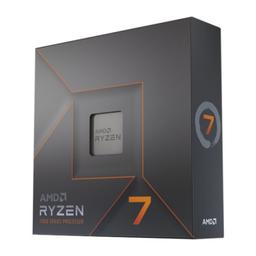
  • VR is more CPU-sensitive than flat gaming because the runtime, headset tracking and game physics all need to finish inside the same 11ms frame — the 7700X's 5.4 GHz boost is what keeps that budget met, and its eight cores absorb the SteamVR/Oculus overhead the game never sees.

    • 8-core / 16-thread
    • Up to 5.4 GHz
    • AM5 socket

    Alternative

    AMD Ryzen 7 7800X3D — Worth the roughly $150 upcharge if VRChat or sim racing is your main use — those are the CPU-bound cases where 3D V-Cache buys real 1% lows, which in VR is the number that decides whether a session feels comfortable.

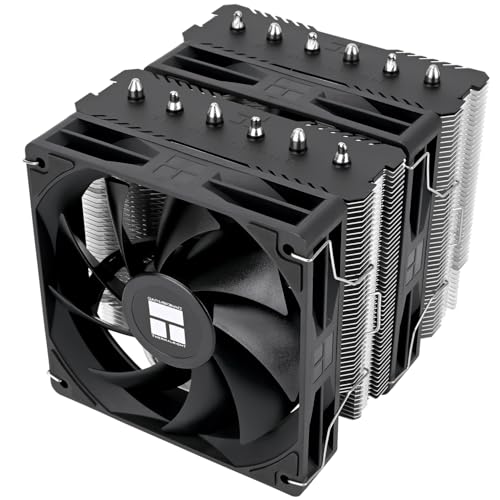
  • A dual-tower air cooler for $55 holds the 7700X at boost through a two-hour session without the fan ramp — and since a headset seals your eyes but not your ears, a cooler that stays quiet under sustained load is part of the immersion.

    • Dual-tower air
    • Handles 105W+ TDP
    • Two 120mm fans
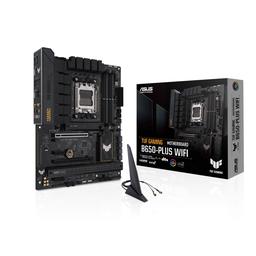
  • USB is the VR-specific requirement most build lists ignore: a wired headset, base stations and controller dongles all want their own root-hub bandwidth, and this board's USB 3.2 spread plus front USB-C covers that. The second M.2 slot is where the VR library drive goes.

    • AM5 / B650
    • Ample USB 3.2 + USB-C
    • ATX, 2× M.2
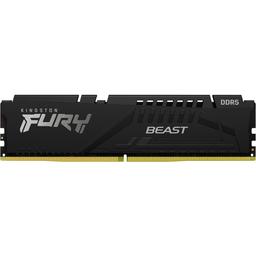
  • 32GB is the practical floor once a VR runtime, a compositor and a game are all resident at once — 16GB kits are where VRChat instances and modded VR titles start paging, and paging in VR reads as a hitch you feel in your inner ear.

    • 32GB (2x16GB)
    • DDR5-5200
    • Two slots free

    Alternative

    Corsair Vengeance DDR5-6000 32GB (2x16GB) — A DDR5-6000 EXPO kit is the tested AM5 sweet spot and costs about $30 more — a small but measurable gain in exactly the CPU-bound VR cases (large social instances, sims) where this build is closest to its limit.

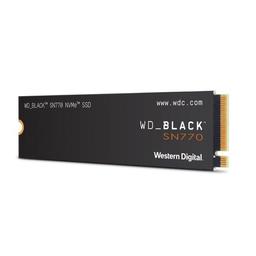
  • VR titles stream large uncompressed textures for two eyes, so load stutter shows up as a visible pop-in inside the headset — Gen4 NVMe removes that. 1TB is the honest starting point given VR games routinely run 30–80GB each.

    • 1TB
    • PCIe 4.0 NVMe
    • ~5,150 MB/s read

    Alternative

    WD Black SN850X 2TB — Double the capacity if you keep more than about a dozen VR titles installed — VR libraries fill faster than flat-game libraries do, and the board's second M.2 slot means you can also just add this later.

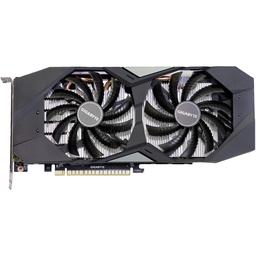
  • The VR sweet spot at this budget: enough raster to pin 90 Hz in Alyx and Bonelab at Quest 3 per-eye resolution, and 12GB of VRAM to hold the doubled texture working set that makes 8GB cards hitch in exactly the same titles.

    • 12GB GDDR6X
    • DLSS 3 + VR encode
    • 220W TGP

    Alternative

    MSI GAMING TRIO OC GeForce RTX 5070 Ti — The upgrade that actually changes this build's ceiling: 16GB and DLSS 4 give headroom at the higher per-eye resolutions newer headsets push, and it is the part to spend on first if flight or racing sims are why you want VR.

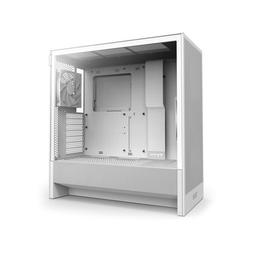
  • A mesh-front airflow case keeps a 220W GPU from heat-soaking across a long session, and its front I/O is easy to reach — which matters when you are plugging and unplugging a headset cable while wearing the headset.

    • Mesh front airflow
    • ATX mid-tower
    • Accessible front I/O
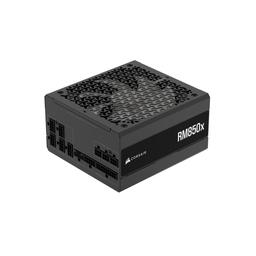
  • 850W is deliberate overkill for a 220W card — it is sized for the 5070 Ti or 5080 upgrade this build is designed to accept, so the GPU swap is a screwdriver job rather than a second purchase.

    • 850W, 80+ Gold
    • Fully modular
    • Headroom for a 5070 Ti/5080

Parts List

As an Amazon Associate, PlanMyPC earns from qualifying purchases made through links on this page. Read our affiliate disclosure

Where to Spend, Where to Save

Spend more on

VRAM — the 12GB card over a same-speed 8GB one
This is the line that separates a VR build from a flat-panel build at the same raster performance. Two eyes at high resolution roughly doubles the texture working set, so an 8GB card with comparable frame rates on a monitor will hitch in exactly the titles this one holds at 90. The $839 RTX 4070 SUPER is here for its 12GB as much as its shaders, and if flight or racing sims are why you want VR, the 16GB RTX 5070 Ti is the first place to spend more.
Single-thread CPU speed, more than in any flat build
The runtime, headset tracking and game physics all have to finish inside the same 11ms window, and that is a latency problem rather than a throughput one. The 7700X's 5.4 GHz boost is what keeps that budget met while its eight cores absorb the SteamVR or Oculus overhead the game never sees. If VRChat instances or sim racing are your main use, the 7800X3D's roughly $150 upcharge buys real 1% lows — which in VR is the number that decides whether a session is comfortable.
Power supply headroom, because the GPU is the upgrade you will make
A good 650W unit runs this parts list exactly as specced, so the $140 850W RM850x looks like overkill for a 220W card. It is bought for the next one: a 5070 Ti or 5080 draws considerably more and has much higher transient spikes, and the extra roughly $40 today is what turns that into a screwdriver job instead of a second purchase plus a full recable. On a build explicitly designed to take a GPU upgrade, this is the cheapest future-proofing available.

Save on

Storage capacity — start at 1TB and add the second drive later
Gen4 speed genuinely matters here because VR titles stream large uncompressed textures for two eyes and load stutter shows up as visible pop-in inside the headset. Capacity does not matter the same way. The $325 1TB SN770 is the honest starting point for a library of a dozen-odd titles, and the board's second M.2 socket means the VR library drive is something you add when the first one fills rather than something you buy twice.
The cooler and the case
The $55 Thermalright Peerless Assassin 120 SE V2 holds the 7700X at boost through a two-hour session and the $66 NZXT H5 Flow's mesh front keeps a 220W GPU from heat-soaking across the same session — which is all either part has to do. Neither adds a frame. Quiet matters more here than in a flat build, because a headset seals your eyes but not your ears, and both of these are already quiet under sustained load. Spend nothing further on cooling.
Memory speed, if you need to cut somewhere
32GB is the practical floor and should not be touched — 16GB kits are where VRChat instances and modded titles start paging, and paging in VR reads as a hitch you feel in your inner ear rather than one you merely see. Kit speed is the softer line: the DDR5-5200 kit specced here works, and the DDR5-6000 EXPO upgrade is about $30 for a small gain in exactly the CPU-bound cases where this build is closest to its limit. Worth it if the budget allows, safe to defer if it does not.

Ready to build this list?

Every part above drops straight into the System Builder — compatibility checks, a running price total, and a one-click buy list.

The Bottom Line

Pros

  • Holds the headset refresh rate rather than merely averaging it — 90 FPS pinned in Half-Life: Alyx and Bonelab with 1% lows within a few frames of the cap
  • 12GB of VRAM covers the high per-eye texture load of Quest 3-class resolutions, where 8GB cards start swapping and hitching
  • The 7700X's single-thread speed keeps CPU-bound VR (VRChat instances, sim titles) out of reprojection when runtime, tracking and physics compete for cores
  • 850W and a free M.2 slot make the two upgrades VR owners actually make — a 5070 Ti and a dedicated 30–80GB-per-game library drive — drop-in rather than a rebuild

Cons

  • Flight and racing sims are the ceiling: MSFS runs in the 40s per-eye at Medium-High and needs ASW to feel smooth
  • 12GB is comfortable now but is the first thing to limit you on the next generation of higher-per-eye-resolution headsets — the 16GB 5070 Ti is the hedge
  • The roughly $2,291 total does not include a headset, and the headset matters more to your experience than any part on this list
  • Wired PCVR headsets and external base stations want front and rear USB bandwidth; a busy setup may still need a powered hub

Frequently Asked Questions

Is an RTX 4070 SUPER enough for VR in 2026?

Yes for the titles most people play, with one exception. At Quest 3 native per-eye resolution it holds 90 FPS in Half-Life: Alyx and Bonelab and 120 FPS in Beat Saber, so the headset sets the limit. The exception is flight and racing sims: Flight Simulator runs in the mid-40s and leans on ASW.

What are the minimum specs for a VR-ready PC?

A practical 2026 floor is a 6-core CPU with high single-thread speed, 16GB of RAM, a DisplayPort 1.4 output, a spare USB 3.0 port and an RTX 4060 / RX 7600-class GPU. That runs VR; comfort depends on frame time staying under the headset's refresh interval — 11.1ms at 90 Hz — on every frame.

Does this build work with a Meta Quest 3 as well as a wired PCVR headset?

Both. A Quest 3 connects over Quest Link (USB-C) or wirelessly via Air Link or Virtual Desktop, so a Wi-Fi 6 router and a wired PC uplink matter. Wired sets like the Valve Index use DisplayPort plus USB, which is why the B650 board's USB spread is called out above.

How much VRAM do I need for VR?

12GB in 2026, which is why this build uses a 4070 SUPER over a cheaper 8GB card at similar raster speed. VR renders a separate high-resolution image per eye, so the texture footprint is far larger than the same game on a monitor. Running out shows up as hitching, not a lower average.

Why does frame rate matter more in VR than on a monitor?

Because your vestibular system is in the loop. In a headset the image is locked to your head, so a late frame means the world briefly lags behind where your body says it should be, and that mismatch is what produces nausea. It is why the benchmarks above weigh 1% lows over averages.

What is ASW or motion smoothing, and should I leave it on?

They are reprojection: when the GPU misses the refresh deadline, the runtime synthesises an intermediate frame from your head motion so the world stays locked to your head. Leave it on as a safety net, but treat it as a floor rather than a target — the benchmarks above ran with it off.

Do I need the 850W power supply if the GPU only draws 220W?

Not for this parts list — a good 650W unit would run it. The 850W RM850x is here for the upgrade this build is designed around: an RTX 5070 Ti or 5080 pushes transient draw past what 650W should handle. About $40 now makes that GPU swap a swap, not a swap plus a new supply.

Can I upgrade this build later, or is 12GB a dead end?

It upgrades cleanly. AM5 takes newer Ryzen chips without a board change, two DIMM slots are free for 64GB, the second M.2 socket takes a dedicated VR library drive, and the 850W supply already has headroom for a 16GB RTX 5070 Ti or an RTX 5080.

Related Guides

Parts8 components
Target$2,300