We use cookies to understand how you use our site and improve your experience. Privacy Policy

All Build Guides
GamingUpdated 2026-08-076 min read

4K Gaming Powerhouse

No-compromise 4K gaming at ultra settings. This build pairs the fastest consumer GPU with Intel's flagship to push every pixel.

Marcus JohnsonPublished 2025-06-118 components$5,500 budgetCompatibility checked

Build this PC in one click

Load all 8 parts into the System Builder to check compatibility and total the build against your $5,500 target.

Key Takeaways

  • The graphics card is both the entire argument for this build and the entire problem with it. The ASUS TUF RTX 4090 is $3,399.95 of a $5,477 total — two-thirds of the machine — and it is end-of-life, with no retailer in our catalogue currently listing one.
  • The performance was never in question. Our benchmark suite records 76 FPS in Cyberpunk 2077 at native 4K Ultra, 86 FPS in Spider-Man Remastered at 4K Very High and 66 FPS in Hogwarts Legacy at 4K Ultra — all without upscaling of any kind.
  • The price argument is what broke. The Best 4K Gaming PC Build (2026) reaches the same class of 4K performance on a current platform for about $3,270, which is roughly $1,840 less for the same job. Read that guide first if you are buying new this month.
  • Build this exact list only if you already own a 4090 or are pricing a used one. As a known-good parts list around a card you already have, it is still the right set of supporting components; as a shopping list, it is not.
  • LGA1700 is a finished platform. The i9-14900F is effectively the end of the line for this socket, so treat the CPU as a permanent fixture rather than the first step of an upgrade path.
  • Memory is the quiet second problem. The 32GB DDR5-6000 kit sat near $100 when this guide was written and the cheapest comparable kit in our catalogue is about $400 today — a $300 swing that has nothing to do with the graphics card.

4K Gaming Powerhouse: RTX 4090 Build Guide

This 4K gaming PC pairs the Intel Core i9-14900F with an ASUS TUF Gaming RTX 4090 OC. It is a no-compromise last-generation flagship for native 4K ultra settings, high-refresh competitive play and ray tracing with DLSS, backed by 32GB of DDR5-6000, a 2TB Gen4 NVMe and a 1000W modular power supply.

Read this before the parts list This guide was specced to a $3,500 target. At August 2026 catalogue prices the same parts list comes to roughly $5,477. The RTX 4090 is the whole of that gap: it is end-of-life, our last catalogue reading for the TUF model is about $3,400, and no retailer in our catalogue currently lists one at all. If you are buying a 4K machine new this month, read the Best 4K Gaming PC Build (2026) instead — it reaches the same class of 4K performance on a current platform for far less. Keep reading this one if you already own a 4090, or you are pricing a used or second-hand card against a known-good parts list.

Who this build is for

This is for the player who already owns a 4K 120Hz or 144Hz display and wants to push image quality before chasing value. At 4K, the graphics card sets the pace, so the budget stays centered on the RTX 4090 rather than an exotic motherboard, 64GB of memory or storage that will not add frames.

The build also makes sense for someone who games while streaming, recording or running background creative tools. The i9-14900F's eight performance cores and sixteen efficient cores provide ample parallel capacity, while the 360mm Arctic cooler and airflow-focused Lancool III are sized for sustained load rather than a short benchmark pass.

Expected native 4K performance

Our structured results below reuse the shipped PlanMyPC GPU benchmark dataset: native resolution, no upscaling and no ray tracing. That distinction matters. The RTX 4090 averages 76 FPS in Cyberpunk 2077 at 4K Ultra, 86 FPS in Spider-Man Remastered at Very High, 66 FPS in Hogwarts Legacy at Ultra, 55 FPS in Starfield at Ultra and 50 FPS in Alan Wake 2 at High. Those are one card's results out of a much wider set: the Hogwarts Legacy GPU benchmarks page ranks fifteen cards on that title alone, and only six of them hold 60 FPS at native 4K Ultra.

Those figures establish the raw-raster baseline. DLSS Quality can raise frame rates in supported games, while ray tracing spends some or all of that headroom. I would tune those features game by game instead of promising one universal "4K ray tracing" number: path tracing in Cyberpunk 2077 is a different workload from conventional ray tracing in a lighter title.

Why the RTX 4090 still works—and when it does not

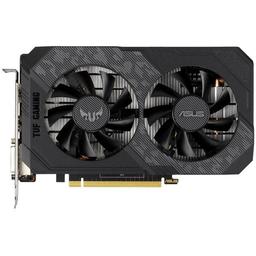
The RTX 4090's 24GB frame buffer, 450W board power and high native raster throughput still make it an exceptional 4K card. The ASUS TUF Gaming model adds a substantial cooler, so the large Lancool III and included GPU support are practical choices rather than cosmetic upgrades.

The caveat is price, and in August 2026 it is the decisive one. This guide describes a specific shipped build, not a claim that the RTX 4090 is automatically the best new purchase in 2026. Our last catalogue reading for the TUF 4090 is roughly $3,400, and no retailer in our catalogue lists one at all right now — the card is end-of-life and what remains is scarcity pricing. Compare it against the RTX 5080 and RTX 5090 before you spend anything. If a newer card costs the same or less, take the newer feature set and the warranty; this 4090 build makes sense when you already own the card or you are buying one used.

CPU, motherboard and cooling

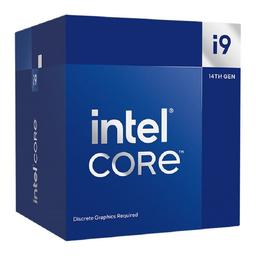
The i9-14900F is deliberately more CPU than most 4K games need. It protects high-refresh 1% lows and gives streaming or recording work room to run beside the game, but an i7-14700KF is the sensible savings option if gaming is the only demanding workload. Keep the MSI Z790 board on current firmware and use Intel's recommended default power behavior rather than an unlimited motherboard profile.

The F suffix matters here for a supply reason rather than a performance one. This build originally called for the unlocked i9-14900K; that part has gone scarce enough that the only listing left in our catalogue is a third-party offer near $1,900, which is not a price anyone should pay for it. The 14900F is the same 24-core Raptor Lake Refresh silicon with the multiplier locked and the integrated graphics disabled, and it is stocked at roughly a third of that. Neither omission costs you anything in this build: at 4K the graphics card sets the pace, and the RTX 4090 makes the iGPU irrelevant.

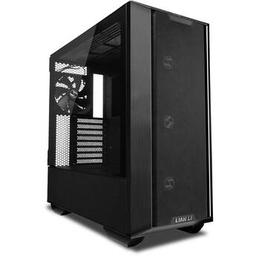
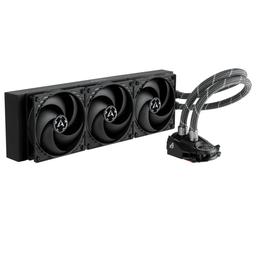
Cooling is not optional at this tier. The Arctic Liquid Freezer II 360 spreads sustained CPU heat across a 360mm radiator, while the Lian Li Lancool III supplies the volume and airflow a 450W graphics card needs. This is one place where downsizing to a compact case would change thermals, noise and assembly difficulty.

Memory, storage and power

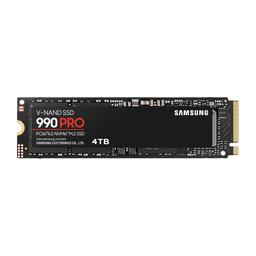
Thirty-two gigabytes of DDR5-6000 is the gaming sweet spot here. Moving to 64GB helps production work and heavily modded games, but it does not make an ordinary 4K game render faster. The 2TB Samsung 990 Pro leaves useful space for modern installs without paying the premium for a 4TB drive on day one.

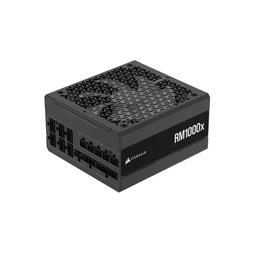
The Corsair RM1000x is sized for the combined CPU and GPU load with transient headroom. Use the GPU power cable supplied for the power supply, seat it fully and avoid a hard bend at the connector. If you later move to a higher-power graphics card, verify that card manufacturer's current power-supply guidance rather than assuming 1000W covers every future flagship.

Upgrade path

Storage and memory are the easy additions: install a second M.2 drive when 2TB becomes restrictive, or replace the two-DIMM kit with a validated 64GB kit for heavier creation work. A future GPU is also a straightforward physical swap if its length, connector and power recommendation fit the case and power supply.

The CPU path is different. Z790 and the i9-14900F sit at the end of LGA1700, so a meaningful future processor upgrade requires a new motherboard and may change the memory choice too. Treat the CPU, board and cooler as a platform to keep together; this build's long-term modular value lives in the case, storage, power supply and graphics slot.

For a less expensive current alternative, compare the Best 4K Gaming PC Build (2026), which pairs AM5 with an RTX 4080 SUPER. On August 2026 catalogue prices that is the guide most people asking for a 4K machine should be reading.
Our Verdict

This was a formidable native-4K build at its $3,500 target, and the hardware argument still holds: the 24GB GPU, 1000W power supply and high-airflow chassis are balanced for sustained flagship gaming, and the i9-14900F adds streaming and creation headroom. The price argument no longer holds. At August 2026 catalogue prices the same parts list comes to roughly $5,477, almost all of it the end-of-life RTX 4090. Build this one only if you already have the graphics card or are buying it used; otherwise start from the Best 4K Gaming PC Build (2026).

Benchmark Performance

PlanMyPC repository benchmark results at native 4K with no upscaling or ray tracing; actual results vary by patch, driver and scene.

Average frames per second across benchmarked titles. PlanMyPC repository benchmark results at native 4K with no upscaling or ray tracing; actual results vary by patch, driver and scene.
GameSettingsAverage FPS
Cyberpunk 20774K Ultra76
Hogwarts Legacy4K Ultra66
Spider-Man Remastered4K Very High86
Starfield4K Ultra55
Alan Wake 24K High50

Average FPS shown. Figures are editorial estimates unless the note above cites a source, and vary by settings, drivers, and specific SKUs.

8

Components

$5,500

Budget Tier

Pass

Compatibility

Parts List

As an Amazon Associate, PlanMyPC earns from qualifying purchases made through links on this page. Read our affiliate disclosure

Where to Spend, Where to Save

Spend more on

Power delivery and cooling — the 450W card sets the floor, not your preference
The RTX 4090 is rated at 450W and the i9-14900F at 219W, so this build asks for close to 700W of sustained draw before fans and drives. That is why the 1000W Corsair RM1000x at $166.24 and the 360mm Arctic Liquid Freezer II at $69.89 are structural rather than indulgent. Ada-generation cards are known for transient spikes well above their rated draw, and a supply sized to the average is exactly how you get shutdowns under the long 4K sessions this machine exists for. This is the one area where matching the spec matters more than shaving the price.
Case airflow, because nearly 700W has to leave the chassis somehow
The Lian Li Lancool III at $189.99 looks like a lot of case until you work out what is being asked of it: a triple-slot 450W graphics card and a 219W CPU sharing the same volume of air. Starving that combination produces thermal throttling that shows up as inconsistent frame times rather than a number on a sensor, which makes it hard to diagnose and easy to blame on the game. Buying airflow once is cheaper than buying a case and then buying fans for it.
The 24GB frame buffer, if you are choosing between cards at all
Everything else on this list is replaceable; the frame buffer is the part that decides how long native 4K ultra textures stay viable. 24GB is generous even by 2026 standards, and it is the specification most likely to still be adequate in three years when the raster performance has been overtaken. If you are cross-shopping a used 4090 against a new RTX 5080, weigh the memory alongside the raw speed rather than treating them as the same purchase.

Save on

The CPU tier — an i7-14700KF does this job
At 4K the graphics card is the limiting factor in essentially every title in the benchmark set below, which makes the gap between an i9-14900F and an i7-14700KF close to invisible in gaming. The i9's advantage is parallel headroom for streaming, recording and background encodes, so it earns its price only if you actually run those workloads. If you do not, this is the single largest saving on the list that costs you nothing measurable on screen.
Memory — reuse a kit before you buy one
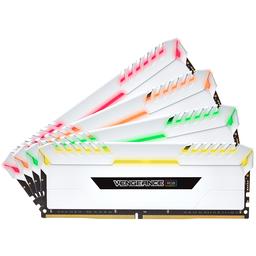
The G.Skill Vengeance RGB kit is $399.99 today against roughly $100 when this build was specced, which makes it the second-worst line here after the graphics card. If you already own a 32GB DDR5 kit, reuse it and take $400 straight off the total. No 4K game will show you the difference between a 6000 and a 5600 kit, because at this resolution the bottleneck is several components away from the memory controller.
Everything that does not change the benchmark below
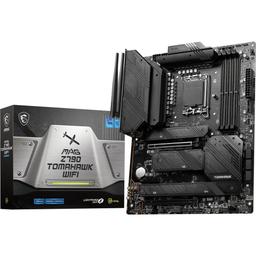
A more expensive Z790 board, 64GB of memory and a second SSD are the three upgrades buyers reach for at this budget, and none of them moves a single figure in the 4K results below. The MSI MAG Z790 TOMAHAWK WiFi at $191.20 already provides the power delivery and current BIOS support a 14900F needs; a cheaper board with the ports you actually use is fine, provided you do not trade away those two things. Spend the difference on the graphics card decision instead, since that is the only one that matters here.

Ready to build this list?

Every part above drops straight into the System Builder — compatibility checks, a running price total, and a one-click buy list.

The Bottom Line

Pros

  • RTX 4090's 24GB frame buffer and native raster performance remain excellent for 4K ultra
  • 1000W modular PSU, 360mm cooling and a roomy airflow case suit sustained flagship loads
  • i9-14900F has ample parallel headroom for streaming, recording and background work

Cons

  • The RTX 4090 is end-of-life; at August 2026 catalogue prices this list totals about $5,477 against its $3,500 target
  • LGA1700 has no meaningful drop-in CPU upgrade beyond the installed 14900F

Frequently Asked Questions

Is an RTX 4090 still worth buying for 4K gaming in 2026?

Only at the right price. It remains exceptionally fast and its 24GB frame buffer is generous, but I would compare the complete system cost with RTX 5080 and RTX 5090 options before buying an older flagship.

Can this build run native 4K without DLSS?

Yes. Our shipped benchmark dataset records 50–86 FPS across five demanding native-4K raster tests. DLSS adds useful headroom, but the benchmark chart does not depend on upscaling or frame generation.

Do I need the Core i9-14900F for 4K gaming?

No. The GPU usually sets the limit at 4K, so an i7-14700KF is the smarter value for a gaming-only machine. Keep the i9 when streaming, recording or other heavily threaded work shares the PC.

Is a 1000W power supply enough for the RTX 4090?

Yes for this listed configuration. The RM1000x gives the 450W GPU and 14900F sensible headroom, provided you use the correct supplied cable and seat the GPU power connector fully.

What should I upgrade first in this 4K build?

Add storage when capacity becomes annoying; it is the simplest useful upgrade. For more gaming performance, wait for a GPU that clearly beats the 4090 at a defensible total cost, because the LGA1700 CPU platform has no meaningful drop-in path left.

Related Guides

Parts8 components
Target$5,500