We use cookies to understand how you use our site and improve your experience. Privacy Policy

All Build Guides
WorkstationUpdated 2026-08-062 min read

Photo Editing Build for Lightroom & Photoshop

Optimized for Adobe Lightroom and Photoshop workflows — fast imports, snappy edits, and smooth exports for professional photographers.

Alex ChenPublished 2025-07-028 components$2,200 budgetCompatibility checked

Build this PC in one click

Load all 8 parts into the System Builder to check compatibility and total the build against your $2,200 target.

Key Takeaways

  • Photo editing is two opposite jobs on one machine. Lightroom's import and export pipeline spreads across threads; Photoshop's brushes, liquify and filters ride a single fast core. Eight fast Zen 4 cores serve both, which is why this is a 7700X and not a higher core-count chip.
  • The number to plan a shooting day around is 87 full-size JPEGs a minute off 45MP RAWs — a 500-shot wedding exports in about six minutes. Smart previews run faster still at 558 a minute; 1:1 previews are the slow ones, at roughly eight minutes per thousand files.
  • AI is the exception, and it is a VRAM problem rather than a GPU-speed problem. AI Denoise clears 2.4 images a minute on 60MP RAWs — about 25 seconds a shot — because 8GB is the ceiling. If Denoise or Super Resolution is routine for you, buy the 16GB RTX 5060 Ti instead of the 4060 Ti listed here.
  • Memory is the entire price gap. The 32GB DDR5-6000 kit at about $400 is why a build specced to $1,300 comes to $2,186 in August 2026, and it is still the wrong line to cut — Photoshop spilling to the scratch disk is a stutter you feel on every brush stroke, not a number on a chart.
  • The highest-impact purchase is not in this tower. A factory-calibrated display changes the files you deliver more than any part on this list, so budget for it alongside the build rather than after it.

August 2026 price check This build was specced to a $1,300 target. At August 2026 catalogue prices the same parts list comes to about $2,186. Memory is the whole of the gap; the CPU and cooler both came down. This is the closest of our workstation guides to its original target, and 32GB is the one line a Lightroom catalogue will genuinely use.

Photo editing sits in an interesting performance sweet spot. Lightroom's import and export pipeline is heavily multi-threaded, while Photoshop's brush tools and filter operations lean more on single-threaded speed and GPU acceleration. The Ryzen 7 7700X delivers on both fronts, with 8 fast cores that tear through batch exports while maintaining the single-core speed Photoshop demands.

The RTX 4060 Ti accelerates GPU-based operations in both applications — neural filters in Photoshop, Super Resolution in Lightroom, and general canvas rendering all benefit from CUDA cores. The 8GB of VRAM is this build's real ceiling, though, and the chart below prices it: AI Denoise clears about 2.4 images a minute on 60MP RAWs — roughly 25 seconds a shot. Ordinary edits and exports never touch that wall; Denoise, Super Resolution and heavily layered PSDs are the first places that do.

32GB of DDR5 is the sweet spot for photography workflows. Lightroom's catalog and preview cache live in RAM, and Photoshop's scratch disk performance depends on available memory. The 2TB NVMe provides fast storage for your current working catalog, with room for tens of thousands of RAW files. For long-term archival, add a secondary HDD or NAS down the road.

Updated for mid-2026: Lightroom and Photoshop still reward fast cores plus GPU acceleration, and this build nails both. In 2026, favor the RTX 5060 Ti 16GB over the 8GB 4060 Ti — the extra VRAM speeds Photoshop neural filters, Lightroom's AI Denoise and Super Resolution, and large panorama stitches. The Zen 5 Ryzen 7 9700X is a modest step up from the 7700X for batch exports. DDR5 pricing has fallen, so 64GB is now an easy call for photographers juggling huge catalogs. The color-accurate-monitor advice is unchanged and remains the single highest-impact upgrade for this workflow.
Our Verdict

At about $2,186 at August 2026 catalogue prices, this hits the two things photo work actually needs: high single-core speed for Photoshop and enough threads for Lightroom batch exports. The one change worth making in 2026 is VRAM. Buy the 16GB RTX 5060 Ti over the 8GB 4060 Ti listed here if you lean on AI Denoise, Super Resolution or neural filters, and spend anything left over on a calibrated display.

Benchmark Performance

Lightroom Classic throughput on this exact pair — AMD Ryzen 7 7700X with a GeForce RTX 4060 Ti 8GB. The first three rows are PugetBench for Lightroom Classic community results for the 7700X (n=15 runs) on the benchmark's 45MP Nikon .NEF set, converted from run time to images per minute. The AI Denoise row comes from the crowd-sourced Adobe community GPU benchmark, where an RTX 4060 Ti 8GB clears a ten-shot batch of 60MP Sony .ARW files in 247.6 seconds. That last row is the 8GB VRAM ceiling in a single number: Denoise, Super Resolution and heavily layered PSDs are the first places this card runs short, which is why the verdict above puts the 16GB RTX 5060 Ti ahead of it.

Average images/min across benchmarked workloads. Lightroom Classic throughput on this exact pair — AMD Ryzen 7 7700X with a GeForce RTX 4060 Ti 8GB. The first three rows are PugetBench for Lightroom Classic community results for the 7700X (n=15 runs) on the benchmark's 45MP Nikon .NEF set, converted from run time to images per minute. The AI Denoise row comes from the crowd-sourced Adobe community GPU benchmark, where an RTX 4060 Ti 8GB clears a ten-shot batch of 60MP Sony .ARW files in 247.6 seconds. That last row is the 8GB VRAM ceiling in a single number: Denoise, Super Resolution and heavily layered PSDs are the first places this card runs short, which is why the verdict above puts the 16GB RTX 5060 Ti ahead of it.
TaskSettingsAverage images/min
Smart previews45MP .NEF × 500 2560px proxies, CPU+GPU558
Convert to DNG45MP .NEF × 50 lossless convert, CPU path189
Export full JPEG45MP .NEF × 50 quality 60, full size, CPU+GPU87
AI Denoise60MP .ARW × 10 GPU path, RTX 4060 Ti 8GB2.4

Average images/min shown. Figures are editorial estimates unless the note above cites a source, and vary by settings, drivers, and specific SKUs.

8

Components

$2,200

Budget Tier

Pass

Compatibility

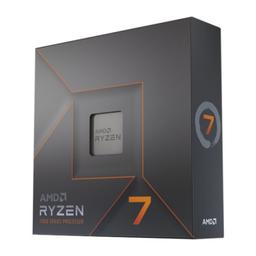
  • Photo editing pulls in two directions at once, and this chip is the cheapest part that answers both. The 5.4 GHz boost is what keeps Photoshop's brushes and filters responsive on a 100MP file, while eight cores is roughly where Lightroom's export scaling flattens — the 87 JPEGs a minute in the chart below come from that pairing. A 12- or 16-core part costs more for throughput this workload does not convert.

    • 8C/16T
    • 5.4 GHz boost
    • 105W TDP
    • AM5

    Alternative

    AMD Ryzen 7 9700X — Zen 5 at 65W, worth perhaps 10% in batch exports and a little less fan noise. On a fixed budget it is the wrong place to spend — the VRAM upgrade and a calibrated display both buy you more.

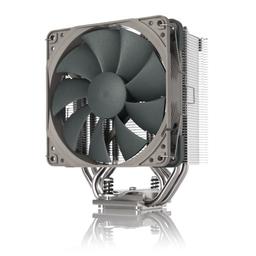
  • An export queue is a sustained all-core load rather than a burst, so the job here is holding boost clocks for the six minutes a 500-shot batch takes — not surviving a spike. A 180W-rated tower over a 105W chip has margin to spare for that, and at $18.95 it is the cheapest line on the list and one of only two that got cheaper since the build was specced. Spending more here buys quieter, never faster.

    • 120mm single tower
    • 180W TDP rating
    • 160mm tall
    • 25.1 dBA
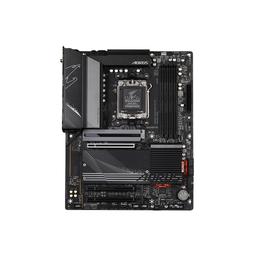
  • Nothing in a photo workflow saturates PCIe 5.0 — a card reader, a tethered body and a backup drive are USB problems, not lane problems — so B650 is the correct tier and the X670E premium is dead money. What this board actually earns its price with is the second M.2 socket, which is how you later split the catalogue and preview cache off the OS drive, and four DIMM slots, which is what makes the 64GB step an addition rather than a replacement.

    • AM5 / B650
    • 2x M.2
    • 4x DDR5 DIMM
    • ATX
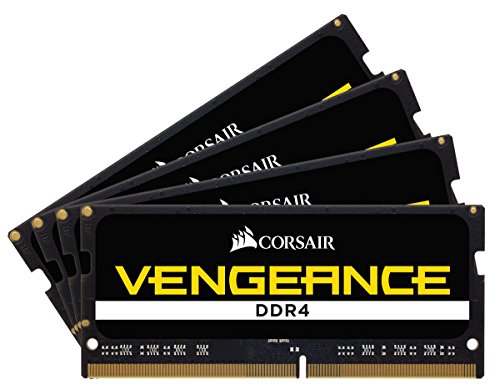
  • This one line is the whole of the $201 gap between the original $1,300 target and August 2026's $2,186, and it is still the wrong thing to cut. Lightroom keeps the catalogue and its preview cache resident, and Photoshop starts writing to the scratch disk the moment it runs short — the failure mode is not a slower export, it is a stutter on every brush stroke. Bought as 2x16GB, two slots stay free so the 64GB step is an addition rather than a write-off.

    • 32GB (2x16)
    • DDR5-6000 CL36
    • 2 slots free
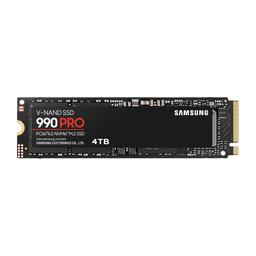
  • Sized for the working catalogue, not the archive: 2TB is comfortably a year of 45MP RAWs plus their previews for most shooters. The Gen4 sequentials matter less for reading files than for the job people forget this drive is doing — serving as Photoshop's scratch disk every time a layered PSD outgrows the 32GB of RAM above it. Keep the archive somewhere else; this should never be your only copy.

    • 2TB
    • NVMe Gen4
    • 7,000 MB/s read
    • 5,000 MB/s write
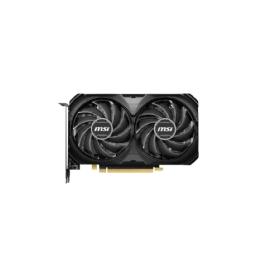
  • The one part on this list to reconsider before you buy. For everything that is not AI it is genuinely fine — previews, exports and canvas rendering all clear at full speed. But the last row of the chart prices the 8GB buffer exactly: AI Denoise manages 2.4 images a minute on 60MP RAWs, roughly 25 seconds a shot, and that is a VRAM wall rather than a shortage of cores.

    • 8GB VRAM
    • 4,352 CUDA cores
    • 199mm, 2-slot

    Alternative

    NVIDIA GeForce RTX 5060 Ti 16GB — Twice the VRAM, aimed squarely at the three operations that stall on this build — AI Denoise, Super Resolution and large panorama stitches. If any of those are part of a normal week, this is the highest-value change you can make to the parts list.

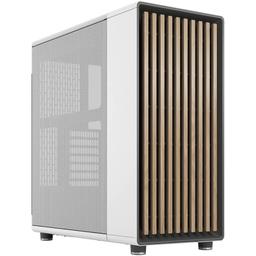
  • A photo machine sits on the desk rather than under it, so it has to be something you can look at, and the two 3.5in bays are where the archive drive goes once 2TB of working catalogue fills up. The clearances are the part that matters when you follow the upgrade advice above: 170mm of cooler height swallows the 160mm Noctua without a compatibility check, and 400mm of card length means the 16GB GPU swap is a drop-in rather than a second purchase.

    • ATX mid tower
    • 170mm cooler clearance
    • 400mm GPU clearance
    • 2x 3.5in bays
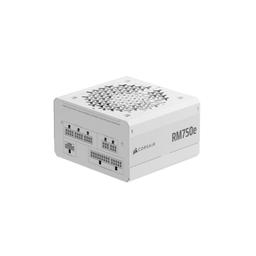
  • Deliberate overkill against this build's roughly 350W peak, and the reason is the upgrade the verdict recommends: moving to a 16GB RTX 5060 Ti — or a larger card in two years — should not also mean buying a new power supply. The second argument is noise. A unit loafing under half load sits in its zero-RPM band through an entire export queue, which is worth something on a desk you sit at all day.

    • 750W
    • Fully modular
    • ATX
    • Zero-RPM mode

Parts List

As an Amazon Associate, PlanMyPC earns from qualifying purchases made through links on this page. Read our affiliate disclosure

Where to Spend, Where to Save

Spend more on

VRAM, before any other component
The 8GB card is the only part here with a measured ceiling: full speed on previews, exports and canvas work, then 2.4 images a minute the moment AI Denoise runs. Sixteen gigabytes moves Denoise, Super Resolution and large panorama stitches out of the go-make-coffee category. If you touch those tools weekly, this is the one upgrade that changes your working day.
A calibrated display (not on this parts list)
Every part in this tower changes how fast you work; the monitor changes what you deliver. A factory-calibrated panel such as a BenQ SW or ASUS ProArt is the difference between a print that matches your screen and one that does not, and no amount of CPU fixes a bad profile. Treat it as part of the build budget.
Memory, if you stitch or stack
32GB holds a working catalogue and its preview cache comfortably. Panoramas, focus stacks and HDR merges do not — they build multi-gigabyte intermediates, and once Photoshop falls back to the scratch disk the responsiveness you paid the 7700X for is gone. 64GB is the fix, and the 2x16GB kit leaves the slots free for it.

Save on

The motherboard tier
X670E's premium buys PCIe 5.0 lanes that nothing in this workflow uses. A card reader, a tethered body and a backup drive are all USB devices. B650 gives you the two things that do matter — a spare M.2 socket for splitting catalogue off the OS drive, and enough rear ports to leave the tether, tablet and reader plugged in — and puts the difference toward VRAM.
The CPU cooler
An export queue is a sustained load the 7700X handles well inside its limits, so cooler spend past this $19 tower buys quieter, not faster. It is the cheapest line on the parts list and it has only gotten cheaper since this build was written. Leave it there and spend the saving on the display.
Archive storage inside the case
The 2TB NVMe is the working drive and should stay that way. Bulk archive belongs on an HDD or a NAS at roughly a tenth the cost per terabyte, bought when the working drive actually fills rather than on day one — and it should never be your only copy either way.

Ready to build this list?

Every part above drops straight into the System Builder — compatibility checks, a running price total, and a one-click buy list.

The Bottom Line

Pros

  • 8 fast cores cover both Photoshop responsiveness and Lightroom exports
  • 32GB of DDR5 keeps large catalogs and preview caches in memory
  • 2TB Gen4 NVMe holds tens of thousands of RAW files as a working drive

Cons

  • 8GB of VRAM is the weak point for AI Denoise and huge panoramas
  • No archival storage included, so plan for a NAS or bulk HDD

Frequently Asked Questions

How much RAM do I need for Lightroom and Photoshop?

32GB is the practical sweet spot: it holds the Lightroom catalog and preview cache in memory while leaving Photoshop enough headroom to avoid hammering the scratch disk. Move to 64GB if you routinely stitch panoramas or work with HDR stacks.

Does the GPU matter for photo editing?

More than it used to. Lightroom's AI Denoise and Super Resolution and Photoshop's neural filters are all GPU-accelerated, and VRAM is the limiting factor. That is why the 16GB RTX 5060 Ti is the recommended 2026 swap for the 8GB card in the parts list.

Is 8GB of VRAM enough in 2026?

For standard editing and export, yes. For AI Denoise on 45MP-plus RAW files or very large panorama stitches, 8GB is where you start waiting. If AI features are part of your workflow, buy 16GB.

Should I buy the Ryzen 7 9700X instead?

It is a modest step up, worth perhaps 10% in batch exports. Given a fixed budget, more VRAM and a calibrated monitor buy you more than the CPU upgrade does.

What is the highest-impact upgrade for a photo workflow?

A factory-calibrated display such as a BenQ SW or ASUS ProArt. No component in the tower changes your output the way accurate colour does.

Related Guides

Parts8 components
Target$2,200