August 2026 price check This build was specced to a $1,500 target. At August 2026 catalogue prices the same parts list comes to about $2,183. Memory and the 2TB NVMe are the two lines that moved, adding roughly $550 between them. Editing is the workload where cutting either one hurts most, so treat $2,183 as the real floor for this spec rather than trimming to hit the old target.
The best video editing PC under $2,200 in 2026 pairs a fast 8-core CPU with an NVENC-capable graphics card and quick NVMe storage — our pick is a Ryzen 7 7700X and RTX 4060 Ti build at about $2,183 that renders smoothly, exports 4K H.265 near real-time, and still leaves headroom under budget. If you cut 4K footage in Premiere Pro or DaVinci Resolve and want professional performance without overspending, this is the configuration to build.
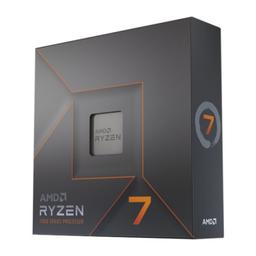
Why the Ryzen 7 7700X Anchors a Video Editing PC Under $2,200
Video editing demands a balance of multi-threaded CPU performance for rendering and timeline scrubbing, GPU acceleration for effects and encoding, and fast storage for handling large media files. The Ryzen 7 7700X delivers 8 cores and 16 threads with boost clocks up to 5.4 GHz, which keeps Premiere Pro and DaVinci Resolve responsive even on complex, multi-layer timelines. Eight fast cores is the sweet spot at this budget: enough parallelism for export and effects without paying for 12- and 16-core chips that only pull ahead on sustained CPU-only renders. Browse the full CPU catalog if you want to compare it against a Ryzen 9 for heavier After Effects work.
GPU: NVENC Hardware Encoding for Fast 4K Exports
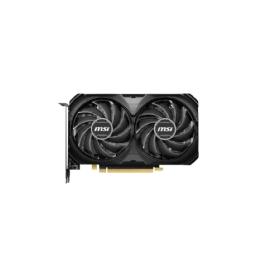
The RTX 4060 Ti brings NVIDIA's NVENC hardware encoder, which offloads H.264 and H.265 exports from the CPU entirely. This means you can export a finished 4K project in a fraction of the time while your CPU stays free for other tasks, and it accelerates GPU-based effects, playback, and preview in DaVinci Resolve and After Effects. The 8GB of VRAM is sufficient for 4K editing with moderate effects, and the CUDA cores speed up GPU rendering. Compare graphics cards to weigh encode throughput against VRAM — for effect-heavy 4K, the extra headroom of a 16GB card pays off.
Memory and Storage for Smooth 4K Timelines
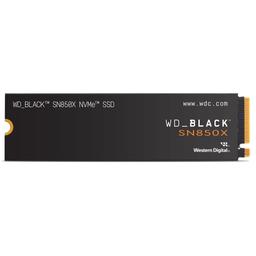
We've paired these with 32GB of DDR5 memory and a 2TB NVMe drive, because video projects eat storage fast and timeline performance depends heavily on disk speed. 32GB of DDR5-6000 keeps multiple 4K streams and a browser full of reference tabs responsive, and a fast Gen4 NVMe scratch disk stops cache and preview files from bottlenecking playback. See the memory catalog if you plan to jump to a 64GB kit for multicam or motion-graphics work. At about $2,183 this build sits inside a $2,000 budget and handles professional-grade 4K editing workflows without breaking a sweat.
Updated for 2026
The fundamentals are unchanged — multi-thread CPU, NVENC GPU, fast NVMe — and this build still nails 4K editing under budget. In 2026, weigh the RTX 5060 Ti 16GB over the 8GB 4060 Ti: the extra VRAM noticeably helps 4K timelines with effects and GPU-accelerated AI tools in DaVinci Resolve and Premiere Pro. DDR5 and 2TB NVMe pricing has dropped, freeing budget toward that GPU step-up.
Where This Build Lands, and What to Upgrade First
As specced the parts total roughly $2,183 at August 2026 catalogue prices, past the $1,500 target rather than under it. If you have room to spend the difference, put it into GPU VRAM before anything else: a 16GB card is the single change that most extends what this machine can cut. The second upgrade is memory, and the third is a dedicated scratch drive in the board's spare M.2 socket. Common questions about all three are answered below.
Ready to price it out? Configure this build on PlanMyPC to check compatibility and total the parts at our catalogue figures — approximate August 2026 numbers rather than live quotes, so confirm each line at the retailer before you order. If you also stream or do 3D work, compare it against our content-creator workstation; if your work is stills rather than video, the photo editing PC for Lightroom and Photoshop reallocates the same budget toward colour accuracy and single-core speed. That same 16GB VRAM ceiling governs local AI work, so if the machine will also run transcription or language models, the local AI and LLM build explains exactly where the limits fall.